CPU Frequency change?

Colby1888

New member
Local time
12:32 AM
Messages
4
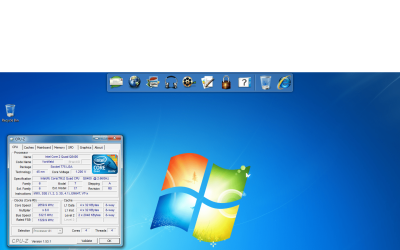
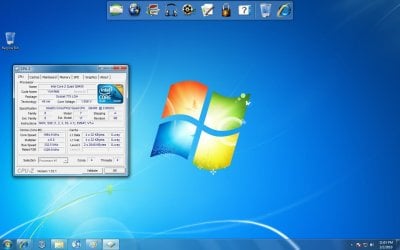
Hey guys just a quick question I just bought a new Intel Core 2 Quad CPU Q8400 and I'm lookin on CPU-ID and Core Temp and my processor goes from running at a core speed of 1994.4 with a x6 multiplier up to 2659.9 with a x8 mulitplier....my question is is this normal or have I done something wrong? Screenshots posted
 

Attachments
  • 1994.9MHz.jpg
    1994.9MHz.jpg
    98.7 KB · Views: 268
  • 2659.9MHz.png
    2659.9MHz.png
    233.1 KB · Views: 135

My Computer

Computer Manufacturer/Model Number
Dell Inspiron 537
OS
Windows 7 Home Premium - 64 bit
CPU
Intel Core 2 Quad Q8400 @ 2.66Ghz
Motherboard
Dell Inspiron 537 Socket 775 Motherboard, Dell U880P
Memory
4 GB 800 MHz
Graphics Card(s)
ATI Radeon HD 4300/4500 Series (PCI Express)
Sound Card
Realtek High Definition
Monitor(s) Displays
Dell S1709W (17 in, 1440x900 Resolution)
Hard Drives
640 GB SATA at 7200 RPM
PSU
300 Watt
Case
537 Case
Cooling
Rocketfish CPU Cooler

My Computer

Computer type
PC/Desktop
Computer Manufacturer/Model Number
Me
OS
Win 7 Ultimate x64
CPU
FX-8350 @ 4.6 GHz so far
Motherboard
Asus M5A97 EVO
Memory
ADATA XPG V1 Series Black 8GB DDR3 1600
Graphics Card(s)
Sapphire R9 270x Dual-X
Sound Card
Xonar DGX w/ Corsair Vengence 1300
Monitor(s) Displays
Acer S232HL Abid
Screen Resolution
1920x1080
Hard Drives
120 GB OCZ Vertex 3
500 GB Seagate 7200.12
PSU
Antec Earthwatts 650W Green
Case
Antec Three Hundred
Cooling
Cooler Master 212 EVO
Keyboard
Logitech G510
Mouse
Logitech G500s
Internet Speed
35000/3000
I would suggest leaving it enabled, unless your doing some really heavy overclocking (like 450FSB +)

It's a good thing.
 

My Computer

Computer Manufacturer/Model Number
Custom (Self Build)
OS
Windows 7 Home Premium 64bit
CPU
Intel Core i7 2700k
Motherboard
eVGA P67 SLI
Memory
8GB Mushkin Redline Ridgebacks @1866
Graphics Card(s)
EVGA GTX570 SC
Sound Card
XiFi Titanium HD
Monitor(s) Displays
LG W2453V
Screen Resolution
1920x1080
Hard Drives
Intel 320 80GB -- Intel X25-V 40GB --WD Black 1TB x2 -- WD Blue 640GB
PSU
Seasonic x750
Case
Corsair 600T SE White
Cooling
eVGA Superclocked CPU Cooler
Keyboard
Saitek Cyborg
Antivirus
Kaspersky
Browser
IE
Other Info
LG BD/DVD
Ok thank you very much this was my first time ever changing a CPU and I was hoping I didn't mess anything up....and now for my next question since everything seems to be running fine....is a 300w PSU big enough to overclock this processor? I would like to get it into about the 3.5 GHz range if possible
 

My Computer

Computer Manufacturer/Model Number
Dell Inspiron 537
OS
Windows 7 Home Premium - 64 bit
CPU
Intel Core 2 Quad Q8400 @ 2.66Ghz
Motherboard
Dell Inspiron 537 Socket 775 Motherboard, Dell U880P
Memory
4 GB 800 MHz
Graphics Card(s)
ATI Radeon HD 4300/4500 Series (PCI Express)
Sound Card
Realtek High Definition
Monitor(s) Displays
Dell S1709W (17 in, 1440x900 Resolution)
Hard Drives
640 GB SATA at 7200 RPM
PSU
300 Watt
Case
537 Case
Cooling
Rocketfish CPU Cooler
With the setup in your specs, I would say 300W isnt enough or close, as you are right now. Depending on the quality of the PSU.
If its one that came with a pre-built machine for example, then I would say dont chance OCing.

You may want to invest in a better PSU.

to give you an idea what kind of wattage you need:
eXtreme Power Supply Calculator

But remember, 12V rail Amperage is the most important thing. NOT Watts.

For your setup ,it will consume around 200W avg. But once you start overclocking, the power draw will increase significantly.
But youll probably want around 32Amps at least to be nice and safe.

Perhaps upgrading to something like a 400 or 450W Corsair would be a great help, and give you some overhead.
 

My Computer

Computer Manufacturer/Model Number
Custom (Self Build)
OS
Windows 7 Home Premium 64bit
CPU
Intel Core i7 2700k
Motherboard
eVGA P67 SLI
Memory
8GB Mushkin Redline Ridgebacks @1866
Graphics Card(s)
EVGA GTX570 SC
Sound Card
XiFi Titanium HD
Monitor(s) Displays
LG W2453V
Screen Resolution
1920x1080
Hard Drives
Intel 320 80GB -- Intel X25-V 40GB --WD Black 1TB x2 -- WD Blue 640GB
PSU
Seasonic x750
Case
Corsair 600T SE White
Cooling
eVGA Superclocked CPU Cooler
Keyboard
Saitek Cyborg
Antivirus
Kaspersky
Browser
IE
Other Info
LG BD/DVD

My Computer

Computer Manufacturer/Model Number
Dell Inspiron 537
OS
Windows 7 Home Premium - 64 bit
CPU
Intel Core 2 Quad Q8400 @ 2.66Ghz
Motherboard
Dell Inspiron 537 Socket 775 Motherboard, Dell U880P
Memory
4 GB 800 MHz
Graphics Card(s)
ATI Radeon HD 4300/4500 Series (PCI Express)
Sound Card
Realtek High Definition
Monitor(s) Displays
Dell S1709W (17 in, 1440x900 Resolution)
Hard Drives
640 GB SATA at 7200 RPM
PSU
300 Watt
Case
537 Case
Cooling
Rocketfish CPU Cooler
I do not know much about the OCZ Psus, sadly.

But it looks as if it uses 2 12V rails at 18A each.

Where as the 450W Corasiar uses 1 single 12V rail @ 33A
and the 400W version uses 1 single 12V rail @ 30A (this one is 54.99)

<<<For reference: The typical 300W PSU that comes with a Pre-Built machine is a 300W with a 16-18A 12V rail -- although there are a few exceptions>>>

As far as compatability? Nothing to really worry about. Just get something that is of good quality build.
<<Just my Opinion>> But, I've never been a big fan of multiple 12V rails. While 2 @ 18A each looks as if it should be a 36Amp PSU, it doesnt quite work that way since its splitting the rail.

Thats not saying the OCZ is a bad choice. I simply can not speak for them, and have no experience with thier PSUs. Perhaps others do.


The 400W would be plenty for what you have with a little head room.

One thing to consider, is future upgrades. Like if you decide to get a more powerful graphics card. If thats something you think you may do, it might be worth considering something like a 500-550W (35A+) PSU so theres more headroom for upgrades like this.
 

My Computer

Computer Manufacturer/Model Number
Custom (Self Build)
OS
Windows 7 Home Premium 64bit
CPU
Intel Core i7 2700k
Motherboard
eVGA P67 SLI
Memory
8GB Mushkin Redline Ridgebacks @1866
Graphics Card(s)
EVGA GTX570 SC
Sound Card
XiFi Titanium HD
Monitor(s) Displays
LG W2453V
Screen Resolution
1920x1080
Hard Drives
Intel 320 80GB -- Intel X25-V 40GB --WD Black 1TB x2 -- WD Blue 640GB
PSU
Seasonic x750
Case
Corsair 600T SE White
Cooling
eVGA Superclocked CPU Cooler
Keyboard
Saitek Cyborg
Antivirus
Kaspersky
Browser
IE
Other Info
LG BD/DVD
If your power supply is one of those generic psu's that come free with the case don't even try and start overclocking anything without being aware of the risk you potentially have. I recently read a review which compared generic case psu's, and it basically said "replace at the first opportunity" or, live to regret it. If you bought a 300w psu recently and knew you wanted to overclock your system, a bit of research might have helped? This calculator can help you determine the size psu you need. here

Jinker
 

My Computer

Computer Manufacturer/Model Number
Home Build
OS
Win 7 (32)
CPU
i5 750
Motherboard
Asus P7H55D-M Evo
Memory
4GB Crucial DDR3
Graphics Card(s)
ATI Radeon 4670
Sound Card
Onboard Realtek
Monitor(s) Displays
Philips 23"
Hard Drives
Samsung 1TB
PSU
Thermal Take 550
Case
Coolermaster Lite
Cooling
Arctic Cooling Freezer 7 Pro Rev 2 CPU Cooler
Keyboard
Di Novo Edge
Internet Speed
20Mbit
@Wishmaster
Thanks for the info and I am upgrading my graphics card next week so I'm glad you mentioned that I will look into the Corsair PSU more maybe get something a little bigger 550W -750W

@jinker
Yes this is the generic PSU that came with pc and I didn't think it was gonna be able to OC the processor thats why I asked :) and thanks for the help and the link to the PSU calculators was a big help
 

My Computer

Computer Manufacturer/Model Number
Dell Inspiron 537
OS
Windows 7 Home Premium - 64 bit
CPU
Intel Core 2 Quad Q8400 @ 2.66Ghz
Motherboard
Dell Inspiron 537 Socket 775 Motherboard, Dell U880P
Memory
4 GB 800 MHz
Graphics Card(s)
ATI Radeon HD 4300/4500 Series (PCI Express)
Sound Card
Realtek High Definition
Monitor(s) Displays
Dell S1709W (17 in, 1440x900 Resolution)
Hard Drives
640 GB SATA at 7200 RPM
PSU
300 Watt
Case
537 Case
Cooling
Rocketfish CPU Cooler
Back
Top