cpu usage high due to missing drivers

schock

New member
Local time
1:24 PM
Messages
10
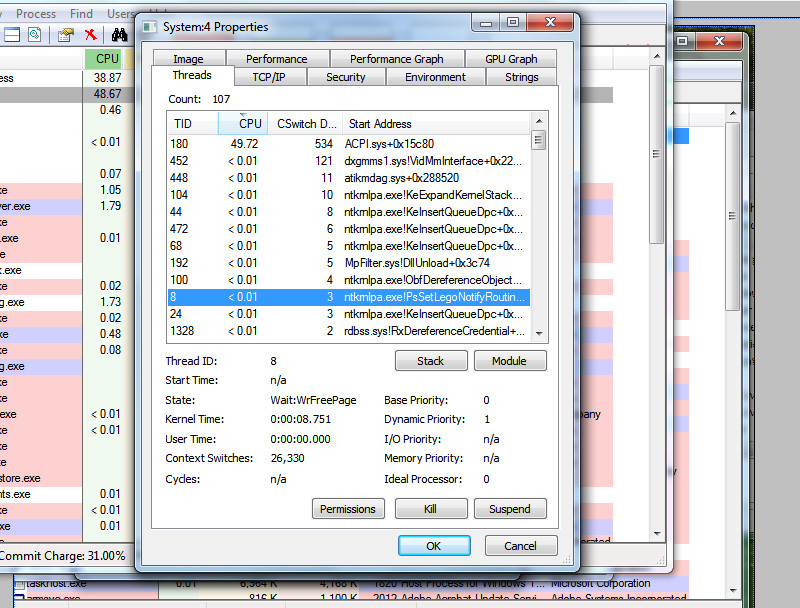
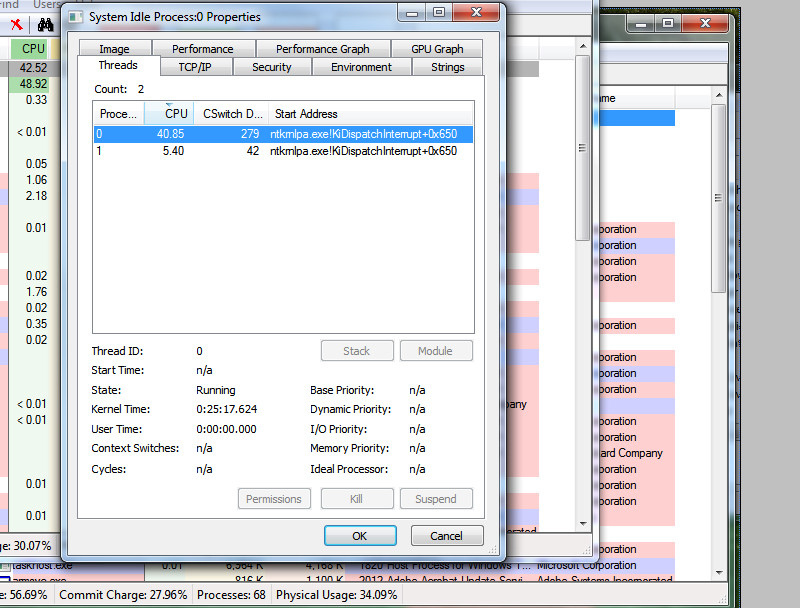
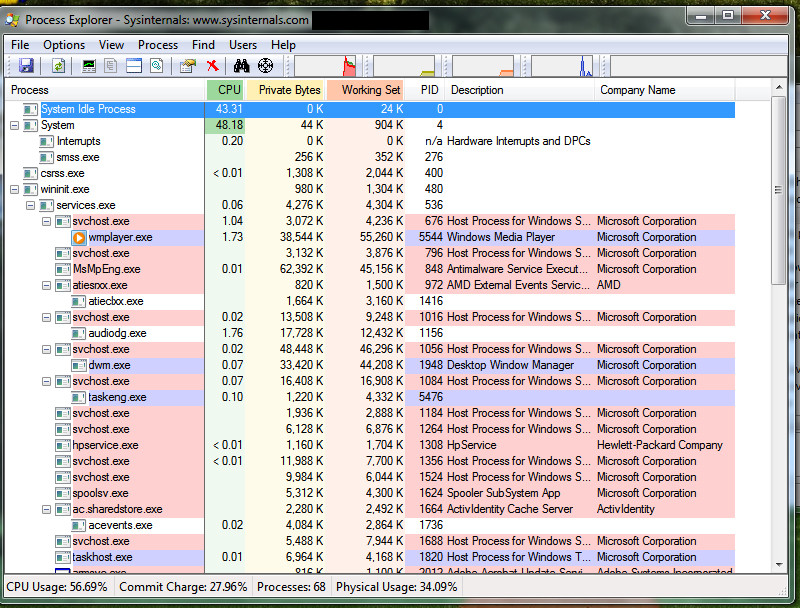
Two processes "System" and "System Idle Process" have been the reason for high cpu usage. Please help to fix it.
9GQ4w9k.jpg

uErfHgb.jpg

RgXV7P6.jpg

4kTT68s.jpg


you can see the images above, there are two files that are causing the issue.
1 is nktmlpa.exe
2nd is acpi.sys
 

My Computer

Computer type
Laptop
Computer Manufacturer/Model Number
HP
OS
Windows 7 Ultimate 32 bit
CPU
P8600
Memory
2
Graphics Card(s)
AMD Radeon Mobility 3400
Hard Drives
160
Antivirus
Microsoft Security Essentials
Browser
Chrome
Can't you go to HP site and download all drivers for your model?
 

My Computer

Computer type
Laptop
Computer Manufacturer/Model Number
Lenovo G500s
OS
Windows 8.1
CPU
I3-3110M
Motherboard
No idea...
Memory
8GB DDR3 1600
Graphics Card(s)
Geforce 720M(oc to 730M) 1GB
Sound Card
Realtek.
Monitor(s) Displays
No idea...
Screen Resolution
1366X768
Hard Drives
1000GB no idea who made it...
PSU
80 watts
Case
No case laptop :)
Cooling
Standard one.
Keyboard
Accu type
Mouse
X7 Razor
Internet Speed
20MB
Antivirus
Avast Free Antivirus so far works great.
Browser
Chrome and IE.
Other Info
Well it's silent and cold laptop :)
do you even know the two files "nktmlpa.exe" and "acpi.sys" are drivers or not? do you mind telling me what drivers are missing?
 

My Computer

Computer type
Laptop
Computer Manufacturer/Model Number
HP
OS
Windows 7 Ultimate 32 bit
CPU
P8600
Memory
2
Graphics Card(s)
AMD Radeon Mobility 3400
Hard Drives
160
Antivirus
Microsoft Security Essentials
Browser
Chrome
Back
Top