

Hi all
You can create a VM that works under vmware from the XP image loaded in the "XP Compatability mode" if you have Acronis True image.
The advantage of this is that you don't need to get a separate XP license to create "Multiple" XP machines. Once you've got a vmware machine you can "Clone them" etc and add to your "Vm Team" of machines.
1) Logon to your Virtual machine and create a backup using acronis true image
2) Download from the vmware site the vmware stand alone converter
3) run it and select "Convert 3rd party / backup image" Virtual machine
select youe *.tib acronis file.
4) after about 5 mins its ready - open it in vmware and logon
Voila -- however Windows will need activating -- you still get 30 days plus all the slmgr -rearm options . I haven't tried activating yet but will attempt that later -- you need to install Vmware tools on the new guest to enable decent video / sound / network adapters.
Note also you get a warning that you need to also copy the deployment tool (microsoft) to the conversion folder -- you only need that if the hardware is hugely different -- for this exercise it can be ignored since the "virtual hardware" is very similar. Also you are onlydoing a V2V conversion not V2P or P2V.
Have fun and enjoy.
Will post later if the activation actually works. It DOES however pass Windows gENUINE VALIDATION TEST.
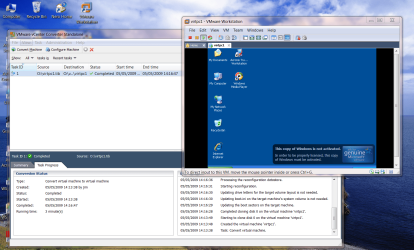
enc image. xp virtual machine running under vmware cloned from "XP compatability mode".
Cheers
jimbo
You can create a VM that works under vmware from the XP image loaded in the "XP Compatability mode" if you have Acronis True image.
The advantage of this is that you don't need to get a separate XP license to create "Multiple" XP machines. Once you've got a vmware machine you can "Clone them" etc and add to your "Vm Team" of machines.
1) Logon to your Virtual machine and create a backup using acronis true image
2) Download from the vmware site the vmware stand alone converter
3) run it and select "Convert 3rd party / backup image" Virtual machine
select youe *.tib acronis file.
4) after about 5 mins its ready - open it in vmware and logon
Voila -- however Windows will need activating -- you still get 30 days plus all the slmgr -rearm options . I haven't tried activating yet but will attempt that later -- you need to install Vmware tools on the new guest to enable decent video / sound / network adapters.
Note also you get a warning that you need to also copy the deployment tool (microsoft) to the conversion folder -- you only need that if the hardware is hugely different -- for this exercise it can be ignored since the "virtual hardware" is very similar. Also you are onlydoing a V2V conversion not V2P or P2V.
Have fun and enjoy.
Will post later if the activation actually works. It DOES however pass Windows gENUINE VALIDATION TEST.
enc image. xp virtual machine running under vmware cloned from "XP compatability mode".
Cheers
jimbo
Attachments
My Computer
- Computer type
- PC/Desktop
- Computer Manufacturer/Model Number
- Custom built, several laptops HP/ASUS
- OS
- Linux CENTOS 7 / various Windows OS'es and servers
- CPU
- Intel i7 Intel i5
- Memory
- 8GB, 16GB
- Graphics Card(s)
- On Motherboard
- Sound Card
- Realtek HD audio
- Monitor(s) Displays
- Apple Cinema display, Samsung LCD
- Screen Resolution
- 1920 X 1080
- Hard Drives
- 4 X 1TB SATA
- Mouse
- Toshiba wireless laser
- Internet Speed
- > 20MB up


