Keeping my folders organized in windows 7 is a nightmare.
I'm a graphic artist, and have a myriad of folders & subfolders containing my work. These are categorized by date, project, client, etc, but often the easiest way to locate a particular item is by visual identification.
I keep these folders set to large or extra-large icons (depending on the number) and customize the icons via the following process:
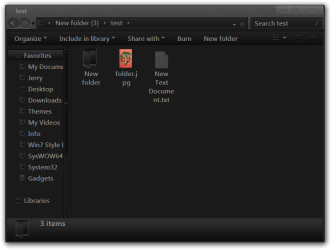
right-click, properties>customize>choose file>open
then: change icon>restore defaults>ok
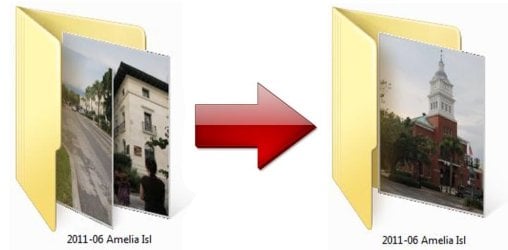
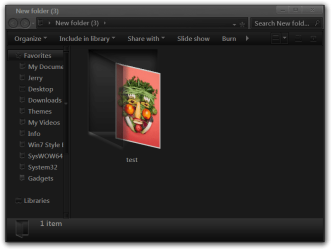
...in order to "paste" a representative image on the folder's "cover" (ex: a picture of a ship for a folder containing nautical images). This is a clunky, not-so-elegant process, but it works ... for a while.
After a few days (or sometimes weeks) the folder icon will have reverted to its original appearance (multiple images spilling out of a manila folder). Some take longer than others, but it happens over and over again.
Also, I've noticed that the viewing option for files & folders will arbitrarily change (ex: from large icons to small, or to list- or details-mode). Could this be related?
I've seen many queries from people with the same problem, but have yet to find a satisfactory solution. I never had this problem in xp, and hopefully microsoft has given folder customization a little more thought in windows 8. Am I missing something? Has a patch been released to address this issue? In the meantime, I feel like a blind man trying to organize his sock drawer.
I'm a graphic artist, and have a myriad of folders & subfolders containing my work. These are categorized by date, project, client, etc, but often the easiest way to locate a particular item is by visual identification.
I keep these folders set to large or extra-large icons (depending on the number) and customize the icons via the following process:
right-click, properties>customize>choose file>open
then: change icon>restore defaults>ok
...in order to "paste" a representative image on the folder's "cover" (ex: a picture of a ship for a folder containing nautical images). This is a clunky, not-so-elegant process, but it works ... for a while.
After a few days (or sometimes weeks) the folder icon will have reverted to its original appearance (multiple images spilling out of a manila folder). Some take longer than others, but it happens over and over again.
Also, I've noticed that the viewing option for files & folders will arbitrarily change (ex: from large icons to small, or to list- or details-mode). Could this be related?
I've seen many queries from people with the same problem, but have yet to find a satisfactory solution. I never had this problem in xp, and hopefully microsoft has given folder customization a little more thought in windows 8. Am I missing something? Has a patch been released to address this issue? In the meantime, I feel like a blind man trying to organize his sock drawer.
My Computer
At a glance
wiindows 7 home premium 64-bitamd phenom II x4 9258 GB
- Computer Manufacturer/Model Number
- hp pavilion elite hpe
- OS
- wiindows 7 home premium 64-bit
- CPU
- amd phenom II x4 925
- Memory
- 8 GB