
SalamanderFang
New member
- Local time
- 7:27 PM
- Messages
- 2
Hi 
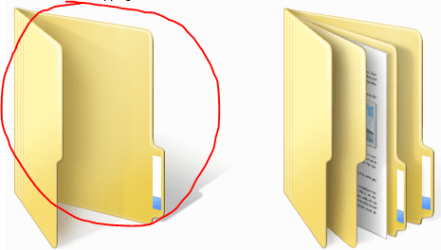
My customized folders returned to the default icon folder on my external HD
I like to create different icons that I save inside the different folders to use them as covers to know what's inside easily.
They had stayed that way for months. But I don't know what I did today that by restarting my PC all the folders that I had placed icons had already returned as when the folder does not find the icon that it was using.
imgbox - fast, simple image host
Apparently there is nothing else but to link all the folders again with the different icons
I already did some tests putting again some icons as covers in some folders and restarting my PC and everything looks good, no changes so far.
But I want you to help me find out why it happened.
My PC kept working without turning it off for more than a month. Then yesterday I finally turned the PC off to try to make a copy of another HD using the program EaseUS [that I think that program caused this problem].
And today I uninstall WinRAR to install a new version.
It was after I finished doing all these that I found out strange things.
The fist was that I turned off the autoplay function months ago, but when I plugged again the HD the autoplay appeared.
I went to the HD and saw that all the view settings were completely changed.
After that, I saw that all the folders with the icon as a cover were also changed.
I hope you can help me to know what I really did to avoid happening again in the future.
I am using Windows 7 64
My customized folders returned to the default icon folder on my external HD
I like to create different icons that I save inside the different folders to use them as covers to know what's inside easily.
They had stayed that way for months. But I don't know what I did today that by restarting my PC all the folders that I had placed icons had already returned as when the folder does not find the icon that it was using.
imgbox - fast, simple image host
Apparently there is nothing else but to link all the folders again with the different icons
I already did some tests putting again some icons as covers in some folders and restarting my PC and everything looks good, no changes so far.
But I want you to help me find out why it happened.
My PC kept working without turning it off for more than a month. Then yesterday I finally turned the PC off to try to make a copy of another HD using the program EaseUS [that I think that program caused this problem].
And today I uninstall WinRAR to install a new version.
It was after I finished doing all these that I found out strange things.
The fist was that I turned off the autoplay function months ago, but when I plugged again the HD the autoplay appeared.
I went to the HD and saw that all the view settings were completely changed.
After that, I saw that all the folders with the icon as a cover were also changed.
I hope you can help me to know what I really did to avoid happening again in the future.
I am using Windows 7 64
Attachments
My Computer
At a glance
7 64
- Computer type
- PC/Desktop
- OS
- 7 64

