GAcrazyshamz
New member
- Local time
- 2:06 AM
- Messages
- 7
Hey guys,
I have a problem which I hope you all can help me with.
I have a samsung n120 and I just upgraded to Windows 7. I installed it on my C drive. My computer came with a C and a D drive. After installation. I can't find my D drive which is really frustrating since before the upgrade I transferred all my stuff to the D drive.
Anyone know how I can get it back?
Thanks in advance!
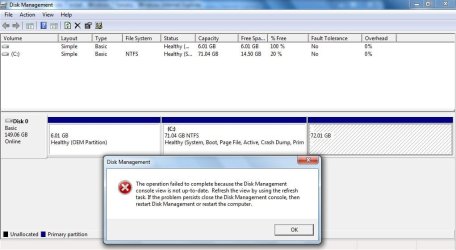
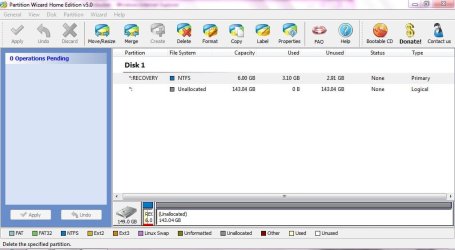
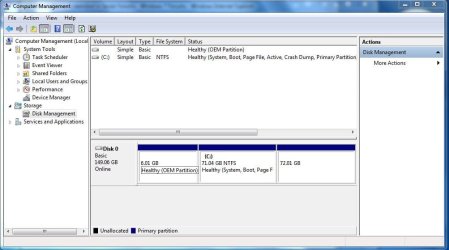
Here's a screenshot of Disk Management (D Drive is not even listed there, but it's the one on the far left - 72.01 GB):
I have a problem which I hope you all can help me with.
I have a samsung n120 and I just upgraded to Windows 7. I installed it on my C drive. My computer came with a C and a D drive. After installation. I can't find my D drive which is really frustrating since before the upgrade I transferred all my stuff to the D drive.
Anyone know how I can get it back?
Thanks in advance!
Here's a screenshot of Disk Management (D Drive is not even listed there, but it's the one on the far left - 72.01 GB):
Attachments
My Computer
- Computer Manufacturer/Model Number
- Samsung n120
- OS
- Windows 7 Ultimate 32-bit
- CPU
- Intel(R) Atom(TM) CPU N270 @ 1.60GHz
- Memory
- 2.00 GB RAM