Damaged user profile

Dave74

New member
Local time
4:56 AM
Messages
7
Win7 ultimate x64
I have accidentally deleted some files from my user profile (and possibly Windows) so when I now log on I get a black desktop, icons on my taskbar are blank "pages" and the desktop.ini file opens.

If I try to run windows explorer from the taskbar it tells me it can't open this item, it might have been moved, renamed or deleted but explorer.exe is in the windows folder. I can get an explorer type window by clicking on "Computer" in the start menu.

I have tried various fixes I found on the internet, one from this forum for "User profile service failed" which advised looking at SID keys, I have numerous S-1-5 keys but none with .BAK and only 1 relating to my user account.

Desktop.ini is in \windows\system32\config\systemprofile

Can anyone offer any help please?

PS I also created another user but it showed the same symptoms.
 
Last edited:

My Computer

Computer type
PC/Desktop
Computer Manufacturer/Model Number
home build
OS
windows7 Ultimate x64
CPU
i5-2500k
Motherboard
Asrock Z77 extreme
Graphics Card(s)
gTX1060
Antivirus
Avast
Welcome to the forum. It sounds as if you have done something drastic your best bet would to try a system restore or restore from backup failing that a repair
 

My Computer

Computer type
PC/Desktop
OS
win 8 32 bit
Problem is the restore points I created are nowhere to be seen. I even went into system volume to see if i could find them
 

My Computer

Computer type
PC/Desktop
Computer Manufacturer/Model Number
home build
OS
windows7 Ultimate x64
CPU
i5-2500k
Motherboard
Asrock Z77 extreme
Graphics Card(s)
gTX1060
Antivirus
Avast
Safe mode/command line/type rstrui.exe
If no joy then it's Repair install.
 

My Computer

Computer type
PC/Desktop
Computer Manufacturer/Model Number
custom
OS
win7 home premium 64bit
CPU
3.47 gigahertz AMD Phenom II X4 955
Motherboard
ASUSTeK Computer INC. M4A89TD PRO USB3 Rev 1.xx
Memory
8192Mb
Graphics Card(s)
ATI Radeon HD 5700 Series [Display adapter]
Sound Card
asus xonar essence stx
Monitor(s) Displays
prolite E2472HD
Hard Drives
ST31500341AS [Hard drive] (1500.30 GB) -- drive 0, s/n 9VS42ED0, rev CC1H, SMART Status: Healthy
ST3750528AS [Hard drive] (750.16 GB) -- drive 1, s/n 9VP8EPRF, rev CC44, SMART Status: Healthy
Case
antec
Cooling
4 inner and 1 top
Keyboard
logitech
Mouse
MS
Internet Speed
80/20
Antivirus
ESET
Browser
firefox
Safe mode/command line/type rstrui.exe
If no joy then it's Repair install.

"No restore points have been created..." :cry:

They were created, goodness knows where they've gone.

I'll try a repair install. I really don't want to do a fresh install, I have so much software on the affected PC it will take ages to reinstall.

Thanks to you all for your input.

Repair install Startup repair could not detect a problem

System restore no restore points created

Startup repair -> view diagnostics... how do I scroll that window to view the repair details?
 
Last edited:

My Computer

Computer type
PC/Desktop
Computer Manufacturer/Model Number
home build
OS
windows7 Ultimate x64
CPU
i5-2500k
Motherboard
Asrock Z77 extreme
Graphics Card(s)
gTX1060
Antivirus
Avast
Hi Dave74,

Welcome to SevenForums!

Win7 ultimate x64
I have accidentally deleted some files from my user profile (and possibly Windows) so when I now log on I get a black desktop, icons on my taskbar are blank "pages" and the desktop.ini file opens.

I think a repair install is needed, please see below . . .

A repair install differs from a clean install in the fact that it ONLY replaces the corrupted OS with a new fresh copy. This means that ALL your User Accounts, Folders, Files, Documents, Pictures, Music, Videos, Data Files, Icons, and any installed programs are left intact. It does however, delete ALL the Window updates, and can affect, sounds, services, visual effect settings and device drivers by re-setting them to default. You cannot do a repair install at boot, in Safe Mode, using a system repair disk, or using an integrated Windows update disk. Basically, this process can ONLY be performed from within the LIVE OS.

I hope this helps!
 

My Computer

Computer type
Laptop
Computer Manufacturer/Model Number
Fujitsu LIFEBOOK
OS
Win 7 HP SP1 64-bit Vista HB SP2 32-bit Linux Mint 18.3
CPU
Intel(R) Pentium(R) CPU P6200 @ 2.13GHz
Motherboard
FUJITSU FJNBB06
Memory
4.00 GB
Graphics Card(s)
Intel(R) Graphics Media Accelerator HD
Sound Card
[1] Realtek High Definition Audio [2] Intel(R) Display Audio
Screen Resolution
1366 x 768 x 32 bits (4294967296 colors) @ 59 Hz
Hard Drives
TOSHIBA MK5076GSX
Antivirus
AVG FREE
Hi Paul,

F8 -> repair your computer

Windows failed to start.....insert windows installation disk & restart your PC

Which just takes me back to the same situation as booting from the installation disk.

Am I doing something wrong?

I recovered deleted files using the attrib command in the hope that might fix the issue, it didn't :(
 
Last edited:

My Computer

Computer type
PC/Desktop
Computer Manufacturer/Model Number
home build
OS
windows7 Ultimate x64
CPU
i5-2500k
Motherboard
Asrock Z77 extreme
Graphics Card(s)
gTX1060
Antivirus
Avast

My Computers

System One System Two

  • Computer type
    PC/Desktop
    OS
    7 X64
    CPU
    i5 8400
    Motherboard
    gigabyte b365m ds3h
    Memory
    2x8gb 3200mhz
    Hard Drives
    various
    PSU
    pure power 11 400w cm
    Case
    Coolermaster
    Cooling
    cryorig m9i
  • Computer type
    PC/Desktop
    OS
    7x64
    CPU
    g5400
    Motherboard
    ga b365m ds3h
    Memory
    8gb ddr4 2400
    PSU
    xfx pro 450w
We are struggling as we don't know what you delete and altered. You could try using a file recovery software and restore deleted files as a last resort
 

My Computer

Computer type
PC/Desktop
OS
win 8 32 bit
Hi Dave74,

Oops, sorry. I'll have a go tomorrow.

IMPORTANT:

[1] Make sure that you backup ALL your essential files etc to an external HDD or USB BEFORE you start the repair install just in case!

[2] You must have MORE than the currently used HDD space available BEFORE you start the repair install process. This is because during this process, a C:\Windows.old backup folder gets created which is a FULL copy of the current OS.

NOTE: This backup folder can either be used to restore the OS back to the pre-repair install version, or to restore individual files etc that weren’t properly copied. Once you are happy, you can delete this folder.

[3] REMOVE any connected drives BEFORE you start.

SUGGESTION: It is advisable that you run an Extended Disk Cleanup [with ALL the options checked] and defragment the HDD [NOT SSD] BEFORE you start the repair installation. This gets rid of all the superfluous files and will reduce the size of the original OS, the install processing time, and the size of the C:\Windows.old backup folder.

You can download and run my Extended Disk Cleanup batch file from here [it is a lot easier and quicker] => View attachment Extended_Disk_Cleanup.bat.

To perform a Repair Install you need to BOOT the installation DVD/USB.

I hope this helps!
 

My Computer

Computer type
Laptop
Computer Manufacturer/Model Number
Fujitsu LIFEBOOK
OS
Win 7 HP SP1 64-bit Vista HB SP2 32-bit Linux Mint 18.3
CPU
Intel(R) Pentium(R) CPU P6200 @ 2.13GHz
Motherboard
FUJITSU FJNBB06
Memory
4.00 GB
Graphics Card(s)
Intel(R) Graphics Media Accelerator HD
Sound Card
[1] Realtek High Definition Audio [2] Intel(R) Display Audio
Screen Resolution
1366 x 768 x 32 bits (4294967296 colors) @ 59 Hz
Hard Drives
TOSHIBA MK5076GSX
Antivirus
AVG FREE
Thanks for all the help guys but after 3 failed repair attempts it looks like I'll have to do a fresh install.

1st attempt resulted in getting as far as "transferring files, settings and programs" about 2/3 along the "Upgrading windows" progress bar and then no further progress. HDD LED on full (no flickering) suggesting no files are being transferred. Left the PC in this state for 12 hours and no progress. rebooted.

The above was done with M:\users\username which is where the existing windows is installed.

As that didn't work I tried moving \username to C:\username as per the repair instructions in case that loder had to be on C: drive.
That attempt didn't get very far (can't remember the exact error, but it didn't work).

Today i tried again after using Paul Black's extended disk cleanup batch file but has the same result, no progress during "transferring files, settings and programs"
 

My Computer

Computer type
PC/Desktop
Computer Manufacturer/Model Number
home build
OS
windows7 Ultimate x64
CPU
i5-2500k
Motherboard
Asrock Z77 extreme
Graphics Card(s)
gTX1060
Antivirus
Avast
Hi Dave74, did you disconnect all other drives before you started the process?
 

My Computer

Computer type
Laptop
Computer Manufacturer/Model Number
Fujitsu LIFEBOOK
OS
Win 7 HP SP1 64-bit Vista HB SP2 32-bit Linux Mint 18.3
CPU
Intel(R) Pentium(R) CPU P6200 @ 2.13GHz
Motherboard
FUJITSU FJNBB06
Memory
4.00 GB
Graphics Card(s)
Intel(R) Graphics Media Accelerator HD
Sound Card
[1] Realtek High Definition Audio [2] Intel(R) Display Audio
Screen Resolution
1366 x 768 x 32 bits (4294967296 colors) @ 59 Hz
Hard Drives
TOSHIBA MK5076GSX
Antivirus
AVG FREE
Hi Dave74,

Disk Management

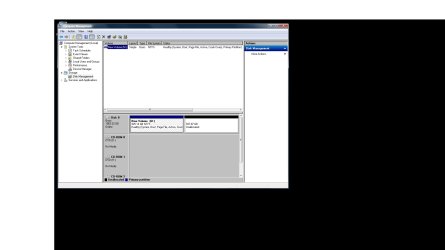
Can you post a screenshot of the Disk Management please => Click Start => right-click Computer => click Manage => click Disk Management.

I hope this helps
 

My Computer

Computer type
Laptop
Computer Manufacturer/Model Number
Fujitsu LIFEBOOK
OS
Win 7 HP SP1 64-bit Vista HB SP2 32-bit Linux Mint 18.3
CPU
Intel(R) Pentium(R) CPU P6200 @ 2.13GHz
Motherboard
FUJITSU FJNBB06
Memory
4.00 GB
Graphics Card(s)
Intel(R) Graphics Media Accelerator HD
Sound Card
[1] Realtek High Definition Audio [2] Intel(R) Display Audio
Screen Resolution
1366 x 768 x 32 bits (4294967296 colors) @ 59 Hz
Hard Drives
TOSHIBA MK5076GSX
Antivirus
AVG FREE

Attachments

  • Disk management.jpg
    Disk management.jpg
    65 KB · Views: 0

My Computer

Computer type
PC/Desktop
Computer Manufacturer/Model Number
home build
OS
windows7 Ultimate x64
CPU
i5-2500k
Motherboard
Asrock Z77 extreme
Graphics Card(s)
gTX1060
Antivirus
Avast
Back
Top