
Phantomist
New member
- Local time
- 7:30 AM
- Messages
- 4
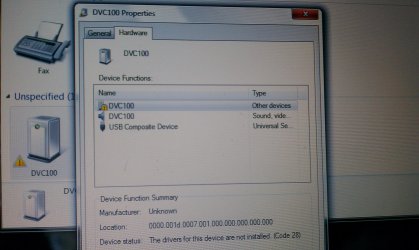
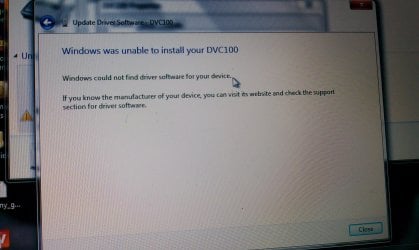
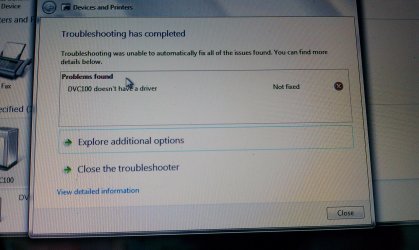
I recently purchased a Dazzle* Video Creator Plus HD from Best Buy. After purchasing all the required adapters to record my played games on my Xbox 360, I installed the Pinnacle HD program from the disk that was given with my purchase. When i plugged the USB end to my laptop, which by the way has Windows 7-64 bit, it started installing the USB, and the two DVC100 drivers to my computer. Apparently they have to update when you install them and it does it automatically. I believe the two drivers are audio and video. The audio one works just fine but the video does not. I have put hours into this and it still wont work. When i have it search for the driver on the internet, it can't find it there either. Everyone is saying to download the correct driver off of the pinnacle website, I have done this multiple times and it does not work. If anyone has any ideas on what to do it would be most appreciated.
Also, I have tried to contact customer service but unfortunately you have to have a code to even speak to an agent. My code is apparently invalid. And yet another unfortunate event with the customer service is that after creating an account on their website, their "Live Chat" link isn't working. I am tired of terrible Tech Support and Customer Service. This forum is my last option. Someone PLEASE help. Oh and if you didn't already guess, since the video driver wont install, my dazzle card will not show up on my Pinnacle HD program, therefor, not being able to record, or even detect my dazzle card.
NEED ASSISTANCE DESPERATELY!
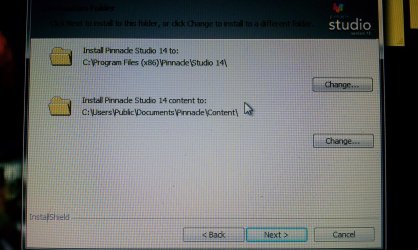
PICTURE ATTACHMENTS
Also, I have tried to contact customer service but unfortunately you have to have a code to even speak to an agent. My code is apparently invalid. And yet another unfortunate event with the customer service is that after creating an account on their website, their "Live Chat" link isn't working. I am tired of terrible Tech Support and Customer Service. This forum is my last option. Someone PLEASE help. Oh and if you didn't already guess, since the video driver wont install, my dazzle card will not show up on my Pinnacle HD program, therefor, not being able to record, or even detect my dazzle card.
NEED ASSISTANCE DESPERATELY!
PICTURE ATTACHMENTS
Attachments
Last edited:
My Computer
- OS
- Windows 7 Ultimate x64


