Solved Debugging source of unusually high RAM usage/allocation

2bda6876e834

New member
Local time
2:49 PM
Messages
5
Hi guys,

I seem to be having an issue with the RAM allocation on my system. This only occurs when playing the game "Wildstar". It may be on their end, since the game is in beta, but I would like to figure out what's causing the odd displaying of memory usage in my case.

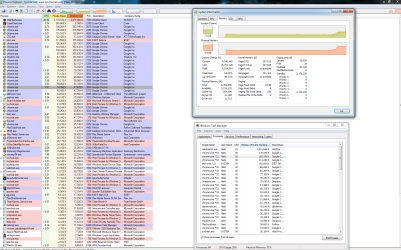
In the Task Manage, while playing the game - memory usage is shown as ~95-98% total, while Wildstar itself is using 2-2.4GB. When I quit the game, memory usage is shown as 39-40%. I have 8GB of RAM, this means that Wildstar would be using ~55% which is ~4.4GB. However memory usage under processes only mentions 2-2.4GB, while percentage wise it seems to be using the double.

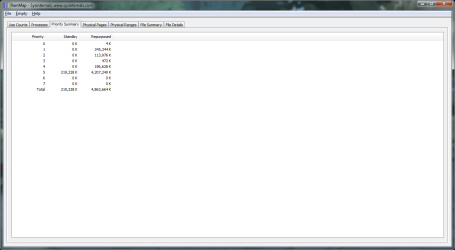
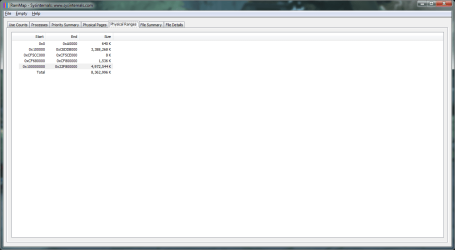
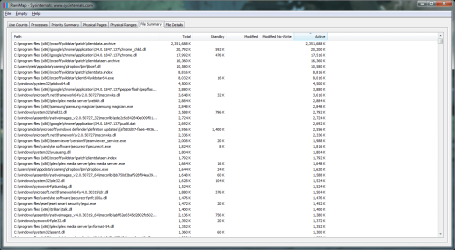
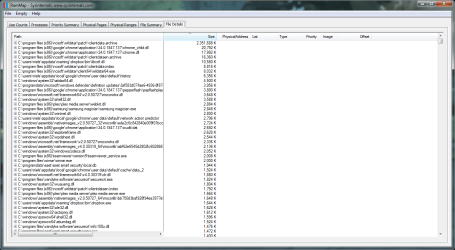
Since this pushes me so close to 100% RAM usage I'd like to figure out how this is possible. I have made a couple of screenshots that should hopefully help out with this. I made an album of these, that include RamMap and the Resource Manager:
https://imgur.com/a/FQb04
rmap1.png

rmap2.png

rmap3.png

rmap4.png

rmap5.png

rmap6.png

rsrc1.png


It would be awesome if anyone that has some knowledge in how Windows allocates RAM could have a look at these and perhaps enlighten me on what causes this. If additional information is required please let me know and I will do my best to provide you with it.

Thanks!
 
Last edited:

My Computer

Computer type
PC/Desktop
Computer Manufacturer/Model Number
custom
OS
W7 x64
CPU
i5 2500k
Motherboard
P8Z68-V Pro
Memory
8GB
Graphics Card(s)
R9 280x
Hard Drives
Samsung EVO 250GB

My Computer

Computer type
PC/Desktop
Computer Manufacturer/Model Number
Home made Desktop
OS
Windows 10 Pro. 64/ version 1709 Windows 7 Pro/64
CPU
Intel i7-6800K @ 4.3
Motherboard
ASUS X-99 Deluxe II
Memory
Corsair Platinum 16 gig @2400
Graphics Card(s)
EVGA GTX 1070 OC
Monitor(s) Displays
Asus 27" LED LCD/VE278Q
Screen Resolution
1920-1080 or 1280-720 HDMI
Hard Drives
INTEL SSD 730-240 Gb Sata 3.0/
PSU
EVGA Platium 1200W
Case
Phanteks Luxe Tempered Glass 8 fans/ one radiator
Cooling
XSPC/ Water Cooled CPU
Keyboard
Das 4 Professional
Mouse
Logitech M705/MX Anywhere 2-S
Internet Speed
100 mbits
Antivirus
Microsoft Security Essentials/ Malwarebytes Premium 3.0/ SAS
Browser
I.E. 11 default/Firefox/ ISP Time Warner Cable/Spectrum
Other Info
LG BluRay Burner/
Sound system-KLipsch-THX/
Icy Dock ssd Hot Swap bays.

My Computer

Computer type
PC/Desktop
Computer Manufacturer/Model Number
custom
OS
W7 x64
CPU
i5 2500k
Motherboard
P8Z68-V Pro
Memory
8GB
Graphics Card(s)
R9 280x
Hard Drives
Samsung EVO 250GB
It's a safer way for members to see. We don't have to off site and risk the chance of catching something. Those that arn't members are welcome to join the Forum.

You are using all your ram with all those Chrome apps open.
I don't see anything wrong you are just using it all.
 

My Computer

Computer type
PC/Desktop
Computer Manufacturer/Model Number
Home made Desktop
OS
Windows 10 Pro. 64/ version 1709 Windows 7 Pro/64
CPU
Intel i7-6800K @ 4.3
Motherboard
ASUS X-99 Deluxe II
Memory
Corsair Platinum 16 gig @2400
Graphics Card(s)
EVGA GTX 1070 OC
Monitor(s) Displays
Asus 27" LED LCD/VE278Q
Screen Resolution
1920-1080 or 1280-720 HDMI
Hard Drives
INTEL SSD 730-240 Gb Sata 3.0/
PSU
EVGA Platium 1200W
Case
Phanteks Luxe Tempered Glass 8 fans/ one radiator
Cooling
XSPC/ Water Cooled CPU
Keyboard
Das 4 Professional
Mouse
Logitech M705/MX Anywhere 2-S
Internet Speed
100 mbits
Antivirus
Microsoft Security Essentials/ Malwarebytes Premium 3.0/ SAS
Browser
I.E. 11 default/Firefox/ ISP Time Warner Cable/Spectrum
Other Info
LG BluRay Burner/
Sound system-KLipsch-THX/
Icy Dock ssd Hot Swap bays.
It's a safer way for members to see. We don't have to off site and risk the chance of catching something. Those that arn't members are welcome to join the Forum.

You are using all your ram with all those Chrome apps open.
I don't see anything wrong you are just using it all.

No - Chrome is not the issue. The issue is:
- I have 8GB RAM total
-- when Wildstar is closed, I am using ~40% RAM, which is 3.2GB
-- when Wildstar is running, I am using ~95-98% RAM, which means that Wildstar is responsible for ~56% RAM usage.
-- 56% RAM usage is almost 4.5GB.
-- Wildstar only reports a usage of ~2.2GB in the task/resource-manager.

This means that Wildstar is using pretty much double the RAM percentage wise as opposed to what it shows number wise (2.2GB).

My question is how can I debug where that other ~2.2G is going, since it seemingly doesn't show up in the resource monitor/RamMap.

EDIT: I have done another test that should make the issue more obvious.

Shown below is the start of the test, with my current memory usage of 38% - or 3.04GB
xplr1.png

Here I just started Wildstar, just after loading everything the working set is shown as 2.3GB, or 28% of 8GB. This should put my total usage to 66%, however it displays as 73%. Already slightly off, but still within the margin:
xplr2.png

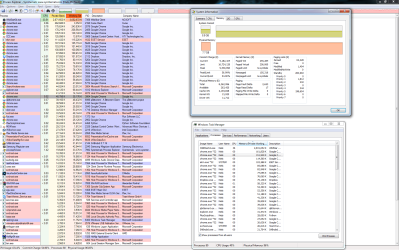
Here I have been running the program for about 20 minutes. As you can see, the working set is 3.05GB, so with our base of 3.04GB that should put us at 6.09GB total usage, which is 76% of 8GB. Yet the process explorer shows it as 96%, which leaves 20%, or 1.6GB unaccounted for. What is it allocated to? Why doesn't it show up in the process meter?
xplr3.png
 
Last edited:

My Computer

Computer type
PC/Desktop
Computer Manufacturer/Model Number
custom
OS
W7 x64
CPU
i5 2500k
Motherboard
P8Z68-V Pro
Memory
8GB
Graphics Card(s)
R9 280x
Hard Drives
Samsung EVO 250GB
I'm I correct Wildstar is a game of some kind you are playing online?

WildStar (video game) - Wikipedia, the free encyclopedia


WildStar is an upcoming fantasy/science fiction massively multiplayer online role-playing game that takes place on the fictional planet Nexus, where a mysterious and powerful race known as the Eldan has disappeared leaving behind a wealth of technology and secrets for players to explore.[
Along with that you have 20 Chromes open at the same time.

You are looking for a little over a gig of ram which Windows and hardware can be using. I have no idea why.
In my opinion if you want to do what you are doing all at the same time you need to install more ram.
In my opinion Windows Resource Monitor is the best to use measuring ram usage. It reports ram usage just the way Windows see the ram usage.
Third party programs may differ a little.


That is all the answers I got.
Have a nice day.
 

My Computer

Computer type
PC/Desktop
Computer Manufacturer/Model Number
Home made Desktop
OS
Windows 10 Pro. 64/ version 1709 Windows 7 Pro/64
CPU
Intel i7-6800K @ 4.3
Motherboard
ASUS X-99 Deluxe II
Memory
Corsair Platinum 16 gig @2400
Graphics Card(s)
EVGA GTX 1070 OC
Monitor(s) Displays
Asus 27" LED LCD/VE278Q
Screen Resolution
1920-1080 or 1280-720 HDMI
Hard Drives
INTEL SSD 730-240 Gb Sata 3.0/
PSU
EVGA Platium 1200W
Case
Phanteks Luxe Tempered Glass 8 fans/ one radiator
Cooling
XSPC/ Water Cooled CPU
Keyboard
Das 4 Professional
Mouse
Logitech M705/MX Anywhere 2-S
Internet Speed
100 mbits
Antivirus
Microsoft Security Essentials/ Malwarebytes Premium 3.0/ SAS
Browser
I.E. 11 default/Firefox/ ISP Time Warner Cable/Spectrum
Other Info
LG BluRay Burner/
Sound system-KLipsch-THX/
Icy Dock ssd Hot Swap bays.
Hi,

Wildstar is indeed an online video-game. I do not have 20x Chrome opened at the same time - I have 20 Chrome processes running. This is part of how Chrome (Chromium) is built. Even with a single Chrome window open, multiple processes will be launched. As you can see in the screenshot, these use in total about 1.7GB. See: Chromium Blog: Multi-process Architecture

I have attached a screenshot of the Resource Monitor as well, here it is:
318015d1400249397t-debugging-source-unusually-high-ram-usage-allocation-rsrc1.png


If I need more RAM for what I wish to do, then so be it. But before I make that decision I want to figure out the technical reason behind the way this is displayed. 20%, or 1.6GB of physical memory in use is not allocated to a process visible in any of the memory monitors, including the Resource Monitor. When simply counting the numbers ("Commit" in the Resource Monitor), I should be at 76% memory usage, not 96% as reported. I hope this makes this clarifies the issue/questions I am having.

Cheers,
 

My Computer

Computer type
PC/Desktop
Computer Manufacturer/Model Number
custom
OS
W7 x64
CPU
i5 2500k
Motherboard
P8Z68-V Pro
Memory
8GB
Graphics Card(s)
R9 280x
Hard Drives
Samsung EVO 250GB
fwiw, I got this solved. It turns out Wildstar uses mmap() to map Wildstar-related data files into memory. This is why it doesn't appear to be attached to a process in the resource monitor, yet it is shown as used looking at total physical memory used.

Hopefully this helps others that are in a similar situation.
 

My Computer

Computer type
PC/Desktop
Computer Manufacturer/Model Number
custom
OS
W7 x64
CPU
i5 2500k
Motherboard
P8Z68-V Pro
Memory
8GB
Graphics Card(s)
R9 280x
Hard Drives
Samsung EVO 250GB
Back
Top