Hi all,
I know this has come up a lot here and elsewhere but I haven't found a solution that works for me. Also, my problem seems a little different - while most people I've seen talk about this issue mention getting disconnected from the internet a few times a day, or when they reboot, to me that sounds like paradise because right now, I can't get five minutes before the internet gets cut off, sometimes closer to thirty seconds. i am seriously about to lose my mind.
So, we have a cable modem with a new service provider. We also have a new wireless router, an Apple 802.11n Wi-Fi Hard Drive that also serves as a router. These two factors (service provider and router) changed simultaneously but I suspect the issue has more to do with the router.
So the issue is the same as what many people have described - after a few minutes of browsing the web (if I'm lucky), I am no longer able to connect to the internet. I am still connected to the network but am unable to connect to the internet. I go to the troubleshooter in the Network and Sharing Center and it repairs the issue with the message "Default Gateway Is Not Available." Then I have internet again...for a few minutes, until it happens all over again. Disconnecting and reconnecting also works.
I have a new (1 month old) Lenovo ThinkPad T410 and it connected to the internet fine prior to the new router/service provider.
Here is what I have tried to solve the problem:
- Uninstalled Lenovo ThinkVantage Access Control because I thought it might be interferring with Windows wireless management tool.
- Disabled the firewall
- Disabled all AV (I generally have Microsoft Security Essentiallys running, plus SuperAntiSpyware and MalwareBytes that don't provide active protection but that I use to occasionally scan.)
- Disabled all non-MS software in msconfig
- Manually set IP address under Wireless Connections settings (and then went back to automatic). I changed it to both what it said when I ran ipconfig and what I found suggested in several places: 192.168.0.50, subnet mask 255.255.255.0, default gateway 192.168.0.1, DNS the same...
- Checked that the wireless driver was up to date (it was, details below)
- Ran the Windows 7 Troubleshooter a zillion times
- Deleted the network and recreated it (many times)
- Turned off the Power Management option to allow the device to be shut off to save power (under Device Management)
- Flushed the routing table in cmd
The only thing that really seemed to make a difference was uninstalling the ThinkVantage software. That seemed to make the internet bounce back quicker after it cuts out, but other than that, nothing has changed the situation. Also, the problem seemed to occur less often when I rebooted in Safe Mode, but it still occurred and and it's hard to say for sure if it was left often since the interval is irregular anyway.
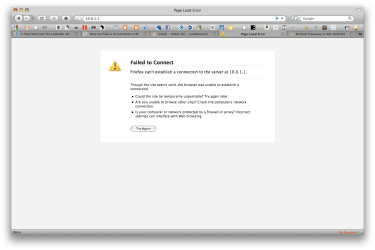
I am unable to ping the given default gateway (ipconfig below - 10.0.1.1)
Macs and Vista machines are working fine on the network, so I do think it's something to do with Windows 7 and the new router.
Please help, I am going insane having to reset my connection every 30 seconds.
********************
Windows IP Configuration
Wireless LAN adapter Wireless Network Connection:
Connection-specific DNS Suffix : cable.rcn.com
Link-local IPv6 Address : fe80::b946:ab9d:206b:a8f8÷13
IPv4 Address : 10.0.1.4
Subnet Mask : 255.255.255.0
Default Gateway : 10.0.11
Ethernet adapter Local Area Conection:
Media State : Media disconnected
Connection-specific DNS Suffix :
Tunnel adapter isatap.cable.rcn.com:
Media State : Media disconnected
Connection-specific DNS Suffix : cable.rcn.com
Tunnel adapter Local Area Connection* 9:
Media State : Media disconnected
Connection-specific DNS Suffix :
Tunnel adapter Teredo Tunneling Pseudo-Interface:
Connection-specific DNS Suffix :
IPv6 Address : 2001:0:4137:9e76:3e:60e3:30d9:1cce
Link-Local IPv6 Address : fe80::3e:60e3:30d9:1cce÷14
Default Gateway :
*********************************
Under "Wireless Network Connection Properties" it says
Connect using: 11b/g/n Wireless LAN Mini-PCI Express Adapter II
When I click on "Configure", it gives the following driver information:
Driver Provider: Realtek Semiconductor Corp.
Driver Date: 6/28/10
Driver Version: 2017.1.628.2010
Digital Sender: Microsoft Windows Hardware Compatibility Publisher
Driver Files: rtl8192se.sys; vwifibus.sys
Also, back under properties, it says
"This connection uses the following items:
Client for Microsoft Networks
QoS Packet Scheduler
File and Printer Sharing for Microsoft Networks
Internet Protocol Version 6 (TCP/IPv6)
Internet Protocol Version 4 (TCP/IPv4)
Link-Layer Topology Discovery Mapper I/O Driver
Link-Layer Topology Discovery Responder"
I have not tried uninstalling or reinstalling any of those or the Realtek driver because I'm un clear on how to do reinstall.
I am not good with computers (as is probably abundantly obvious) so please talk to me like you'd talk to your grandmother when it comes to computer stuff. Seriously, I suck at this.
Thanks so much guys
I know this has come up a lot here and elsewhere but I haven't found a solution that works for me. Also, my problem seems a little different - while most people I've seen talk about this issue mention getting disconnected from the internet a few times a day, or when they reboot, to me that sounds like paradise because right now, I can't get five minutes before the internet gets cut off, sometimes closer to thirty seconds. i am seriously about to lose my mind.
So, we have a cable modem with a new service provider. We also have a new wireless router, an Apple 802.11n Wi-Fi Hard Drive that also serves as a router. These two factors (service provider and router) changed simultaneously but I suspect the issue has more to do with the router.
So the issue is the same as what many people have described - after a few minutes of browsing the web (if I'm lucky), I am no longer able to connect to the internet. I am still connected to the network but am unable to connect to the internet. I go to the troubleshooter in the Network and Sharing Center and it repairs the issue with the message "Default Gateway Is Not Available." Then I have internet again...for a few minutes, until it happens all over again. Disconnecting and reconnecting also works.
I have a new (1 month old) Lenovo ThinkPad T410 and it connected to the internet fine prior to the new router/service provider.
Here is what I have tried to solve the problem:
- Uninstalled Lenovo ThinkVantage Access Control because I thought it might be interferring with Windows wireless management tool.
- Disabled the firewall
- Disabled all AV (I generally have Microsoft Security Essentiallys running, plus SuperAntiSpyware and MalwareBytes that don't provide active protection but that I use to occasionally scan.)
- Disabled all non-MS software in msconfig
- Manually set IP address under Wireless Connections settings (and then went back to automatic). I changed it to both what it said when I ran ipconfig and what I found suggested in several places: 192.168.0.50, subnet mask 255.255.255.0, default gateway 192.168.0.1, DNS the same...
- Checked that the wireless driver was up to date (it was, details below)
- Ran the Windows 7 Troubleshooter a zillion times
- Deleted the network and recreated it (many times)
- Turned off the Power Management option to allow the device to be shut off to save power (under Device Management)
- Flushed the routing table in cmd
The only thing that really seemed to make a difference was uninstalling the ThinkVantage software. That seemed to make the internet bounce back quicker after it cuts out, but other than that, nothing has changed the situation. Also, the problem seemed to occur less often when I rebooted in Safe Mode, but it still occurred and and it's hard to say for sure if it was left often since the interval is irregular anyway.
I am unable to ping the given default gateway (ipconfig below - 10.0.1.1)
Macs and Vista machines are working fine on the network, so I do think it's something to do with Windows 7 and the new router.
Please help, I am going insane having to reset my connection every 30 seconds.
********************
Windows IP Configuration
Wireless LAN adapter Wireless Network Connection:
Connection-specific DNS Suffix : cable.rcn.com
Link-local IPv6 Address : fe80::b946:ab9d:206b:a8f8÷13
IPv4 Address : 10.0.1.4
Subnet Mask : 255.255.255.0
Default Gateway : 10.0.11
Ethernet adapter Local Area Conection:
Media State : Media disconnected
Connection-specific DNS Suffix :
Tunnel adapter isatap.cable.rcn.com:
Media State : Media disconnected
Connection-specific DNS Suffix : cable.rcn.com
Tunnel adapter Local Area Connection* 9:
Media State : Media disconnected
Connection-specific DNS Suffix :
Tunnel adapter Teredo Tunneling Pseudo-Interface:
Connection-specific DNS Suffix :
IPv6 Address : 2001:0:4137:9e76:3e:60e3:30d9:1cce
Link-Local IPv6 Address : fe80::3e:60e3:30d9:1cce÷14
Default Gateway :
*********************************
Under "Wireless Network Connection Properties" it says
Connect using: 11b/g/n Wireless LAN Mini-PCI Express Adapter II
When I click on "Configure", it gives the following driver information:
Driver Provider: Realtek Semiconductor Corp.
Driver Date: 6/28/10
Driver Version: 2017.1.628.2010
Digital Sender: Microsoft Windows Hardware Compatibility Publisher
Driver Files: rtl8192se.sys; vwifibus.sys
Also, back under properties, it says
"This connection uses the following items:
Client for Microsoft Networks
QoS Packet Scheduler
File and Printer Sharing for Microsoft Networks
Internet Protocol Version 6 (TCP/IPv6)
Internet Protocol Version 4 (TCP/IPv4)
Link-Layer Topology Discovery Mapper I/O Driver
Link-Layer Topology Discovery Responder"
I have not tried uninstalling or reinstalling any of those or the Realtek driver because I'm un clear on how to do reinstall.
I am not good with computers (as is probably abundantly obvious) so please talk to me like you'd talk to your grandmother when it comes to computer stuff. Seriously, I suck at this.
Thanks so much guys
My Computer
At a glance
Windows 7 Home Premium 64 bit
- OS
- Windows 7 Home Premium 64 bit