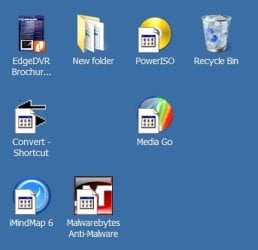
2. To Remove the Shortcut Arrow
A) Open the downloaded ZIP file (step 1), and extract (drag and drop) the Blank.ico file, and the Remove_Shortcut_Arrow.reg to the desktop.
B) Right click on the Blank.ico file and click on Properties. Under the General tab, click on the Unblock button if there. (See screenshot below)
NOTE: If the Unblock button is not there, then the file is already unblocked. Continue on to step D below.
warning Warning
If you do not unblock the Blank.ico file first before moving it in step 2C, then you will only get a default white icon instead of the blank transparent icon like below.
C) Copy and Paste the Blank.ico into the C:\Windows folder, then click on Continue, and Yes (if prompted by UAC) to approve the copy.
D) Right click on the extracted Remove_Shortcut_Arrow.reg file, and click on Merge.
E) Click on Run, Yes, Yes, and OK to approve the merge.
3. Log off and log on, or restart the computer to apply.