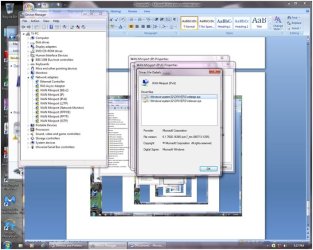
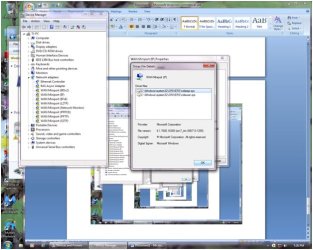
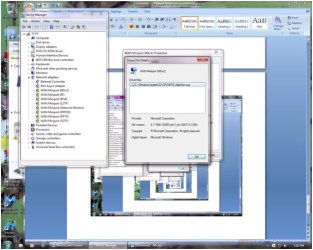
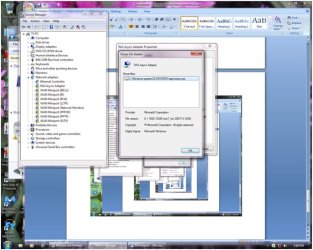
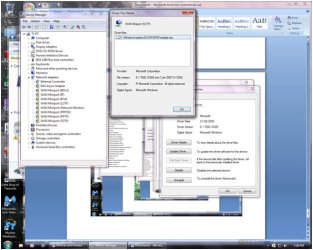
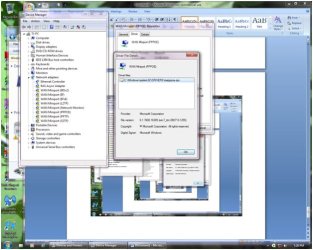
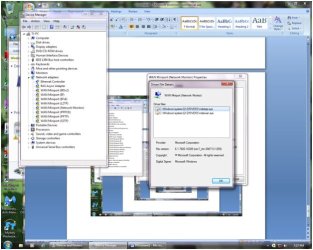
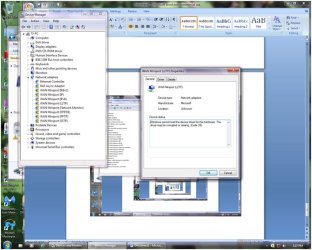
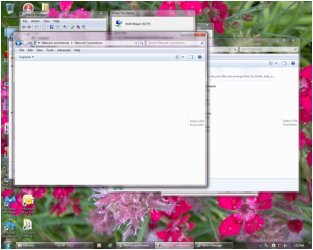
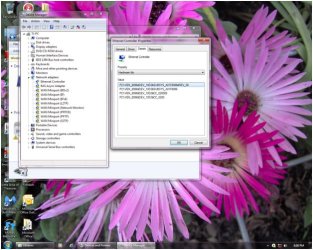
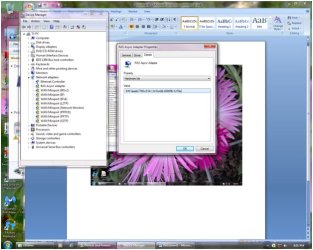
Briefly, any attempts to reinstall network adapter driver for onboard component and also for the just-bought-and-installed in PCI-E slot network adapter results in the message: Cannot install drivers. No Intel(R) Adapters are present in this computer.
Details (lots):
Hardware: Acer Aspire M5811 with Win7 Home Premium 64bit Motherboard is a Foxconn P55M01 with onboard Intel(R) 82578DC Gigabit Network Connection
Driver it had at the time it stopped working was 11.2.19.0
Basically the family member who owns this PC stated the network stopped working mid task. (Yes, it was a safe site, they are not that type) Couple of hours on the phone with the internet provider ended with a "The problem is at your end, nothing we can do..." spiel. Understandable once I had the PC delivered to me and went into the device manager to see a row of yellow triangles for every network component.
Rebooted into safe mode with networking. Ran Norton Internet Security. Ran Malwarebytes. Nothing. No internet. Green and orange lights at network port. OK I think. Lets reinstall the drivers. Go to Acer website. Get drivers. Will not install. Says it cannot find any network device. Restart PC and go into BIOS. Onboard LAN is enabled there. Get newer driver from Intel website (nice to have 2 PCs) and same thing.
Fine, enough mucking around. Empty PCI-E 1x slot just begging for a network card. Go buy the Intel(R) Gigabit CT Desktop Adapter. Follow the proper grounding / powered down routine to install card. Double checked to ensure proper slot placement. During restart I did detour thru the BIOS to disable the Onboard LAN. Tried installing the drivers for the PCI-E card. Same problem as before.
Says it cannot find any network device. Specifically "Cannot install drivers. No Intel(R) Adapters are present in the computer."
It's there in device manager, just missing the driver to operate. Try a couple of times in fact. Notice that during the driver install process the software detects the onboard device as well as the PCI-E device. Both are Intel so that makes sense. (Wanted other than Intel when I bought the PCI-E card but store selection prevented.) But why is it detecting the onboard I ask. That was disabled in the BIOS. Restart again, check BIOS. Disabled. Try reinstall again. Same thing.
So now I surfed the net for ideas. Others with same problem, lots of "solutions". It's your cable, it's your modem, its your router. But this PC has now been in two separate homes. At my home I unhooked a working PC to put this Acer in its place so same working cables, same monitor and keyboard. And kind of hard to do some suggested things when the PC has no working internet connection
Others have even reformatted and reinstalled the OS. No difference for them. Some who have installed a network card because the onboard was dead had success. Not with this PC though. Driver software will not see the devices.
More internet searching found these to run at the command prompt.
ipconfig/release - gave the message "Windows IP Configuration" (without the quotes) and the command prompt again.
ipconfig/renew - gave the message "Windows IP Configuration" (without the quotes) and the command prompt again.
netsh winsock reset catalog - gave the message "Successfully reset the Winsock Catalog. You most restart the computer in order to complete the reset.
netsh int ip reset reset.log gave me the message "There's no user specified settings to be reset."
I'm at a loss.
Details (lots):
Hardware: Acer Aspire M5811 with Win7 Home Premium 64bit Motherboard is a Foxconn P55M01 with onboard Intel(R) 82578DC Gigabit Network Connection
Driver it had at the time it stopped working was 11.2.19.0
Basically the family member who owns this PC stated the network stopped working mid task. (Yes, it was a safe site, they are not that type) Couple of hours on the phone with the internet provider ended with a "The problem is at your end, nothing we can do..." spiel. Understandable once I had the PC delivered to me and went into the device manager to see a row of yellow triangles for every network component.
Rebooted into safe mode with networking. Ran Norton Internet Security. Ran Malwarebytes. Nothing. No internet. Green and orange lights at network port. OK I think. Lets reinstall the drivers. Go to Acer website. Get drivers. Will not install. Says it cannot find any network device. Restart PC and go into BIOS. Onboard LAN is enabled there. Get newer driver from Intel website (nice to have 2 PCs) and same thing.
Fine, enough mucking around. Empty PCI-E 1x slot just begging for a network card. Go buy the Intel(R) Gigabit CT Desktop Adapter. Follow the proper grounding / powered down routine to install card. Double checked to ensure proper slot placement. During restart I did detour thru the BIOS to disable the Onboard LAN. Tried installing the drivers for the PCI-E card. Same problem as before.
Says it cannot find any network device. Specifically "Cannot install drivers. No Intel(R) Adapters are present in the computer."
It's there in device manager, just missing the driver to operate. Try a couple of times in fact. Notice that during the driver install process the software detects the onboard device as well as the PCI-E device. Both are Intel so that makes sense. (Wanted other than Intel when I bought the PCI-E card but store selection prevented.) But why is it detecting the onboard I ask. That was disabled in the BIOS. Restart again, check BIOS. Disabled. Try reinstall again. Same thing.
So now I surfed the net for ideas. Others with same problem, lots of "solutions". It's your cable, it's your modem, its your router. But this PC has now been in two separate homes. At my home I unhooked a working PC to put this Acer in its place so same working cables, same monitor and keyboard. And kind of hard to do some suggested things when the PC has no working internet connection
Others have even reformatted and reinstalled the OS. No difference for them. Some who have installed a network card because the onboard was dead had success. Not with this PC though. Driver software will not see the devices.
More internet searching found these to run at the command prompt.
ipconfig/release - gave the message "Windows IP Configuration" (without the quotes) and the command prompt again.
ipconfig/renew - gave the message "Windows IP Configuration" (without the quotes) and the command prompt again.
netsh winsock reset catalog - gave the message "Successfully reset the Winsock Catalog. You most restart the computer in order to complete the reset.
netsh int ip reset reset.log gave me the message "There's no user specified settings to be reset."
I'm at a loss.
My Computer
- Computer Manufacturer/Model Number
- home built
- OS
- Windows 7 Pro 64 bit
- CPU
- AMD Phenom II X4 965 3.4GHz (not overclocked)
- Motherboard
- Gigabyte 890FXA-UD5 AMD890FX
- Memory
- Corsair XMS3 8GB DDR3-1333 9-9-9-24
- Graphics Card(s)
- Asus Radeon EAH5850 x2 in crossfire
- Sound Card
- Creative Labs X-Fi Titanium FATAL1TY Champion
- Monitor(s) Displays
- BENQ G2412HD
- Screen Resolution
- 1920x1080
- Hard Drives
- WD Caviar Black 1TB SATA3 64MB x2 (not in Raid)
- PSU
- Corsair Professional HX850W
- Case
- Cooler Master Haf 932 Full Tower EATX
- Cooling
- Corsair Hydro Series H50
- Keyboard
- Microsoft Comfort Curve 2000

 rb: Start Button and type in network and sharing in