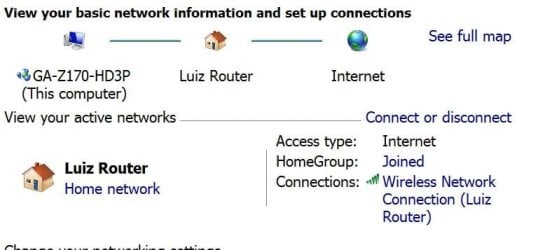
I was having trouble with my wifi signal on another PC and received various suggestions for fixing it. The bottom line appeared to be that the onboard wifi adapter was dying. I bought a new PCI wifi card of the same brand as the motherboard. There seemed to be a slight improvement in signal strength but still way below what my new PC is managing (with the exact same model wifi card). So in the same room we are using a laptop and a newly built tower that have full connectivity with the router which is another room. I have noticed that I can get my emails with Mozilla Thunderbird without any problem. I have three browsers that all have the same issue. Intermittent connection with only one or two "bars" on the little indicator bottom right of the desktop. I have checked/updated the drivers for both the onboard and seperate wifi adaptors and have tried them both together and with either one disabled. Apart from the access to the internet problem the PC works fine and runs various software normally.
?????????????
?????????????
My Computer
At a glance
Windows 7 Pro 64bitIntel® Core™ i3 Processor 3.7ghzCrucial (2x8GB) DDR4-2400on board
- Computer type
- PC/Desktop
- Computer Manufacturer/Model Number
- Home built Asus
- OS
- Windows 7 Pro 64bit
- CPU
- Intel® Core™ i3 Processor 3.7ghz
- Motherboard
- Asus Intel Prime H270-Pro LGA 1151 ATX
- Memory
- Crucial (2x8GB) DDR4-2400
- Graphics Card(s)
- on board
- Monitor(s) Displays
- BENQ GL2450HE (24 inch)
- Screen Resolution
- 1980 x 1080
- Hard Drives
- C drive is SSD Crucial 500gb mostly for the OS
- PSU
- Corsair CX750
- Case
- A big black one
- Cooling
- Cooler Master Hyper TX3i on the processor
- Keyboard
- Logitech k2700 wireless
- Mouse
- Logitech M575 wireless trackball
- Internet Speed
- Just under about 7mb/s on a good day
- Antivirus
- Avira Free
- Browser
- Opera, Firefox, Chrome, and Supermium