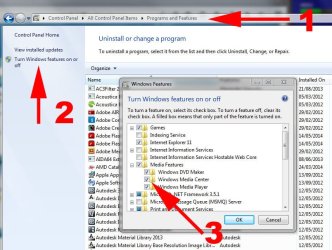
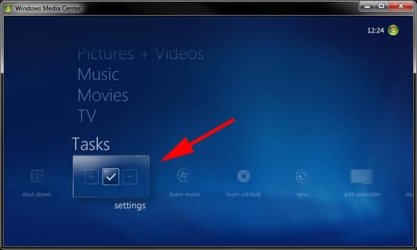
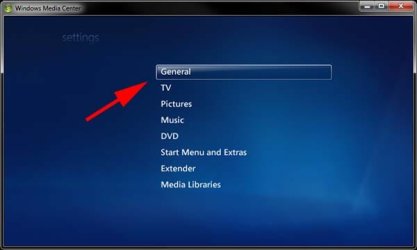
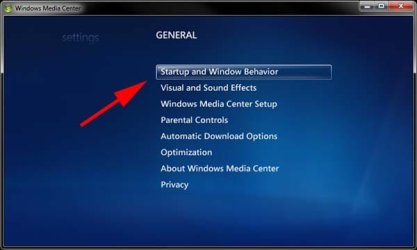
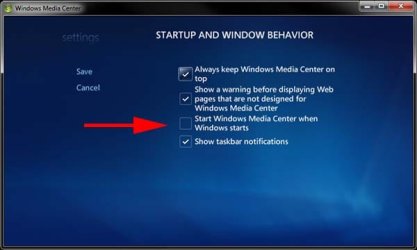
I appreciate the reply...problem is that when I click on the suggested site to disable the media center the various options do not show it goes straight to the media center ....I'm losing my mind with this
Clean boot, http://www.sevenforums.com/tutorials/179159-troubleshoot-application-conflicts-performing-clean-startup.html Click Start and type in the search box, msconfig Click on the suggestion on top or hit the Enter key, Go to the Startup section and take some screen shots for a complete list, Go to the Services section and on the bottom left Check the box to Hide All Microsoft services, Repeat the screen shots, See the links above my signature on how to take and upload screen shots here, Cheers.
My Computer
Computer type
PC/Desktop
Computer Manufacturer/Model Number
Custom assembled by me :}
OS
Win-7-Pro64bit 7-H-Prem-64bit
CPU
i7-5930K 2nd i9-9940x both water blocked VRM's too
2nd ASUS X299 Apex/Intel i9-9940x with Custom water loop/7H-Prem-x64/Corsair 450D case/Ram Trident-z 3600C16 4x8gb / Samsung970Evo plus 500gb SSD/Dual ssd EZ swap evo/PSU EVGA SuperNova 1200w-P2 80+Platinum/GPU Titan Xp /8-ML-140 on push-pull on 2-280GTX rads