hasanhizli
New member
- Local time
- 8:22 PM
- Messages
- 21
Hi all,
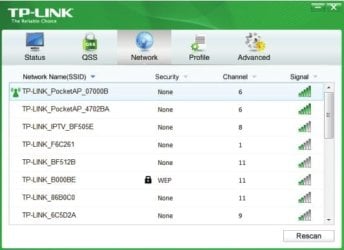
Today I have installed a new software called TP-Link Wireless Config. Utility. I added it to the windows start up folder. Yet, every time when I start my computer, it starts with a pop up screen. This is annoying.
Is there any way to disable this phenomenon (like adding a string at the end of the xxx.exe file such as /s etc.)?
I do not want to disable the entire program. I just want to stop the pop up screen.
Best regards.
Today I have installed a new software called TP-Link Wireless Config. Utility. I added it to the windows start up folder. Yet, every time when I start my computer, it starts with a pop up screen. This is annoying.
Is there any way to disable this phenomenon (like adding a string at the end of the xxx.exe file such as /s etc.)?
I do not want to disable the entire program. I just want to stop the pop up screen.
Best regards.
My Computer
At a glance
Win7 UltimateT96004GBNvidea 240M
- Computer Manufacturer/Model Number
- ASUS
- OS
- Win7 Ultimate
- CPU
- T9600
- Memory
- 4GB
- Graphics Card(s)
- Nvidea 240M