If I may add my two cents worth.. Just my perspective of things, and probably specific to my environment. Take away what you will. And I mean no disrespect to any one's responses before me.
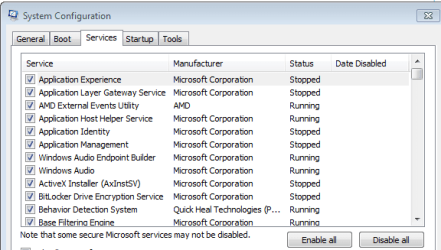
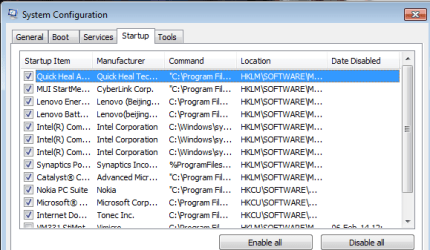
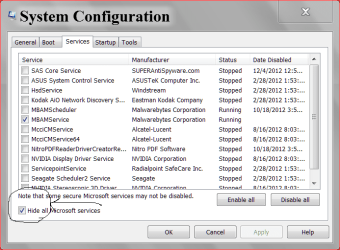
There is much to be gained from disabling unnecessary services. Even on larger machines. memory is not the only consideration.
I once worked on a windows 7 system for a customer who was running 137 services on a 4gb laptop.
Many of these were application services. His virus program (ZoneAlarm IIRC), was using 11 services. Adobe was using 7 services. The list goes on. Many of these services are completely useless and simply demonstrate the vendors disregard for the performance of customer hardware. By the time I'd finished with it he was running 58 services, and it was performing substantially better.
For MS Services we disabled Indexing, search, IPv6 (yes I know it will be needed one day), Windows media player networking, and almost all application services that were just complete bloat.
Whilst this was the worst case scenario, it is not uncommon to find systems running 70 - 80 services. And there is just no need for it.
My PC runs 43 services after boot. At worst when I'm using Excel, encoding media, downloading and listening to music it never exceeds 60.
I have 32gb of RAM. I use 4gb of that for a RAMDrive for temporary files and temporary space for browsers and some smaller applications. My Boot drive is SSD and my storage is a 2TB Seagate. I have a server with 24TB of storage and moving stuff back and forth all the time. I've also disabled Remote Diff Compression, Removed tablet components and other Windows components.
Homegroup is another set of uneeded services if you know what you are doing. Networking is not all that hard, and Homegroup is simply a way of (supposedly), making it simpler for the masses (personally I think it fails).
The difference in performance for my machine, and all the machines here, was measurable. My kids even commented on the difference (You know teenagers, they know everything, and are always right

)
We measured this in terms of time to copy large amounts of date to and from the server, encoding a video (Both DVD and Bluray), performing calculations on a large spreadsheet, opening applications like Word and Photoshop, boot time and monitoring data in performance monitor. I also used SiSoft Sandra to gather before and after information.
That's not to say that disabling services and tweaking windows components it right for everyone. I've been in I.T for 32 years and supporting Windows since 3.0. It can certainly be a minefield, and it deserves a committed amount of research if you intend to make such changes.
Just my 2 cents worth.