
genghiskhan
New member
- Local time
- 2:59 AM
- Messages
- 6
Hi,
Just wondering if anybody has had a problem like this.
I've run into a few problems of late which primarily involve the new 4TB and the not so new 3TB HDD's.
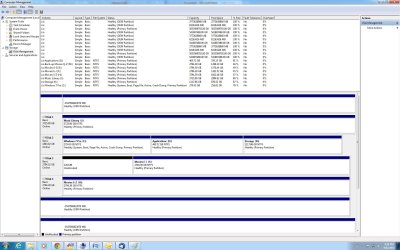
Firstly the Disk management attachment will show multiple Drives, 1/2 of them with unrealistic volumes. I suspect that there maybe sections on each hard drive that are boot sectors or recovery sectors but I think this is something different.
Also my 4TB hard drives which I have three of randomly seem to disappear usually while I'm trying to back them up. I thought this maybe the host controller driver which I updated from the motherboard website but this did improve somewhat. As when I lose a hard drive now it no longer goes to a RAW status but usually gets picked up again on a windows re-start without any problems.
All other drivers are up to date. Also when the 4TB Hard drives went to a RAW Status I could not re-format the drives using the longer method as they would drop out after 3 or 4 hours. So they have had a quick format.
I have also used 'chkdsk g: /r' which did not pick anything out that was a problem for that hard drive.
Oh yeah one last thing the hard drive which is the one I have had the most problems with is connected to a sata raid controller card because the motherboard only has 6 sata connectors and I have 7 hard drives + 1 optical drive, both are connected to the card and are set up as a pass through connection.
Thanks in advance if anybody has any ideas on this one.
Just wondering if anybody has had a problem like this.
I've run into a few problems of late which primarily involve the new 4TB and the not so new 3TB HDD's.
Firstly the Disk management attachment will show multiple Drives, 1/2 of them with unrealistic volumes. I suspect that there maybe sections on each hard drive that are boot sectors or recovery sectors but I think this is something different.
Also my 4TB hard drives which I have three of randomly seem to disappear usually while I'm trying to back them up. I thought this maybe the host controller driver which I updated from the motherboard website but this did improve somewhat. As when I lose a hard drive now it no longer goes to a RAW status but usually gets picked up again on a windows re-start without any problems.
All other drivers are up to date. Also when the 4TB Hard drives went to a RAW Status I could not re-format the drives using the longer method as they would drop out after 3 or 4 hours. So they have had a quick format.
I have also used 'chkdsk g: /r' which did not pick anything out that was a problem for that hard drive.
Oh yeah one last thing the hard drive which is the one I have had the most problems with is connected to a sata raid controller card because the motherboard only has 6 sata connectors and I have 7 hard drives + 1 optical drive, both are connected to the card and are set up as a pass through connection.
Thanks in advance if anybody has any ideas on this one.
Attachments
My Computer
At a glance
Windows 7 Pro 64 bitIntel Core i5-4590 3.3Corsair Vengeance (2x 8GB) DDR3 1600MHz 10-10...GeForce GTX 760 (192-bit)
- Computer type
- PC/Desktop
- Computer Manufacturer/Model Number
- Custom Build
- OS
- Windows 7 Pro 64 bit
- CPU
- Intel Core i5-4590 3.3
- Motherboard
- ASRock Fatal1ty Z97 Killer LGA 1150
- Memory
- Corsair Vengeance (2x 8GB) DDR3 1600MHz 10-10-10-27
- Graphics Card(s)
- GeForce GTX 760 (192-bit)
- Hard Drives
- Seagate ST2000DX001-1CM164 (2 TB) 3 partitions (Operating Drive)
Seagate ST3000DM001-1ER166 (3 TB) x 3
Seagate ST4000DX001-1CE168 (4 TB) x 3
- Antivirus
- Norton 360 Premier Edition
- Browser
- Google Chrome

 ) all over.
 and it is that your own efforts that worked. Glad you persevered and did it.

