drive partition became virtual dvd drive after reboot unaccesible

lentz

New member
Local time
6:21 PM
Messages
2
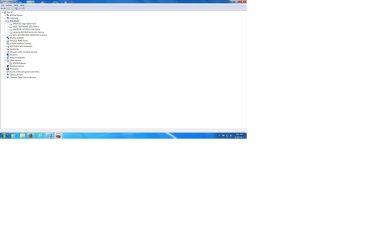
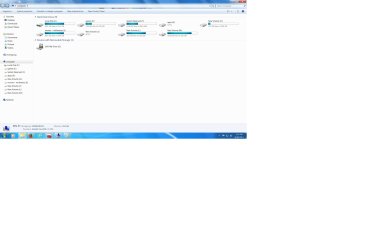
Have a drive partition that shows in my explorer as a virtual dvd drive. Everything installeed on it works just can't access it to look at any files. Had a error on this partition a couple times when booting up windows checked everything and fixed whatever the problem was. Just need to be able to access the partition as I want to replace the drive. All other partitions on the drive work fine and can be looked at with explorer. Device manager shows all the partitions as proper size also. Any idea how to get the partition back to being accesible.
 

My Computer My Computer

At a glance

windows 7 pro 64 service pack1intel I7 [email protected]16gbNividia Gforce GTX660
Computer type
PC/Desktop
Computer Manufacturer/Model Number
custom build
OS
windows 7 pro 64 service pack1
CPU
intel I7 [email protected]
Motherboard
asus sabertooth
Memory
16gb
Graphics Card(s)
Nividia Gforce GTX660
Hard Drives
SAMSUNG Hd103SJ 1tb
SAMSUNG SSD840 series
Antivirus
windows defender
Browser
Fire Fox
Hi lentz,

Welcome to SevenForums.

1. make/model/ capacity of the drive ?

2. Internal? External? System drive?

3. How many partitions?

4. Surely this couldn't have happened all of a sudden without a precipitating factor. Has it or not? Could you think any of it? Any virtual CD ROM creating software? Anything you mounted on it? Any game CD you copied on to that partition? Was that partition accessible before? What data is there on that partition that you want to access?

We have no clues whatsoever from your problem description.

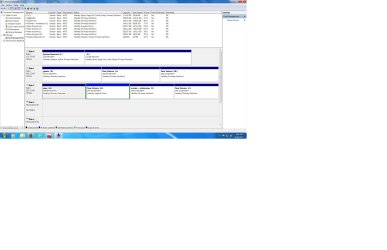
So apart from answers to the above, please post a full screenshot of Windows Disk Management ( Please remove any other external drives for easy identification of your problem drive) and also My Computer where the Virtual CDROM drive appears.

Please read and follow http://www.sevenforums.com/tutorials/274797-disk-management-post-screen-capture-image.html

That should help members here to see your problem in perspective and suggest possible resolutions. None can see in complete darkness. :)
 
Last edited:

My Computer My Computer

At a glance

Windows 7 Home Premium 32 bit
OS
Windows 7 Home Premium 32 bit
Computer locked up twice. First time wouldn't reboot until I went to bios. Didn't make any changes that I was aware of saved and exited bios windows boots up saying there was a problem with drive G it went through checking everything said something about fixing errors booted up fine. Don't know if things were changed then or not. Couple days later another lock up rebooted drive G comes up with errors windows runs through checking everything boots up. It was some time after second boot that I wanted to look at something on the drive and it told me it wasn't accessible.

The Samsung 103SJ is the drive with the 4 partitions on that was having the problem at boot up. It is a external case connected by sata 2 cable to computer. All the partitions on the drive are accessible except the G partition. But every program that is associated with G still works.
Just can't open the drive to view or manage.
 

Attachments

  • computer manager.jpg
    computer manager.jpg
    209.8 KB · Views: 1
  • disk manager.jpg
    disk manager.jpg
    86.2 KB · Views: 2
  • my computer.jpg
    my computer.jpg
    112.8 KB · Views: 1
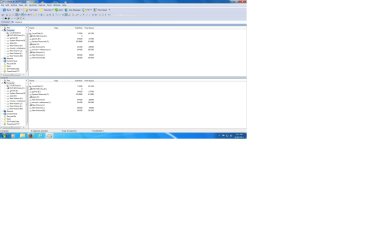
  • power desk.jpg
    power desk.jpg
    157.6 KB · Views: 2

My Computer My Computer

At a glance

windows 7 pro 64 service pack1intel I7 [email protected]16gbNividia Gforce GTX660
Computer type
PC/Desktop
Computer Manufacturer/Model Number
custom build
OS
windows 7 pro 64 service pack1
CPU
intel I7 [email protected]
Motherboard
asus sabertooth
Memory
16gb
Graphics Card(s)
Nividia Gforce GTX660
Hard Drives
SAMSUNG Hd103SJ 1tb
SAMSUNG SSD840 series
Antivirus
windows defender
Browser
Fire Fox
Pass.
 

My Computer My Computer

At a glance

Windows 7 Home Premium 32 bit
OS
Windows 7 Home Premium 32 bit
Back
Top