[FONT="]Hi Vineet Garg,[/FONT]
[FONT="]after few days of studying, tests, errors and so on, so finally I did Windows 7 working well but I still missing the following Drivers:[/FONT]
· For the lateral and principal 5 USB 3.1:
Ø PCI\VEN_8086&DEV_A36D&SUBSYS_121C1462&REV_10
[FONT="]This should be the Key to let works all the USB 3.1 around of the Laptop, from Microsoft it’s this driver by Windows 10 Controller host Intel(R) USB 3.1 eXtensible - 1.10 (Microsoft)[/FONT]
· For the USB 3.1 Type C/ Thunderbolt, the original is not fine, so I used some from Fernando Forum and another one from the nice site Station Drivers, In fact at the beginning NTLite on the list hardware missing was wrote 2 of
[FONT="]Controller host Intel(R) USB 3.1 eXtensible - 1.10 (Microsoft). [/FONT][FONT="]And now, it is missing only one from the 5 Normal USB, anyhow this it’s the list of the USB Type C/ Thunderbolt to work[/FONT]
:
Ø [FONT="]
Intel USB 3.1 Controller Drivers Version 17.2.70.x WHQL[/FONT]
[FONT="]This site has any drivers extracted for any system Version of Windows OS, especially to whom it’s looking for the latest drivers for the oldest Windows OS. [/FONT]
Ø [FONT="]To the let it works totally, I used all the latest Fernando Drivers USB at this address (because without these drivers I cannot make the USB Installation on the installation Windows 7 process):[/FONT]
[FONT="]Forum - USB 3.0/3.1 Drivers (original and modded)[/FONT]
[FONT="]The report of this entire situation, it seems that all the drivers that I injected even the latest one Modded from Fernando, they are working, but I checked inside the missing drivers list from NTLite, and there are few that match and the others doesn’t match with one that I really need because per my understanding it’s the family chipset
Intel(R) C240 Series Chipset Family LPC Controller.[/FONT]
[FONT="]I can find from CofeeLake hardware, any chipset even the rare Chipset Family C230 but I still
not find the C240 that I believe it is connected to the USB problems.[/FONT]
[FONT="]In fact, in the architecture C220 and C230 inside the log list of the USB drivers I saw few matchings drivers and I tried them as well anyway, but it misses the exactly key driver to let the USB communication works.[/FONT]
[FONT="]Here, I need your help to try to mod the original drivers with help from some one that can help me.[/FONT] [FONT="]Or if you can help me in some way to find.[/FONT]
· Killer(R) Wireless-AC 1550 Wireless Network Adapter (9260NGW)
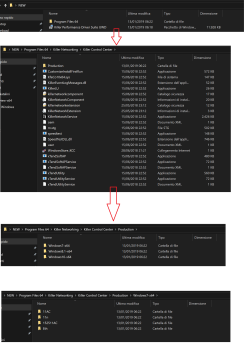
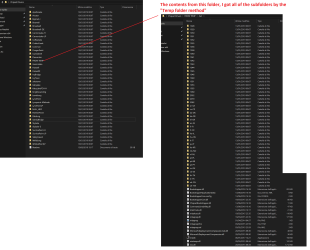
Ø [FONT="]As you know I extracted the drivers but it seems not enough for the system, because still not find the [/FONT]
Killer(R) Wireless-AC 1550 hardware[FONT="], I tried to install the older version of Killer WiFi software successfully but the software finds out only the
Aquantia AQtion 10Gbit Network Adapter. So, it seems that the drivers to find the Killer 1550 not fully installed, it seems still missing something else, in fact you can see in the picture with the drivers missing list from NTLite (that I attached in this post)[/FONT]
· [FONT="]SteelSeries PS/2 Keyboard [/FONT]
Ø [FONT="]I don’t know what to do, I saw from the report of the NTLite missing drivers that, the drivers are signed by MSI, I think if it’s possible to mod the drivers by the help from someone will be great.[/FONT]
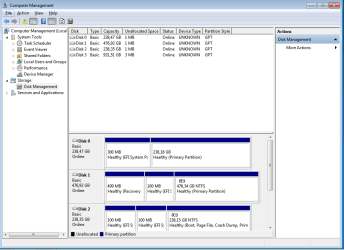
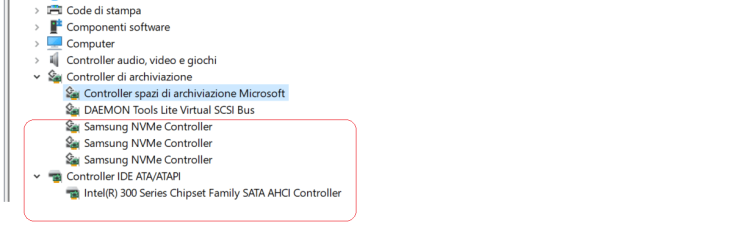
The rest are working perfectly, even the NVMe, and especially
no errors anymore during the Windows 7 Installation 
So, we still to solve those 3 problems (the 5 USB,Wireless-AC 1550 and if possible the lights from [FONT="]SteelSeries PS/2 Keyboard)[/FONT].
I have tried any way and any software with a lot of test and the best it’s NTLite, because first can find from your system Windows 10 what it’s missing for Windows 7, second when it modified the .wim files doesn’t make any bad corruption of the image and can create the .iso from the same software where NTLite management everything, when others software make everything nice but corrupt the boot files for some reason. The thing that I love from NTLite, it is that before install the system can tell you what you still missing inside your new .iso OS, and this it’s so much an advantage from this software, because save you hours of re-testing and installing of the OS from zero.
I used and learned the following softwares to download the Windows Upgrades (but useless as I said except the NVMe and other few hotfix):
A. Windows Update software
B. AutoPatcher
C. Wsusoffline.
D. WHDownloader
Thank you so much for this Vineet Garg, it’s anyway nice to know all these stuff
Cris

 .
.
 lease see the attached files.


 .
. ..
..


