Well that's an unexpected twist in the tale!
I have to say I'm finding it hard to grasp the logic. How can a keyboard or machine fault (physical or hardware malfunction) be responsible for the sequence of screens that appear during the boot-up process?
The only key pressed during the current boot process is the 'Power On' button - which works fine.
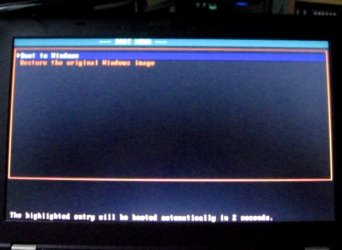
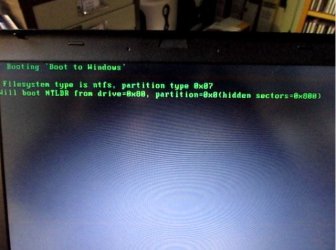
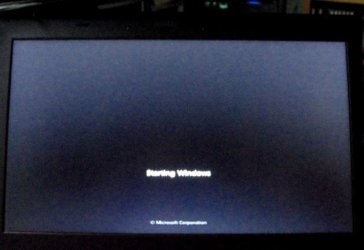
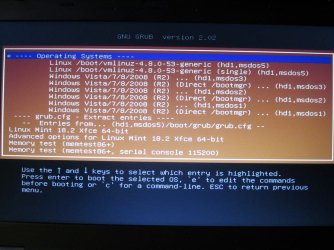
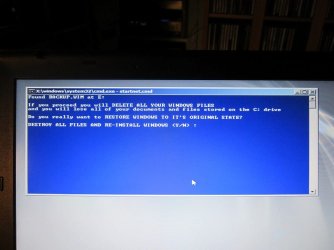
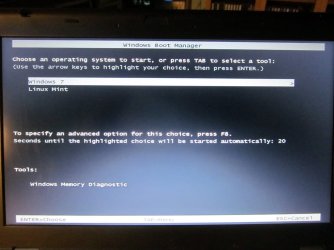
No other key is touched as the sequence of screens goes from the initial ThinkPad logo, to the weird 'Boot Normally or Restore System Image' screen, to the momentary black screen with green wording, to the 'Win7 starting' splash logo screen. So how might a faulty keyboard be to blame?
As I understand it the boot sequence is - or should be - fairly straightforward. In very simplistic terms, the theory is that after the initial POST stage, the BCD (in the MBR?) then fires up, and passes the action on to the Windows Boot Manager which then activates the boot loader (where there is a single OS) or which (in a dual boot) shows a list of options including the other OS , or diagnostic mode or whatever, from which the user has to choose. That then fires up the relevant bootloader.
So one of the BCDs must be driving the current bootup of this Lenovo laptop. But the original and obvious questions remain. For example:
1. Which of the three BCDs we seem to have found is actually involved in the current boot process?
2. Is it normal to have three BCDs? There is one in the System Reserved (MBR?) partition, which is surely to be expected. There is one in the Win7 OS (C

partition - why? And there is one in the Recovery partition (is this necessary in order to fire up the Recovery process and restore the system image?).
3. Since we can see that at least one of the BCDs has entries for the Windows Boot Manager and the Windows Boot Loader, why do they apparently not form part of the boot-up sequence?
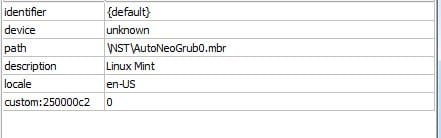
4. Is there still a need - or any point - in amending that BCD, or either of the others, since it has already been established (in post #23) that there is a problem with the "
device locate" entry (which may be taking the process to a specific data location .... where it stops.... thus perhaps preventing the usual onward sequence into bootmgr and bootloader etc??)
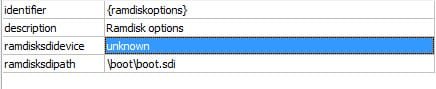
5. Are there other entries in any or all of the existing three BCDs which are unorthodox and ought to be changed? Such as (for example (ref post #23 again) the
ramdiskSDIdevice setting?
I do apologise for setting this out in what may be imprecise or inexpert terms. But I'm still a profound non-expert, and I'm just trying to be systematic and methodical in attempting to figure out the cause(s) of the unusual boot behaviour.
Surely at least part of the problem has to be about how the MBR/BCD/Boot Manager/Bootloaders are configured?
6. One other point still unexplained. None of the three BCDs apparently has an "entry" which relates to the mysterious/weird/annoying (Boot Normally or Restore System Image) screen which appears during the boot process. Okay. But as noted in my post #29, when I explored the files in the C: partition and the Recovery partition which I
could read using a text editor, I found in each of them a
menu.lst file which contained exactly the wording, and formatting instructions, which appear in that weird screen. So what is that
menu.lst file, and how/why is it activated as part of the bootup sequence?