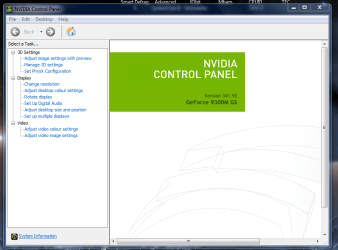
I have two monitors. One has a HDMI>HDMI cable and the other uses a VGA>HDMI cable, with the VGA end being connected to my tower. This setup used to work without a problem, but then it slowly started having problems. Now, the furthest I can get is having the HDMI>HDMI monitor working fine, and the other monitor working in 1024x768 resolution. The native resolution for both my monitors is 1366x768. When I use the Window's Screen Resolution to change the resolution of the second monitor, I get a message saying "unable to save display settings" and it loses signal from my second monitor and stops working. I'm using Windows 7 and a GeForce GT 545. If there's any other info I'm leaving out, let me know and I'll update it. Thanks
UPDATE: For my computer, the HDMI port is connected to the integrated Intel card, and the DVI (it was actually a DVI port, not VGA) is connected to the Nvidia port. torchwood said it could be my problem, but it used to work without a problem, which I don't understand.
UPDATE: For my computer, the HDMI port is connected to the integrated Intel card, and the DVI (it was actually a DVI port, not VGA) is connected to the Nvidia port. torchwood said it could be my problem, but it used to work without a problem, which I don't understand.
Last edited:
My Computer
At a glance
Windows 7 Home Premium x64Intel Core i5-23208 GBNVIDIA GeForce GT 545
- Computer type
- PC/Desktop
- Computer Manufacturer/Model Number
- Alienware x51
- OS
- Windows 7 Home Premium x64
- CPU
- Intel Core i5-2320
- Memory
- 8 GB
- Graphics Card(s)
- NVIDIA GeForce GT 545
- Browser
- Google Chrome