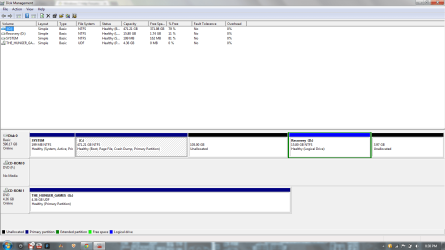
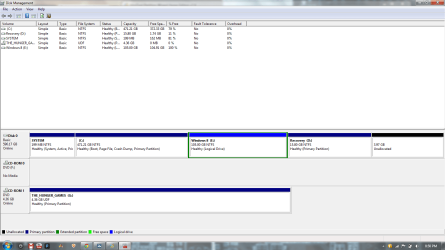
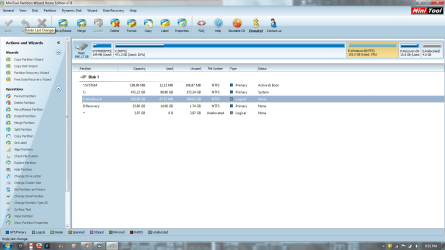
Thanks for your reply but when I go to select my drive and I right click on it to convert it to basic, the option is not highlighted, therefore I cannot click on it. Please tell me there is a solution to this.Boot Partition Wizard flash stick by tapping the ESC or F9 key at boot, then select the flash stick to boot.
Highlight the HD by clicking on it, then from Disk tab select Convert DYnamic Disk to Basic: How to convert dynamic disk to basic disk with Partition Wizard?
Confirm the System partition is marked Active: How to Set Active/Inactive partition -Partition Wizard Video Help.
Apply steps, reboot. If WIn7 will not boot then you may need to run Startup Repair - Run up to 3 Separate Times.
Once Win7 starts you can again boot PW to rightclick C to Modify>Set to Logical, click OK.
then rightclick the deleted WIn8 partition space to Create a new Logical Partition, click OK, Apply both steps. How to Set Active/Inactive partition -Partition Wizard Video Help.
Partition Wizard Create Partition Video Help
My Computer
At a glance
Windows 7 Home Premium 64bitIntel Core i5 2450M @ 2.50GHz Sandy Bridge 32...6.00GB Dual-Channel DDR3 @ 665MHzGeneric PnP Monitor (1600x900@40Hz) Intel HD ...
- Computer type
- Laptop
- Computer Manufacturer/Model Number
- HP DM4-3099se
- OS
- Windows 7 Home Premium 64bit
- CPU
- Intel Core i5 2450M @ 2.50GHz Sandy Bridge 32nm Technology
- Motherboard
- Hewlett-Packard 1793 (CPU1)
- Memory
- 6.00GB Dual-Channel DDR3 @ 665MHz
- Graphics Card(s)
- Generic PnP Monitor (1600x900@40Hz) Intel HD Graphics 3000 (
- Sound Card
- IDT High Definition Audio CODEC
- Screen Resolution
- 1600x900
- Hard Drives
- 596GB Hitachi HTS547564A9E384 (SATA)
- Browser
- Google Chrome