
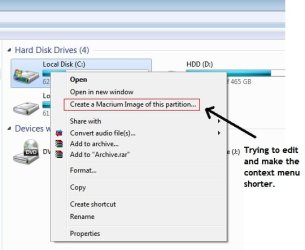
Soon after i install ReflectMacrium, context menu added itself is normal for almost every program. now this context menu thing is useful, (removing it is easy) but makes it looks messy and i would like to change it. Default program editor and Glary utilities cant change this because ReflectMacrium has it's context menu info within it's dll file, called RShellext.dll, means i must use resource hacker program to edit it.
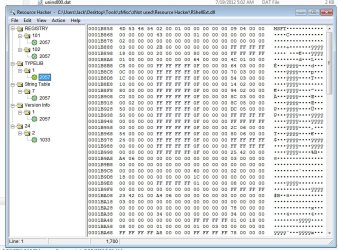
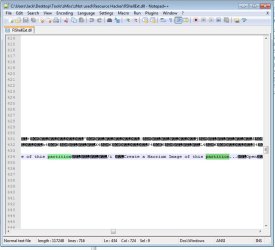
all other times when i do this, resource hacker worked and info is always there to edit but this time i can't find the "create a macrium image for this partition" inside the .dll file so i looked further with notepad++ and it is indeed within RShellext.dll, just that in resource hacker it shows a bunch of hex and i do not know what or how to edit it. i could try hex, but no experience on it whatsoever.
is there anyway for me to edit this? either with resource hacking tools (with hex) or another method to do this. i could remove the context menu by deleting the dll file but i would really love to have the function, just a shorter name.
i have attached few picture to make it clear of what i need to change, thank you.
all other times when i do this, resource hacker worked and info is always there to edit but this time i can't find the "create a macrium image for this partition" inside the .dll file so i looked further with notepad++ and it is indeed within RShellext.dll, just that in resource hacker it shows a bunch of hex and i do not know what or how to edit it. i could try hex, but no experience on it whatsoever.
is there anyway for me to edit this? either with resource hacking tools (with hex) or another method to do this. i could remove the context menu by deleting the dll file but i would really love to have the function, just a shorter name.
i have attached few picture to make it clear of what i need to change, thank you.
Attachments
My Computer
At a glance
window 7 64 bit
- OS
- window 7 64 bit


