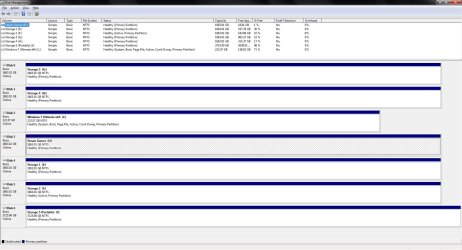
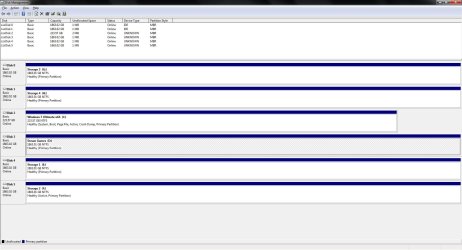
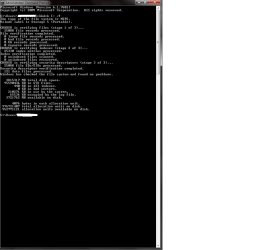
When i eject my 4TB Seagate usb drive with the option by the clock upon plugging it back in Windows 7 Ultimate x64 still tells me to check the drive for errors. I figured it was done and ejected cause the light on the USB hard drive was off.
Why is it doing that for? I read you are supposed to use the eject drive icon by the clock instead of just pulling it out as you will get that dialog box with out ejecting it. I still eject it and i still get the dialog box to scan for errors.
How can i fix this?
Why is it doing that for? I read you are supposed to use the eject drive icon by the clock instead of just pulling it out as you will get that dialog box with out ejecting it. I still eject it and i still get the dialog box to scan for errors.
How can i fix this?
Last edited:
My Computer
- Computer type
- PC/Desktop
- Computer Manufacturer/Model Number
- Custom Built By Yours Truly.
- OS
- Windows 7 Ultimate x64 SP1
- CPU
- AMD FX 8350
- Motherboard
- Gigabyte 990FXA-UD3
- Memory
- G-Skill Sniper Series 16 GB
- Graphics Card(s)
- MSI GTX 970
- Monitor(s) Displays
- Sony Bravia 40 Inch
- Screen Resolution
- 1920x1080 Full Pixel
- Hard Drives
- Kingston Hyper X Savage SSD 240GB (OS Drive)
Seagate FireCuda 2TB SSHD
Seagate FireCuda 2TB SSHD
Seagate FireCuda 2TB SSHD
Seagate FireCuda 2TB SSHD
Western Digital Black 2TB
- PSU
- Antec 900 Watt High Current Gamer
- Case
- Cooler Master Trooper Full Tower With View Window
- Cooling
- Noctua D14 Push Pull Air Cooler
- Keyboard
- Razer Blackwidow Chroma v2
- Mouse
- Logitech G700s 13 Button Gaming Mouse
- Internet Speed
- 250 mB/s
- Antivirus
- None
- Browser
- Firefox