

7ech7utorials
New member
Hello, I'm 7ech7utorials and I'm new to the forums.
I want to say hi, and was wondering if someone could help me with a driver I'm looking for.
Also, sorry if this has been asked before, or if this a noob question.
Before I tell you what driver I'm looking for, I have to tell you my system specs in order for you guys to help me:
Now, I know that I can obtain my drivers from my manufacturer's website, which I found here. You just have to click the "Drivers" tab, and it lists several drivers for the eMachines E725. I assume that all the drivers on that page are the basic drivers that were installed during the Fresh Windows 7 Installation.
The problem is that when I press the keyboard buttons "FN+Up" to make my sound higher or "FN+Down" to make my sound lower, it won't show the icon. When trying to find the answer, someone said that it's a driver you have to download and install. So now I know it's a driver, but I don't know what the driver is called, where to download it, or how to install it, so I'm unable to continue.
Basically my question is, what is the driver called that shows the sound icon when pressing "FN+Up" or "FN+Down", where can I download it, and how do I install it?
Thank you, and I hope you guys can help me!
Again, sorry if this has been asked before, or if this a noob question.
I want to say hi, and was wondering if someone could help me with a driver I'm looking for.
Also, sorry if this has been asked before, or if this a noob question.
Before I tell you what driver I'm looking for, I have to tell you my system specs in order for you guys to help me:
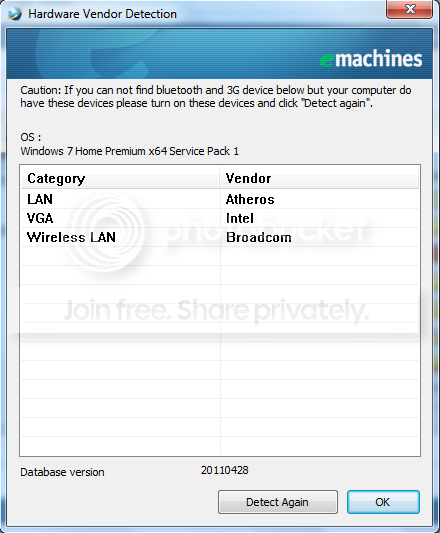
- I'm running an eMachines E725-4520 laptop with an Intel® Pentium® Processor T4400 that has Windows 7 Home Premium x64 SP1 (OEM Version) installed.
Now, I know that I can obtain my drivers from my manufacturer's website, which I found here. You just have to click the "Drivers" tab, and it lists several drivers for the eMachines E725. I assume that all the drivers on that page are the basic drivers that were installed during the Fresh Windows 7 Installation.
The problem is that when I press the keyboard buttons "FN+Up" to make my sound higher or "FN+Down" to make my sound lower, it won't show the icon. When trying to find the answer, someone said that it's a driver you have to download and install. So now I know it's a driver, but I don't know what the driver is called, where to download it, or how to install it, so I'm unable to continue.
Basically my question is, what is the driver called that shows the sound icon when pressing "FN+Up" or "FN+Down", where can I download it, and how do I install it?
Thank you, and I hope you guys can help me!
Again, sorry if this has been asked before, or if this a noob question.
Last edited:
My Computer
- Computer Manufacturer/Model Number
- eMachines E725-4520
- OS
- Windows 7 Home Premium x64 SP1 (OEM)
- CPU
- Intel® Pentium® Processor T4400
- Memory
- 3GB
- Screen Resolution
- 1366x768



 ohh and know that its old post


