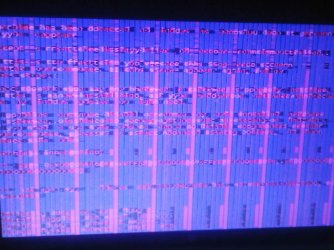
Error 116 on computer screen

sunnie

New member
Local time
3:12 PM
Messages
5
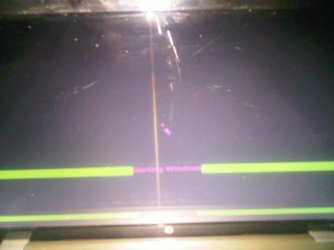
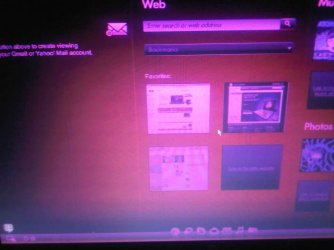
Hello there, I seem to be having various problems with my hp dv6, first of all the screen comes on red, then error 116 comes on the screen, however it is scrambled even on safe mode, can't make out a thing. Any suggestions if so please help!IMG00305-20130127-0145.jpg
 
Last edited:

My Computer My Computer

At a glance

windows 7
OS
windows 7
Is this a laptop?. Sounds like you have a faulty screen, or a possible bad connection.

Strange how it does it in safemode makes me believe its not a driver issue.

Take a picture, and upload it.
 

My Computer My Computer

At a glance

Windows 7 Home Premium 64 BitCore I7 1155 3.4GHZ8GB DDR 1600
Computer Manufacturer/Model Number
Cooler Master
OS
Windows 7 Home Premium 64 Bit
CPU
Core I7 1155 3.4GHZ
Memory
8GB DDR 1600
Hard Drives
64 GB SSD - OS
1TB - DATA
PSU
340 Watt Corsair
Case
Cooler Master
Cooling
Cooler Master
here are a few picsIMG00308-20130127-0148.jpg[/ATTACH]
 

Attachments

  • IMG00306-20130127-0146.jpg
    IMG00306-20130127-0146.jpg
    42 KB · Views: 2

My Computer My Computer

At a glance

windows 7
OS
windows 7
I'm almost certain thats a faulty laptop screen\connection.
 

My Computer My Computer

At a glance

Windows 7 Home Premium 64 BitCore I7 1155 3.4GHZ8GB DDR 1600
Computer Manufacturer/Model Number
Cooler Master
OS
Windows 7 Home Premium 64 Bit
CPU
Core I7 1155 3.4GHZ
Memory
8GB DDR 1600
Hard Drives
64 GB SSD - OS
1TB - DATA
PSU
340 Watt Corsair
Case
Cooler Master
Cooling
Cooler Master
What do I do? it's pretty new
 

My Computer My Computer

At a glance

windows 7
OS
windows 7
I agree it looks like the screen, but update your video driver first to be sure. Check optional Windows Updates after enabling http://www.sevenforums.com/tutorials/2803-device-installation-settings.html. Then check the HP Support Downloads webpage for your model. If you have the latest, in Device Manager uninstall it and reboot PC to reinstall. http://www.sevenforums.com/tutorials/97061-driver-install-device-manager.html

If within the first year you have full factory warranty. Start with HP Tech Support to set up an RMA to ship it back for replacement. They may walk you through some steps to confirm what it needs exactly.

If not this video will show you what's involved with checking the connections or if necessary replacing the screen on your make, so you can decide if you want to try it or take it to a shop. You can google for a more exact model:

 
Last edited:

My Computer My Computer

At a glance

Windows 7 Home Premium 64 BitCore I7 1155 3.4GHZ8GB DDR 1600
Computer Manufacturer/Model Number
Cooler Master
OS
Windows 7 Home Premium 64 Bit
CPU
Core I7 1155 3.4GHZ
Memory
8GB DDR 1600
Hard Drives
64 GB SSD - OS
1TB - DATA
PSU
340 Watt Corsair
Case
Cooler Master
Cooling
Cooler Master
Thanks :D for the help
 

My Computer My Computer

At a glance

windows 7
OS
windows 7

My Computer My Computer

At a glance

Windows 7 Home Premium 64 BitCore I7 1155 3.4GHZ8GB DDR 1600
Computer Manufacturer/Model Number
Cooler Master
OS
Windows 7 Home Premium 64 Bit
CPU
Core I7 1155 3.4GHZ
Memory
8GB DDR 1600
Hard Drives
64 GB SSD - OS
1TB - DATA
PSU
340 Watt Corsair
Case
Cooler Master
Cooling
Cooler Master
You might want to connect an external monitor to your laptop to be sure the problem is the screen. Also the second monitor will make finding and installing the video driver easier.
 

My Computer My Computer

At a glance

Windows 7 Home Premium 64biti3-5308 Gbonboard
Computer Manufacturer/Model Number
HP p6370t
OS
Windows 7 Home Premium 64bit
CPU
i3-530
Motherboard
MSI - IONA
Memory
8 Gb
Graphics Card(s)
onboard
Sound Card
onboard
Monitor(s) Displays
Dell ST2400
Screen Resolution
1920x1080
Hard Drives
Intell 520 SSD 120Gb, WD6400AAKS, 640Gb & WD USB MyBook 1Tb
Internet Speed
1.5 Mmbps, Hughes Satellite
Back
Top