gopu2013,
Please download
RKill:
RKill Download
Save to the Desktop.
If rkill.exe does not run, then download and try to run
iExplore.exe (a renamed RKill.exe), or
RKill.com
You only need to get one of these to run.
If your antivirus warns you about this tool, ignore the warning, or temporarily disable your antivirus.
Info:
How To Temporarily Disable Your Anti-virus, Firewall And Anti-malware Programs - BleepingComputer.com
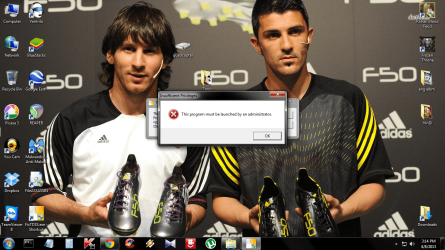
Right-click on the downloaded RKill file and select: Run as Administrator
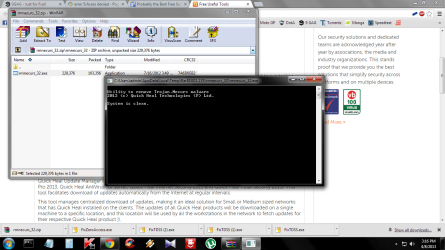
When the tool runs, a black DOS box briefly flashes and then disappears. This is normal and indicates the tool ran successfully.
>>Do not reboot the computer after running Rkill, as the malware programs will start again!
If the computer reboots, run Rkill again before continuing to the next step.
<<
When the scan is done,
Notepad opens with the
RKill report.
Please post the
RKill report in your reply.
Next, please download the free version of
Malwarebytes' Anti-Malware (MBAM):
http://www.malwarebytes.org/products/malwarebytes_pro/
Save to the Desktop.
MBAM may make changes to the Registry as part of its disinfection routine.
If using other security programs that detect Registry changes, they may interfere or alert you.
Let your security program(s) allow the changes that MBAM makes. It is a safe program.
Double-click the downloaded file to run MBAM.
When the installation begins, follow the series of setup wizard prompts pressing Next, and on the last prompt, press: Install
When done with this phase, press: Finish
MBAM automatically starts and takes you to the main console and to the
Scanner tab.
On the
Scanner tab:
Make sure the
Perform Full Scan option is selected.
Then click on the
Scan button.
The scan may take some time to complete, so please be patient.
When the scan is finished, a message box shows: The scan completed successfully. ..etc.
If anything is found, click
Show Results to display all objects found.
Click OK to close the message box and continue with the removal process.
Make sure that everything is checked, and click:
Remove Selected
When removal is completed, a report opens in Notepad.
(The log is automatically saved and can also be viewed by clicking the Logs tab).
If anything is found, please copy/paste the entire contents of the
MBAM report and provide in a reply.
If nothing works, do you have another computer from which you can work?