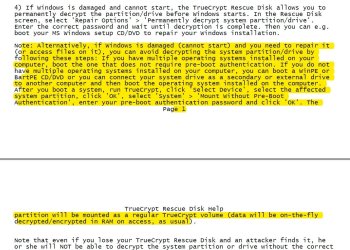
Jumanji, I have encrypted the whole system and truecrypt would load pre-boot authentication asking for a password before Windows started loading. System Encryption - TrueCrypt Documentation
As for partitions, I have created 97.6 GB partition for Windows and 833 GB partition for everything else. During windows installation the system created 100 MB partition by itself.
I have then used Truecrypt to encrypt entire system.
833 GB partition was, for sure, NTFS. For 97.6 GB partition, I cannot be 100% sure, but, unless Windows required it to be FAT32, I would have certainly designated it as NTFS. 100 MB partition Windows created by itself and I can't remember.
To answer your questions as accurately as possible, would it be helpful to recreate the process of encryption with Truecrypt on a Lenovo S10-2 netbook I have laying around, following as much as I can remember, the steps I used for encrypting the computer five years ago?
We could then use this netbook for trying different solutions without risking main computer.
My plan is to format Lenovo netbook (297 GB), create one 97 GB partition and one 200 GB partition, install Windows 7 32-bit on smaller partition, which should create also the 100 MB partition. Then encrypt whole system with Truecrypt and post photos of it so you guys can see the process in detail.
Tell me what you think.
Rona
As for partitions, I have created 97.6 GB partition for Windows and 833 GB partition for everything else. During windows installation the system created 100 MB partition by itself.
I have then used Truecrypt to encrypt entire system.
833 GB partition was, for sure, NTFS. For 97.6 GB partition, I cannot be 100% sure, but, unless Windows required it to be FAT32, I would have certainly designated it as NTFS. 100 MB partition Windows created by itself and I can't remember.
To answer your questions as accurately as possible, would it be helpful to recreate the process of encryption with Truecrypt on a Lenovo S10-2 netbook I have laying around, following as much as I can remember, the steps I used for encrypting the computer five years ago?
We could then use this netbook for trying different solutions without risking main computer.
My plan is to format Lenovo netbook (297 GB), create one 97 GB partition and one 200 GB partition, install Windows 7 32-bit on smaller partition, which should create also the 100 MB partition. Then encrypt whole system with Truecrypt and post photos of it so you guys can see the process in detail.
Tell me what you think.
Rona
Last edited:
My Computer
- Computer type
- PC/Desktop
- Computer Manufacturer/Model Number
- Custom
- OS
- Windows 7 x32
- CPU
- Intel Pentium Dual CPU 1.8 GHz
- Memory
- 2 GB
- Hard Drives
- Western Digital ATA Device 931 GB