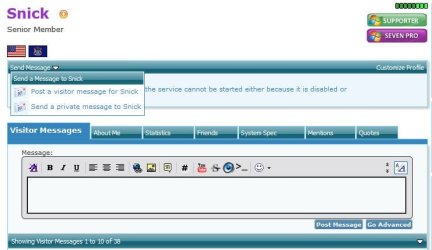
Uh what would I tell my mom when a package from across the country arrives (she'd probably throw it away lmao),. Plus it's not really safe to give out ur email address to random people sooo um
- Well, I'm not a random person, I'm trying real hard to help you repair your computer & keep you safe and secure in the process.
- Why is is not safe to provide a single person your email or your home address for that matter? I would provide you my email address when I respond. The purpose of the burner/temporary email for me, is so others on this forum do not have my IT email, only you or others I have specifically provided it to. It is also the same one that I receive Sevenforums post notifications, that is, when I post on a thread, such as yours, I receive an email notification that you or another individual has posted on your thread. I don't have to logon to Sevenforums to see if there was a post or posts on a thread or threads I have either subscribed to or posted in. It is in the options section of your Profile page where you enable this feature.
- What do you think could be an issue with providing me your email address that way? I don't see any & I'm very security conscious, in fact, I'm working on Computer Science & Cybersecurity accreditation through my local community college.
- Additionally, in the profile snippet that appears on each post, do you see how many posts I have providing free help?
Why don't you discuss what we are talking about, help fixing your computer, with your Parent(s). Ask them if you can provide your email via the method I recommended. Ask them if then it would be OK for us to communicate via email for the purpose of you providing your home address, or whatever, so that I can USPS mail you a DVD with Win7x64 on it to repair (repair install) your ailing computer?
If we can't do a repair install, I would suggest you obtain an external hard drive, backup your disk/drive to that drive with AOMEI Backupper Standard (an excellent free program) and reset your computer to factory condition.
A factory reset will remove everything you have on your computer and reset it to its condition when it was purchased new. That is usually what most individuals, I assume you included, would rather not have to do. With a full disk image backup to an external hard drive, you can access/mount that image from AOMEI's console, and view it as an additional temporary drive on your computer. You can also copy and paste your date, i.e. music, pictures, videos, etc. from the backup to your computer, CD, DVD, USB Flash Drive, etc. You cannot delete data from the backup image.
A decent external hard drive is relatively inexpensive, and if, prior to your actions that caused your computer problem, you would have backup up your computer to it, a full disk image, you could have reimaged your computer, when the backup and it would be exactly as it was when you created the image, EXACTLY!
I do this quite often with my Win7x64 SSD. I purposely try to recreate a problem, try to fix it, record the process, then reimage my drive & it is back to exactly the way it was. It is not a matter of if, but when you will need to do this (read blue text in my footer)

Snick