So my old HDD stoped working and I bought new one . I connected it and try to boot (install) system from USB ( i made USB bootable )(win 7 in this case i tried 8.1 too) and set 1st boot device to USB , it automaticly restarted and after i see logo of motherboard i get message "invalid partition table ".
I looked on forums but all of them have just fixes when there is a Operative System on HDD , in my case I don't have one .
Any sugestions
2nd ASUS X299 Apex/Intel i9-9940x with Custom water loop/7H-Prem-x64/Corsair 450D case/Ram Trident-z 3600C16 4x8gb / Samsung970Evo plus 500gb SSD/Dual ssd EZ swap evo/PSU EVGA SuperNova 1200w-P2 80+Platinum/GPU Titan Xp /8-ML-140 on push-pull on 2-280GTX rads
Please edit your profile with ALL your hardware specs.
Roy and Mike got to the point. If your computer is set to boot only as UEFI and your USB installation disk isn't UEFI compatible or not booted on UEFI mode (F? boot menu) you receive the "invalid partition table" message.
- How did you create the boot able USB?
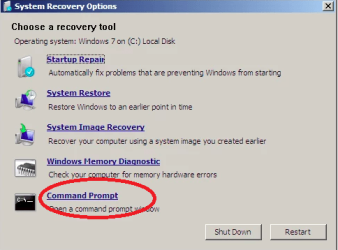
first, you can try rebuilding MBR for the disk in question. In many cases, the invalid partition table issue is caused by an corrupt MBR (Master Boot Record). Rebuilding MBR can be done in Command Prompt (boot computer using an Installation CD and locate the Command Prompt; then enter command /FixMbr and press Enter).
If your computer contains more than one local disks or external disk, many times, the invalid partition table is likely to happen due to incorrect boot order. On such occasion, you should restart your PC and enter Boot Menu where you can set disk boot order. Make sure your computer is booted from correct disk, save changes and restart computer.
You can view detailed steps here: How to fix "invalid partition table" error on Windows 10/8/7/XP?