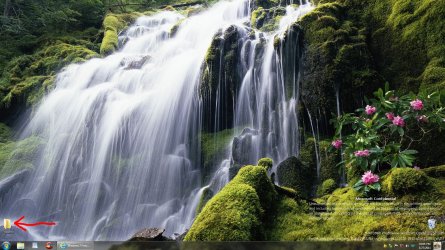
Every once in a while a desktop icon vanishes ?????

thehappyman

New member
Pro User
Local time
9:00 PM
Messages
258
Location
Central Florida
Every once in a while, one of the 50 or so icons on my win 7 desktop just seems to "vanish" for no reason - this usually happens on a fresh boot. The icons that vanish are just shortcuts so it's easy for me to restore any of them.

Whenever this happens, the "icon arrangement" on the desktop is NOT affected or changed (except for the missing icon of course)

Yes, I have had times when ALL the icons on the desktop get jumbled - but that is quite rare - happens maybe twice a year after I have some kind of program malfunction.

Anybody have any ideas what might be causing this ????
And it's not the same icons that vanish. Today my Photoshop CS5 icon vanished - so I just restored it.......

So wierd - but I KNOW THERE IS A REASON why this is happening - just cant fathom what it is.
 

My Computer My Computer

At a glance

Win 7 Ultimate x64Core I7 980X O.C. to 4.0 Ghz12GB 1600 mhz triple channel DDR3 - KingstonATI Radeon HD 5970 2GB Video Card
Computer Manufacturer/Model Number
Alienware Aurora
OS
Win 7 Ultimate x64
CPU
Core I7 980X O.C. to 4.0 Ghz
Motherboard
Custom Intel mATX (Bios ver A10)
Memory
12GB 1600 mhz triple channel DDR3 - Kingston
Graphics Card(s)
ATI Radeon HD 5970 2GB Video Card
Sound Card
Creative Labs Titanium sound blaster
Monitor(s) Displays
30" Dell LCD
Screen Resolution
2560 x 1600
Hard Drives
240 GB OCZ Vertex 2 SSD
256 GB Samsung V2 SSD
2TB WD Black Caviar 7200 rpm SATA3
600GB WD Velociraptor 10,000 rpm SATA3
3TB WD MyBook Essential USB 3.0 7200 rpm External
PSU
850 Watt
Case
Alienware Aurora
Cooling
Water
Keyboard
Logitech G15 (original version)
Mouse
Logitech MX1000 Laser - Wireless
Internet Speed
Cable 22 Mb/sec download
Other Info
USB 3.0,
Blue Ray DVD Read/Writer
Bose Companion 3 Speakers
WRT54G Wireless Router
  • Like
Reactions: JMH
Last edited by a moderator:

My Computer My Computer

At a glance

Windows 7 Home Premium 64bitIntel Core i3 380M(2.53GHz)4GB DDR3 1066Intel HD Graphics 128MB VRAM
Computer Manufacturer/Model Number
Acer Aspire TimelineX AS4820T-6645
OS
Windows 7 Home Premium 64bit
CPU
Intel Core i3 380M(2.53GHz)
Memory
4GB DDR3 1066
Graphics Card(s)
Intel HD Graphics 128MB VRAM
Screen Resolution
1366x768
Hard Drives
640GB 5400RPM SATA
Yes, I have had times when ALL the icons on the desktop get jumbled - but that is quite rare - happens maybe twice a year after I have some kind of program malfunction.
As far as your icons automatically rearranging themselves for some reason, you might consider un-checking the "auto-arrange" option on your desktop "View" properties... if you currently have it checked. Also the "align to grid" should be unchecked, if you want to be able to place your desktop icons wherever you want to and never be bothered by Windows' interfering.

viewdesktop.jpg


That way you are in complete control. You should never again see the mysterious symptom you describe... whatever the actual cause might be.
 

My Computer My Computer

At a glance

Windows 7 Pro x64 (1), Win7 Pro X64 (2)i5-3350p 3.1Ghz/6MB-cache (1); E8400 3.0Ghz/6...8GB PC3-12800 DDR3 (1); 4GB PC3-10600 DDR3 (2)ATI HD7750 (1), (see TV cards); ATI R7 250 (2)
Computer type
PC/Desktop
Computer Manufacturer/Model Number
Home-built, two systems (1) and (2)
OS
Windows 7 Pro x64 (1), Win7 Pro X64 (2)
CPU
i5-3350p 3.1Ghz/6MB-cache (1); E8400 3.0Ghz/6MB-cache (2)
Motherboard
ASUS P8Z77-V Pro (1); ASUS P5Q3 (2)
Memory
8GB PC3-12800 DDR3 (1); 4GB PC3-10600 DDR3 (2)
Graphics Card(s)
ATI HD7750 (1), (see TV cards); ATI R7 250 (2)
Sound Card
Realtek ALC892 HD Audio (1); Realtek ALC1200 HD Audio (2)
Monitor(s) Displays
Eizo HD2441W LCD, Eizo S2433W (1); Eizo 24" S2433W (2)
Screen Resolution
1920x1200, 1920x1200 (1); 1920x1200 (2)
Hard Drives
(1) 1TB SATA-II (7200RPM), 2x2TB SATA-III (7200RPM), 250GB SATA-III (10000RPM) for OS; 2x2TB external USB 3.0

(2) 320GB SATA-II (7200RPM), 750GB SATA-II (7200RPM), 150GB SATA-II (10000RPM) for OS; 2TB external USB 3.0
PSU
Nesteq ECS-6001 600W (1); Nesteq ECS-5001 500W (2)
Case
Acousti-Case 360 (1) and (2)
Cooling
Noctua NH-U12P SE2 for CPU, 2x120mm case fans (1) and (2)
Keyboard
IBM PS/2 (1) and (2)
Mouse
Logitech MX Revolution wireless (1); Microsoft wired (2)
Internet Speed
100mbps down / 10mbps up
Antivirus
Microsoft Security Essentials; Malwarebyte Anti-Malware Pro
Browser
Firefox
Other Info
Ceton InfiniTV 4-tuner cablecard-enabled TV card as well as Hauppauge HVR-2250 OTA/ATSC 2-tuner TV card in (1), running under Win7 WMC
  • Like
Reactions: JMH
I hope the auto maintenance tip work for you. What I do, instead of having a cluttered desktop, is to make a folder and I put all shortcuts in it. I also keep some docs there I need often.
Capture.JPG
 

My Computer My Computer

At a glance

Windows 7 Ultimate X64 SP1Intel i5-2550K, Differing ~4.4-4.8GHz No buil...16GB G.Skill Sniper 1866MHz @ 2133MHz 2x8GBASUS GTX650TIB-DC2OC-2GD5, (650TI Boost)
Computer type
PC/Desktop
Computer Manufacturer/Model Number
Home Built Desktop By DataTech
OS
Windows 7 Ultimate X64 SP1
CPU
Intel i5-2550K, Differing ~4.4-4.8GHz No built in GPU
Motherboard
ASUS P8Z68-V PRO/GEN3
Memory
16GB G.Skill Sniper 1866MHz @ 2133MHz 2x8GB
Graphics Card(s)
ASUS GTX650TIB-DC2OC-2GD5, (650TI Boost)
Sound Card
Onboard Realtek 5-1
Monitor(s) Displays
Samsung P2570HD
Screen Resolution
1920x1080
Hard Drives
Samsung 840 Pro 256GB SSD for OS, 500GB Seagate Constellation (Enterprise drive) for Data
PSU
Corsair HX650W
Case
Inwin Dragon Rider
Cooling
Hyper 212 EVO w/two Noctua fans, push-pull, @1300 RPM
Keyboard
E-Z Eyes, bright yellow keys with large characters
Mouse
steelseries SENSEI Laser Pro Gaming
Internet Speed
48-51Mbs Mbs down, 11 Mbs up Xfinity Cable
Antivirus
Norton Internet Security 2013
Browser
IE 10, Opera, Pale Moon if needed
Other Info
4 case fans, LG BluRay-RE, ASUS DVD-RW, Mr. Fusion power supply, 1.21 gigawatts.
I used to keep tons of icons on my Desktop and I had a similar problem occasionally, with icons vanishing --- or sometimes when I saved additional shortcuts to the Desktop their icons just would never show up. I finally figured out that I must've had too many icons on my Desktop because when I deleted some, others mysteriously reappeared. Why don't you try deleting a few and see if that makes a difference.

Also, another possibility is that sometimes the ones near the edges of the screen somehow slip 'off the screen' into. . . I don't know where --- cyberspace???? I've had that happen too, and occasionally if I put my cursor at the very edge of the screen I can manage to drag one or two back on the screen. Crazy, huh?
 

My Computer My Computer

At a glance

Vista 64 bit and 32 bit (SP2)Intel(R) Core(TM)2 Duo Processor T9400 (2.53 GHz4GB DDR2 System Memory (2 Dimm)512 MB NVIDIA GeForce 9600M GT
Computer Manufacturer/Model Number
HP Pavillion dv5t (generation 1)
OS
Vista 64 bit and 32 bit (SP2)
CPU
Intel(R) Core(TM)2 Duo Processor T9400 (2.53 GHz
Memory
4GB DDR2 System Memory (2 Dimm)
Graphics Card(s)
512 MB NVIDIA GeForce 9600M GT
Monitor(s) Displays
15.4" diagonal WSXGA+ High-Definition HP BrightView Widescre
Screen Resolution
1680 x 1050
Hard Drives
320GB 5400RPM SATA Hard Drive with HP ProtectSmart Hard Drive Protection
Keyboard
Built-in HP
Mouse
Built in - Synaptics TouchPad V6.5 on PS/2 Port
Internet Speed
Max
Other Info
~ Intel Next-Gen Wireless-N Mini-card w/Bluetooth ~ Blu-Ray ROM DVD+/-R/RW ~ Integ. HDTV Hybrid Tuner ~ 12 Cell Battery ~ MS Office (Home Premium) 2007 ~
I used to keep tons of icons on my Desktop and I had a similar problem occasionally, with icons vanishing --- or sometimes when I saved additional shortcuts to the Desktop their icons just would never show up. I finally figured out that I must've had too many icons on my Desktop because when I deleted some, others mysteriously reappeared. Why don't you try deleting a few and see if that makes a difference.

Also, another possibility is that sometimes the ones near the edges of the screen somehow slip 'off the screen' into. . . I don't know where --- cyberspace???? I've had that happen too, and occasionally if I put my cursor at the very edge of the screen I can manage to drag one or two back on the screen. Crazy, huh?

That sounds like a resolution problem. :eek: Kinda like your resolution is set higher than your screen will let you display.
 

My Computer My Computer

At a glance

Windows 7 Home Premium 64bitIntel Core i3 380M(2.53GHz)4GB DDR3 1066Intel HD Graphics 128MB VRAM
Computer Manufacturer/Model Number
Acer Aspire TimelineX AS4820T-6645
OS
Windows 7 Home Premium 64bit
CPU
Intel Core i3 380M(2.53GHz)
Memory
4GB DDR3 1066
Graphics Card(s)
Intel HD Graphics 128MB VRAM
Screen Resolution
1366x768
Hard Drives
640GB 5400RPM SATA
I used to keep tons of icons on my Desktop and I had a similar problem occasionally, with icons vanishing --- or sometimes when I saved additional shortcuts to the Desktop their icons just would never show up. I finally figured out that I must've had too many icons on my Desktop because when I deleted some, others mysteriously reappeared. Why don't you try deleting a few and see if that makes a difference.

Also, another possibility is that sometimes the ones near the edges of the screen somehow slip 'off the screen' into. . . I don't know where --- cyberspace???? I've had that happen too, and occasionally if I put my cursor at the very edge of the screen I can manage to drag one or two back on the screen. Crazy, huh?

That sounds like a resolution problem. :eek: Kinda like your resolution is set higher than your screen will let you display.

Yes, my resolution is set at a high level and my DPI is also set to the higher scale choice (120) -- both needed to give me larger, more readable fonts. There's always a trade off --- in my case (and perhaps the OP's as well) I had to set my resolution and DPI higher to get the readability that I need.
 

My Computer My Computer

At a glance

Vista 64 bit and 32 bit (SP2)Intel(R) Core(TM)2 Duo Processor T9400 (2.53 GHz4GB DDR2 System Memory (2 Dimm)512 MB NVIDIA GeForce 9600M GT
Computer Manufacturer/Model Number
HP Pavillion dv5t (generation 1)
OS
Vista 64 bit and 32 bit (SP2)
CPU
Intel(R) Core(TM)2 Duo Processor T9400 (2.53 GHz
Memory
4GB DDR2 System Memory (2 Dimm)
Graphics Card(s)
512 MB NVIDIA GeForce 9600M GT
Monitor(s) Displays
15.4" diagonal WSXGA+ High-Definition HP BrightView Widescre
Screen Resolution
1680 x 1050
Hard Drives
320GB 5400RPM SATA Hard Drive with HP ProtectSmart Hard Drive Protection
Keyboard
Built-in HP
Mouse
Built in - Synaptics TouchPad V6.5 on PS/2 Port
Internet Speed
Max
Other Info
~ Intel Next-Gen Wireless-N Mini-card w/Bluetooth ~ Blu-Ray ROM DVD+/-R/RW ~ Integ. HDTV Hybrid Tuner ~ 12 Cell Battery ~ MS Office (Home Premium) 2007 ~
Back
Top