Ok, the Malware Service Center tells me the files AdwCleaner found and removed were, for lack of a better word, crapware.
YouTube helpers, Shopper browser hijack, other unnecessary things that AdwCleaner know more about than I care to research.
AdwCleaner does a good job fixing all of the things related to malware too, so I think you're ok in regards to malware. Let's continue with the things Greg, Jack and I were requesting you to do solve the issue.
As all of us have pointed out, it's important to follow the instructions you are given, in a proper sequence.
In this case, proper is subjective, perhaps linear is a better choice of words.
It is of utmost importance for a 'quick' resolution, if one can be found, that you provide members the feedback they need to get to the next step. Greg dug deeper than I did on the trouble shooting response and found some holes. This might be a failure to post the correct log (as in the case of AdwCleaner) or simply a misunderstanding of our need to know.
Jack (LaidBackBear) makes a good point: Don't worry about updating Post#1 - just post the response or log when it's requested. That will keep everything in sequence and will be easier for us to follow or request additional information on a particular step in troubleshooting.
Thanks.
As it often happens, we're banging up against each other giving you instructions.
Greg wants you to revisit the troubleshooting tutorial which is a great idea ... except I want you to move forward with the Driver.
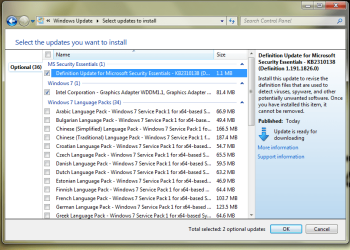
The two paths conflict in that the troubleshooting tells you to turn ON automatic Windows Update (WU) and Driver installation, while the NVidia instructions tell you to temporarily disable automatic updates.
It's a struggle for both sides. You ask "Which set of instructions should I follow"
Greg has a firm policy of enabling auto device installation
I use the tools available when they are needed (automatic WU and device installation ON or OFF depends on the situation)
In this case, the automatic updating gets in the way of getting a good base driver installed. You uninstall the driver as requested and WHAM, auto updates puts one back.
So, what direction should you take? You're sort of in the middle of two paths (troubleshooting tut and driver repair).
Jack has requested some other information, and I would like to see what Device Manager says about your graphics card.
Here's what I suggest:
Complete the troubleshooting tutorial with Greg's help. This might only be posting some logs that were not posted or providing feedback that was not provided. As I said, Greg dug deeper than I did, so he knows what he's looking for.
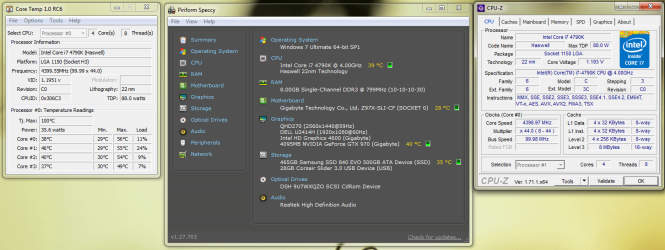
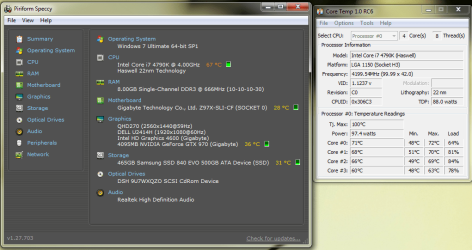
Give Jack the information he requested, it will help all of us on this side of your monitor. The temps I saw early on in the thread didn't look too bad, high, yes - but you have some high end tech in that box and an Intel processor (runs hotter than AMD and depending on the CPU it might run much higher) 72c-96c might be normal, but let's see where the temps currently are
Post a DevMgr screen shot showing the graphics card, both the general and the driver tab
As I mentioned, I'd like to drop it all the way down to base VGA - it will be ugly, but it will make a better clean install of any new driver.
Here's something you can do anytime before installing the new driver, but to be certain, it's better to run through this just before doing a clean install of the driver. That way any automatic update or instructions from another member don't get between the cleanup and install.
This is an older tutorial, so it might be out-of-date re: tool names or download locations - the process is sound though.
http://www.sevenforums.com/tutorials/83814-drivers-clean-left-over-files-after-uninstalling.html
Display Driver Uninstaller is a bit easier
Thanks for hanging in there.
Bill
.