Rand Marks
Banned
- Local time
- 4:13 PM
- Messages
- 96
Hi,
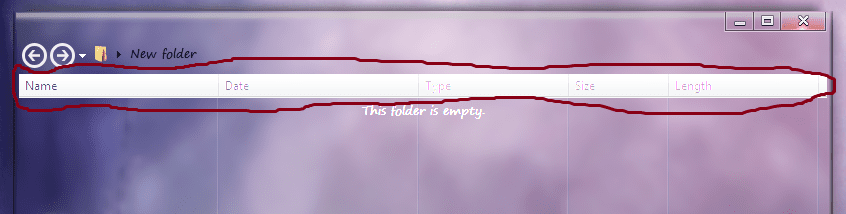
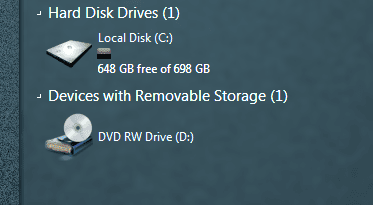
This is how my Explorer looks right now. The theme in the screenshot is called 7.5.

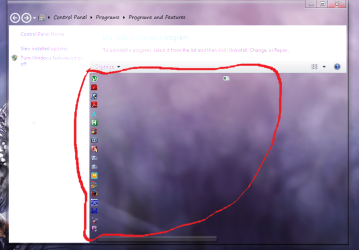
This is how I want Explorer to look in 7.5. The theme in the screenshot is called Chameleon 2.
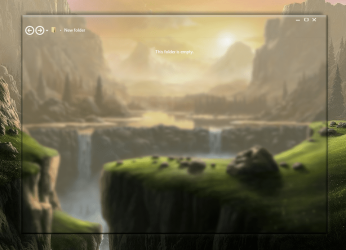
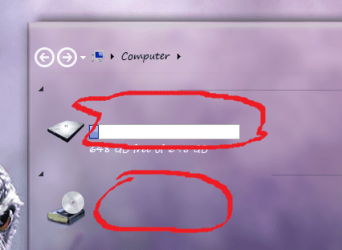
Note the border and transparency differences. I would like to edit 7.5 to make Explorer look like Chameleon 2’s Explorer (excluding the minimize, maximize, and close buttons). Can someone help me accomplish this? I have Windows 7 Style Builder.
Rand Marks
This is how my Explorer looks right now. The theme in the screenshot is called 7.5.
This is how I want Explorer to look in 7.5. The theme in the screenshot is called Chameleon 2.
Note the border and transparency differences. I would like to edit 7.5 to make Explorer look like Chameleon 2’s Explorer (excluding the minimize, maximize, and close buttons). Can someone help me accomplish this? I have Windows 7 Style Builder.
Rand Marks
My Computer
At a glance
Windows 7 Ultimate SP1 64-bit
- OS
- Windows 7 Ultimate SP1 64-bit