
I've had this problem for possibly 2 or 3 weeks now (time passed and I couldn't remember when exactly it occurred) in which whenever I would run League of Legends via it's launcher, explorer.exe would hang and I came to the conclusion it hangs with IRP based on a test I've done with NotMyFault. I thought the problem would reside with the game itself being broken for some reason or something along the line however after completely removing every BIT of it (no more registry entries or leftovers) I simply tried to install it once again with the exact same issue but now present on the installer itself. There's 2 DLL's showing as the culprit however after tons of hours wasted on researching I could not diagnose the problem in any other way. Just to be clear the process created for the installer and previously for the game would become unkillable no matter what I would use. This also applies to explorer.exe or if say explorer.exe would be killed before attempting the program it ran from would suffer from the issue. Example of what was previously stated: I closed explorer.exe before trying once more and I did a most basic thing. I ran the installer from the downloads tab from Firefox and it ended up just the same. I am forced to restart my PC once I open the installer for League of Legends as I can not get rid of it in any way. Since the 2 processes can not be closed I also can not shutdown my PC or restart the normal way. Restarting via button is the only option along with say power off/on.
To go with all these I have included 2 images of what I can see through Process Explorer. I also have quite a few other utilities present that I can further use if needed.
First one will be of both processes which I hope to have sufficient information to start with:
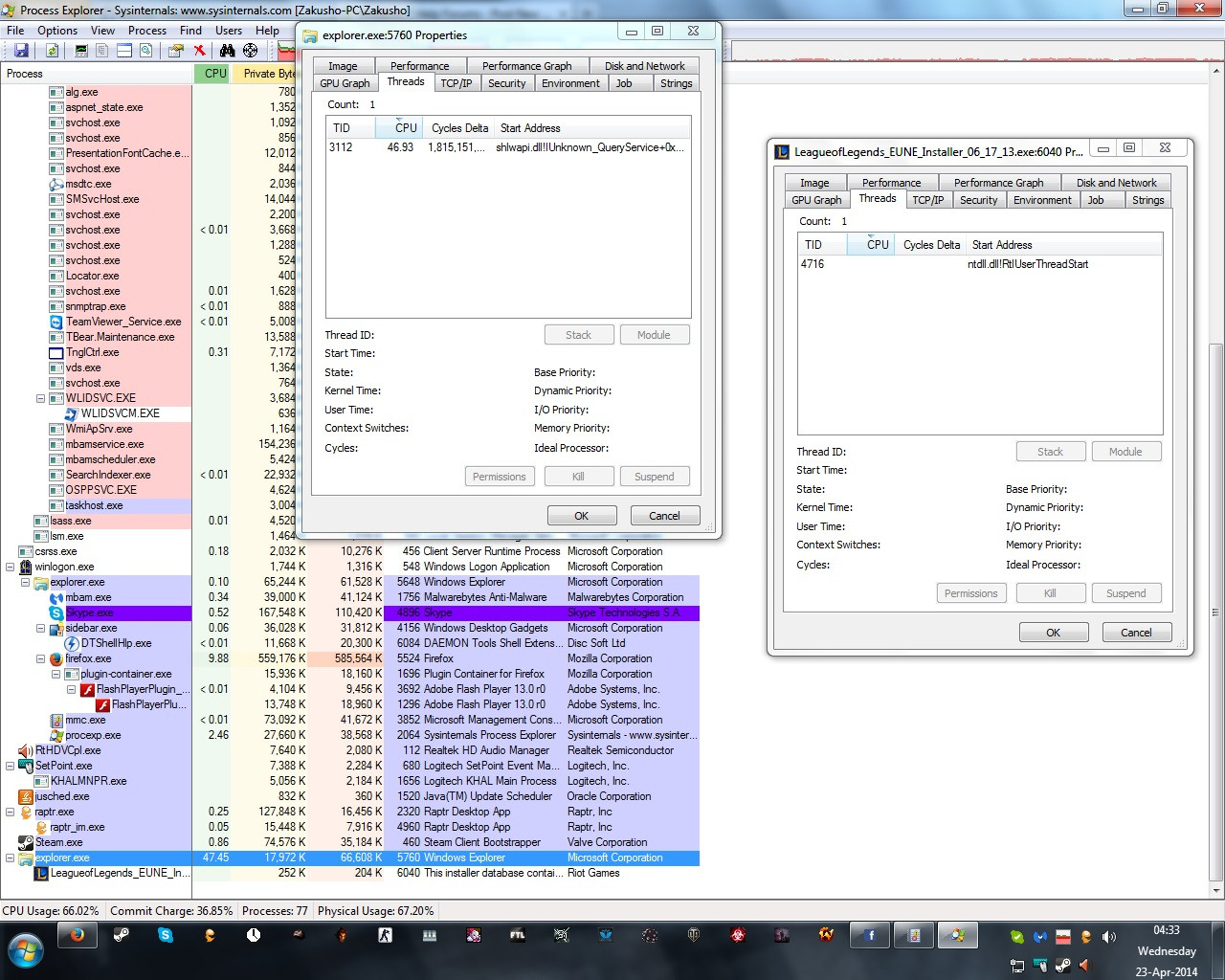
Second one is something I found quite odd. Hovering over explorer.exe ends up showing this:

To go with all these I have included 2 images of what I can see through Process Explorer. I also have quite a few other utilities present that I can further use if needed.
First one will be of both processes which I hope to have sufficient information to start with:
Second one is something I found quite odd. Hovering over explorer.exe ends up showing this:
My Computer
- Computer type
- PC/Desktop
- OS
- Windows 7 Ultimate x32


