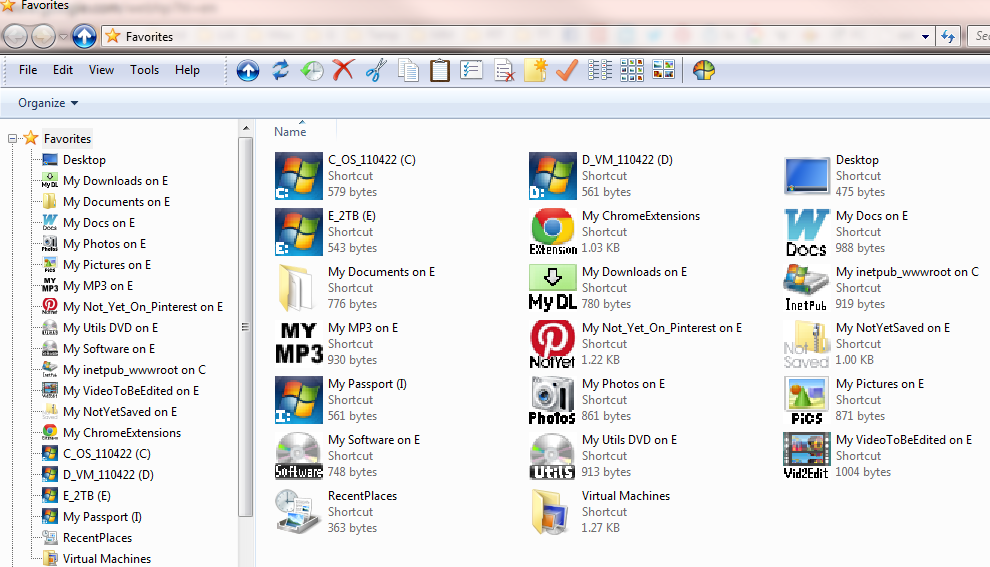
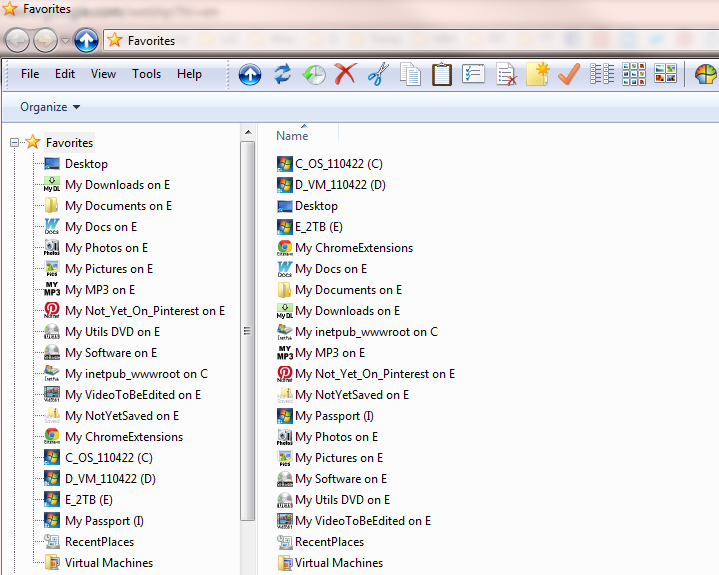
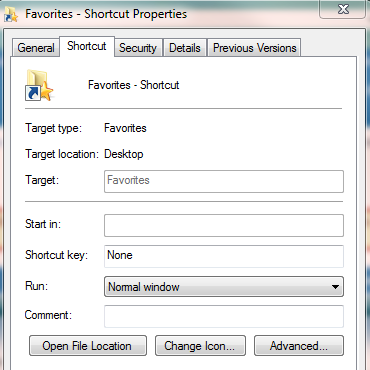
I have a shortcut to "Favorites" (as it appears in Explorer). I decided to make a favorite for my most frequently visited locations in explorer. Here's how the properties of it look:
My problem is that every time I click the shortcut (from quicklaunch) I never know how it's going to look. Sometimes it's in Tiles view (my preferred view for the Favorites), and I'd say probably 50% of the time it opens in List view. Is there any way I can force it to always be one view (Tiles view to be specific).
Tiles view :
List view :huh: :
My Computer
At a glance
Windows 7 Pro x64i7-2600K @ 3.5GHz16GB DDR3-1600Gigabyte HD5850 "OC" 1GB
Computer Manufacturer/Model Number
Custom build
OS
Windows 7 Pro x64
CPU
i7-2600K @ 3.5GHz
Motherboard
Gigabyte GA-P67A-UD5
Memory
16GB DDR3-1600
Graphics Card(s)
Gigabyte HD5850 "OC" 1GB
Sound Card
basic motherboard onboard, with Logitech Z4 speakers
Monitor(s) Displays
1.LG 27" E2750V, 2.Samsung 19" 913N
Screen Resolution
1920x1080, 1280x1024
Hard Drives
Intel X25-M G2 160GB SSD, 2TB SATA 600 internal, 2TB SATA 600 USB3.0 external
PSU
Seasonic X-460FL 80+ Gold
Case
Fractal "Define R3"
Cooling
Scythe BIG Shuriken
Keyboard
Logitech Illuminated 920-000914 (Super super quiet)
Thanks Shawn. I've just done that, and so far so good. It's opening in tile mode, but then again so is my original shortcut right now (which btw I created by dragging the Favorites from an explorer view to the desktop and selecting create shortcut here).
I'll need to give it a few sessions (maybe a few days) to be sure it's behaving more reliably
My Computer
At a glance
Windows 7 Pro x64i7-2600K @ 3.5GHz16GB DDR3-1600Gigabyte HD5850 "OC" 1GB
Computer Manufacturer/Model Number
Custom build
OS
Windows 7 Pro x64
CPU
i7-2600K @ 3.5GHz
Motherboard
Gigabyte GA-P67A-UD5
Memory
16GB DDR3-1600
Graphics Card(s)
Gigabyte HD5850 "OC" 1GB
Sound Card
basic motherboard onboard, with Logitech Z4 speakers
Monitor(s) Displays
1.LG 27" E2750V, 2.Samsung 19" 913N
Screen Resolution
1920x1080, 1280x1024
Hard Drives
Intel X25-M G2 160GB SSD, 2TB SATA 600 internal, 2TB SATA 600 USB3.0 external
PSU
Seasonic X-460FL 80+ Gold
Case
Fractal "Define R3"
Cooling
Scythe BIG Shuriken
Keyboard
Logitech Illuminated 920-000914 (Super super quiet)
Awwwww. I was really hopeful. It lasted 3 whole days of starting up in tile mode everytime (probably 50 times in those 3 days). I've probably clicked on it 20 times today also with tile mode. But just now, I got the undesirable list view back. No apparent logic or rhyme or reason. It just decided.
I must be doing something to cause it. I'd love to know what. No doubt it will remain a mystery.
Oh and yes, I know it's very trivial
My Computer
At a glance
Windows 7 Pro x64i7-2600K @ 3.5GHz16GB DDR3-1600Gigabyte HD5850 "OC" 1GB
Computer Manufacturer/Model Number
Custom build
OS
Windows 7 Pro x64
CPU
i7-2600K @ 3.5GHz
Motherboard
Gigabyte GA-P67A-UD5
Memory
16GB DDR3-1600
Graphics Card(s)
Gigabyte HD5850 "OC" 1GB
Sound Card
basic motherboard onboard, with Logitech Z4 speakers
Monitor(s) Displays
1.LG 27" E2750V, 2.Samsung 19" 913N
Screen Resolution
1920x1080, 1280x1024
Hard Drives
Intel X25-M G2 160GB SSD, 2TB SATA 600 internal, 2TB SATA 600 USB3.0 external
PSU
Seasonic X-460FL 80+ Gold
Case
Fractal "Define R3"
Cooling
Scythe BIG Shuriken
Keyboard
Logitech Illuminated 920-000914 (Super super quiet)
If you wanted, you could set a default folder view with tiles for all folders to make it stick (hopefully). You will still be able to change any again how you like afterwards.
If you wanted, you could set a default folder view with tiles for all folders to make it stick (hopefully). You will still be able to change any again how you like afterwards.

 :
: