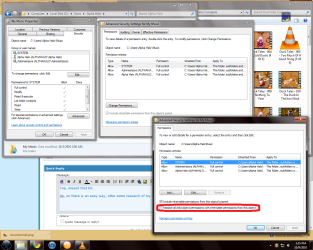
alright, heres the issue,
a seagate 500 GB external with all my music on it worked perfectly fine wiht my XP System, i then moved it over to my new Windows 7 system, worked great still. Swaped it into a windows Vista laptop to run music off it for my buddies wedding, the vista one asked me to change owner priv's, this took 15 min and worked well for the wedding.
now i go home and hook the drive back into it's native system, and now it will not access at all, i have attempted to run a CACLS on the drive and it says that the "data is invaid
command line i am attempting to run looks as follows
cacls "h:" /E /t /c /g administrators:f
i have taken ownership of the drive and tried mutliple diffrent combinations of user priv settings and no matter what i am being denied access to my music.
i ran a takeown and it went well, but did not fix my problem,
what i am asking is, is there a simple way to essentially restore my drives security settings to default after vista messed everything up so i can access my music again? nothing i have tried worked so far... or maybe i am tired and missed something simple, but as it stands right now, i am an admin, ownership is admin, permissions are set for powerusers, admin, admins, everyone, and my admin username,
i can open folders without prompts, but cannot do anything else.
thank you in advance. and please spare no extream, the only thing i will not do is format the drive... no one wants to lose 460 GB of music...
a seagate 500 GB external with all my music on it worked perfectly fine wiht my XP System, i then moved it over to my new Windows 7 system, worked great still. Swaped it into a windows Vista laptop to run music off it for my buddies wedding, the vista one asked me to change owner priv's, this took 15 min and worked well for the wedding.
now i go home and hook the drive back into it's native system, and now it will not access at all, i have attempted to run a CACLS on the drive and it says that the "data is invaid
command line i am attempting to run looks as follows
cacls "h:" /E /t /c /g administrators:f
i have taken ownership of the drive and tried mutliple diffrent combinations of user priv settings and no matter what i am being denied access to my music.
i ran a takeown and it went well, but did not fix my problem,
what i am asking is, is there a simple way to essentially restore my drives security settings to default after vista messed everything up so i can access my music again? nothing i have tried worked so far... or maybe i am tired and missed something simple, but as it stands right now, i am an admin, ownership is admin, permissions are set for powerusers, admin, admins, everyone, and my admin username,
i can open folders without prompts, but cannot do anything else.
thank you in advance. and please spare no extream, the only thing i will not do is format the drive... no one wants to lose 460 GB of music...
My Computer
- Computer Manufacturer/Model Number
- Self
- OS
- Windows 7 professional 64 bit
- CPU
- AMD Phenom II X4 955 3.21Ghz
- Motherboard
- Asus
- Memory
- 8 GB Corsair
- Graphics Card(s)
- ATI Radeon 5800 Serise
- Sound Card
- Sound Blaster Plat
- Monitor(s) Displays
- Acer 22" AL2216W
- Screen Resolution
- 1680x1050
- Hard Drives
- 2 1.5 Tb Sata internal (functioning well)
1 500Gb Seagate External (functioning, but issues with Win 7 permisions
1 1TB Seagate external, Functioning
- PSU
- 900W Earth Watt unit
- Case
- Coolmaster
- Cooling
- Basic Air with 5 fans, 80mm and 1 120 mm
- Keyboard
- Logitech G19 Gaming Keyboard
- Mouse
- Logitech G9 Mouse