BoyThisHurts
New member
- Local time
- 2:40 PM
- Messages
- 12
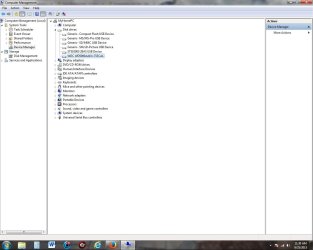
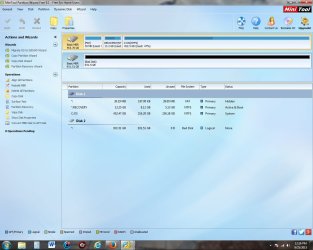
Hello, I am having issues with my external hard drive. I cannot access the drive from computer or device manager. I do see the icon for the drive listed but any left or right-click freezes explorer. The drive is a 1TB Iomega USB drive. I have tried to run chkdsk on it but it will not run. I do not have access to another computer at this time to see if the drive works elsewhere.
2 things : I have gotten a popup on startup that I need to reformat the drive to be able to use it AND I have also seen the cyclic redudancy check error box. After searching for answers I believe the problem may have been caused by 1 or more instances of power loss to drive while connected to my desktop pc.
Any help retrieving my files & photos would be greatly appreciated!
2 things : I have gotten a popup on startup that I need to reformat the drive to be able to use it AND I have also seen the cyclic redudancy check error box. After searching for answers I believe the problem may have been caused by 1 or more instances of power loss to drive while connected to my desktop pc.
Any help retrieving my files & photos would be greatly appreciated!
My Computer
At a glance
Microsoft Windows 7 Home Premium 64-bit 7601 ...Intel(R) Core(TM) i7-2600 CPU @ 3.40GHz8 GBNVIDIA GeForce GT 545
- Computer type
- PC/Desktop
- Computer Manufacturer/Model Number
- Dell
- OS
- Microsoft Windows 7 Home Premium 64-bit 7601 Multiprocessor Free Service Pack 1
- CPU
- Intel(R) Core(TM) i7-2600 CPU @ 3.40GHz
- Motherboard
- Dell Inc. 0Y2MRG
- Memory
- 8 GB
- Graphics Card(s)
- NVIDIA GeForce GT 545
- Sound Card
- (1) Realtek High Definition Audio (2) Intel(R) Display Aud
- Screen Resolution
- 1280 x 1024 x 32 bits (4294967296 colors) @ 75 Hz
- Hard Drives
- (1) WDC WD5000AAKX-753CA1 (2) Generic- Compact Flash USB Device (3) Generic- MS/MS-Pro USB Device (4) Generic- SD/MMC USB Device (5) Generic- SM/xD-Picture USB Device



 .
.