I believe I have the understanding to the reason of this fault
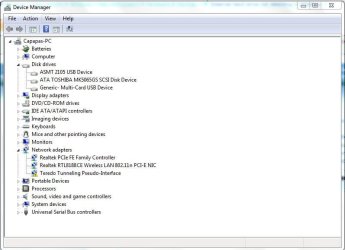
I noticed people mention ASMT 2105 USB Device
I have this. in my device manager windows 10 ent
The fault I am having is same, but I have narrowed the fault down to how and when it occurs
1st let me explain, my ASMT 2105 relates to a external usb3.0 to m-sata enclosure, I purchased this from ebay, as I have a m4800 laptop and it has a 7mm SSD 256gb as its main hard drive, and a M-card mini card 256gb lite-on ssd in the msata slot as a secondary hard drive...
The system is NOT configured for raid... but I wanted to remove the msata ssd and use the slot for WIGIG, but in the mean time I wanted to take the msata ssd and put it into the enclosure, and use it like a removable hard drive...
So here comes the problem,
liek many people notice, it working fine, then a fault... I noticed when the fault would occur.... anytime I WRITE files to the ASMT 2105 (msata 256gb ssd) it would show the progress of about 199MB/s for maximum 3 seconds and then stall, and the light would blink on the enclosure box.
No matter what from that moment, its no responcsive, and hangs the system, only option is unplug usb lead... which frees up the system, but when i re-insert usb lead, it is still flashing, and the windows 10 does not see it, and neither does disk manager or device manager, it does however make a noise that usb attached...
nothing fixes this, not even driver removed etc, not even restart pc, not even shut down, or combination unplugging and replugging etc
the only way I fix it, is by removing the msata ssd out of the ASMT 2105 enclosure, and putting it back inside the laptop Mcard slot, and reboot TWICE... then it shows up in the system as a SSD working again, from this point, I can remove it and plug back inside the enclosure etc
I tried many scenario, and it will read all day long, but as soon as it is written to more than 3 seconds it hangs and needs the above paragraph in order to get it working again.