
In our office we use two external hard drives to do a (local) offsite backup. Let me explain our strategy. The desktop has Windows 7 OS. We're using its built in backup program:
Backup and Restore - Microsoft Windows
that is configured to incrementally back up our documents folder to the disk X: that has the following external HDD connected via a USB cable:
"WD My Passport 1TB Portable External Hard Drive Storage USB 3.0 Black"
Amazon.com: WD My Passport 1TB Portable External Hard Drive Storage USB 3.0 Black: Computers & Accessories
We technically use two external hard drives for that. One is always off site (in our main office), and another one is used for this backup. Then we swap them every month or so.
OK, so now I just got one of those external HDDs and plugged it in, it showed up in File Explorer as disk X: with no problem. So I left it overnight, only to find this window in the morning:
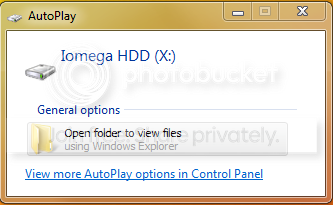
The backup failure message with error code 0x80070002 was also shown in the system tray flag icon.
I thought it was some weird fluke, so I clicked to do the backup again (manually this time) and left computer running. In about 5 minutes the same window (see above) popped up and the same error message showed up in the system tray.
Any idea what's going on?
Backup and Restore - Microsoft Windows
that is configured to incrementally back up our documents folder to the disk X: that has the following external HDD connected via a USB cable:
"WD My Passport 1TB Portable External Hard Drive Storage USB 3.0 Black"
Amazon.com: WD My Passport 1TB Portable External Hard Drive Storage USB 3.0 Black: Computers & Accessories
We technically use two external hard drives for that. One is always off site (in our main office), and another one is used for this backup. Then we swap them every month or so.
OK, so now I just got one of those external HDDs and plugged it in, it showed up in File Explorer as disk X: with no problem. So I left it overnight, only to find this window in the morning:
The backup failure message with error code 0x80070002 was also shown in the system tray flag icon.
I thought it was some weird fluke, so I clicked to do the backup again (manually this time) and left computer running. In about 5 minutes the same window (see above) popped up and the same error message showed up in the system tray.
Any idea what's going on?
My Computer
- OS
- Windows


