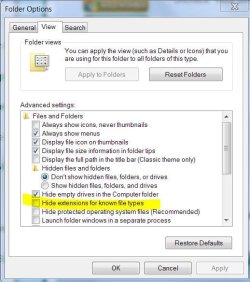
That very useful option no longer exists. In XP you can reach it though folder options, but starting with Windows Vista, the whole tab has been removed, so you have to either manually modify though the registry or use 3rd party software.
A good option for replacing the missing dialog is FileTypesManager: FileTypesMan - Alternative to 'File Types' manager of Windows
My Computer
Computer type
Laptop
Computer Manufacturer/Model Number
Toshiba Sattelite A665-S6092
OS
Windows 7 Ultimate x64
CPU
Intel Core i7-740QM
Memory
8 GB DDR3
Graphics Card(s)
NVIDIA GeForce 330GT
Screen Resolution
1366x768
Hard Drives
Samsung 840 SSD 500GB
1TB USB3 external HD
Cooling
Coolermaster Notepal U3 notebook cooling pad
Internet Speed
3mbps ASDL
Antivirus
ClamWin 0.98.7
Browser
Opera 12.17 x86 (main), Firefox 38 (sec), IE11 (last resort)
That very useful option no longer exists. In XP you can reach it though folder options, but starting with Windows Vista, the whole tab has been removed, so you have to either manually modify though the registry or use 3rd party software.
A good option for replacing the missing dialog is FileTypesManager: FileTypesMan - Alternative to 'File Types' manager of Windows