Hi there,
I know similar issues have somehow been addressed elsewhere, but it seems my particular problem hasn't quite been faced by many others, so here we go:
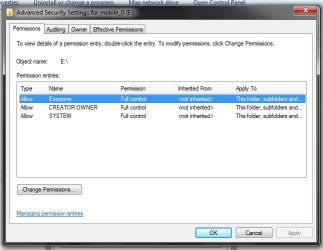
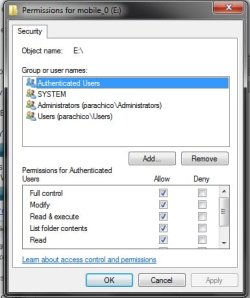
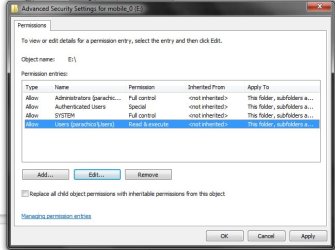
I have thousands of files on an external drive. My computer recently crashed, so I had to fresh-install windows 7 (ultimate x64). While some files on the extenal hdd work fine, others won't work given that the owner and permissions are screwed. I can manually right-click any file and go to the properties>security tab and then add "Everyone" or my new user and then add full control and that's it, the file works fine.
BUT I can't be doing this manually for thousands of files!
So I've researched a bit and have installed the registry hack for "Take ownership" on right-clicking a file/folder (Add "Take Ownership" to Explorer Right-Click Menu in Win 7 or Vista - How-To Geek), I've ran a bunch of commands from an admin-level command prompt (icacls, takeown, grant, etc., as per here: Tools to Manage Access Control Lists - Tutorials,Articles,Algorithms,Tips,Examples about Security, Solved changing permissions on multiple files - Vista Forums).
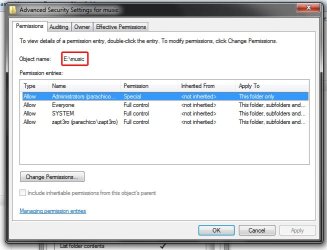
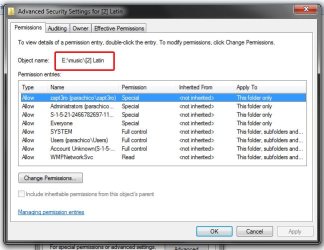
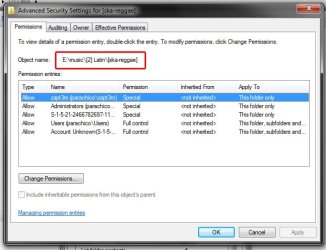
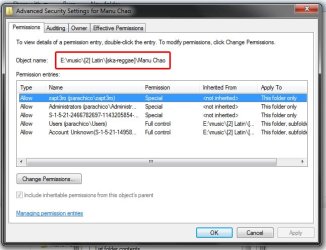
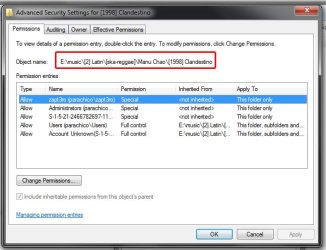
All I now see is some weird user on most files, but no permissions set for me to access them (user is something like S-1-5-123445678890...). And so nothing seems to have been solved. I still have to manually right-click a file and use the security tab to add a new user, set permissions, etc.
How come it works through the gui and not on the command line? My hope is to do it for a whole folder (E:\music) which has literally hundreds and hundreds of folders and mp3 files. It would suck if I'm stuck doing it manually!
Thanks in advance for your help, if any!

I know similar issues have somehow been addressed elsewhere, but it seems my particular problem hasn't quite been faced by many others, so here we go:
I have thousands of files on an external drive. My computer recently crashed, so I had to fresh-install windows 7 (ultimate x64). While some files on the extenal hdd work fine, others won't work given that the owner and permissions are screwed. I can manually right-click any file and go to the properties>security tab and then add "Everyone" or my new user and then add full control and that's it, the file works fine.
BUT I can't be doing this manually for thousands of files!
So I've researched a bit and have installed the registry hack for "Take ownership" on right-clicking a file/folder (Add "Take Ownership" to Explorer Right-Click Menu in Win 7 or Vista - How-To Geek), I've ran a bunch of commands from an admin-level command prompt (icacls, takeown, grant, etc., as per here: Tools to Manage Access Control Lists - Tutorials,Articles,Algorithms,Tips,Examples about Security, Solved changing permissions on multiple files - Vista Forums).
All I now see is some weird user on most files, but no permissions set for me to access them (user is something like S-1-5-123445678890...). And so nothing seems to have been solved. I still have to manually right-click a file and use the security tab to add a new user, set permissions, etc.
How come it works through the gui and not on the command line? My hope is to do it for a whole folder (E:\music) which has literally hundreds and hundreds of folders and mp3 files. It would suck if I'm stuck doing it manually!
Thanks in advance for your help, if any!
My Computer
At a glance
Windows 7 x64
- OS
- Windows 7 x64