
johnhmiller
New member
- Local time
- 9:59 PM
- Messages
- 2
The File Explorer icon always shows up in the taskbar instead of a folder's icon.
When I open 'My Computer', for example, the My Computer icon doesn't show up in the taskbar. The File Explorer icon shows up instead, no matter what folder I open.
I have two computers running Windows 7. I've never had such issue on my old computer.
Solutions, anyone?
When I open 'My Computer', for example, the My Computer icon doesn't show up in the taskbar. The File Explorer icon shows up instead, no matter what folder I open.
I have two computers running Windows 7. I've never had such issue on my old computer.
Solutions, anyone?
Attachments

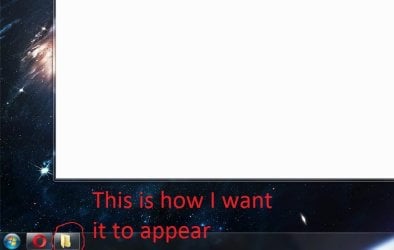

My Computer
At a glance
Windows Home Premium 64bit
- Computer type
- PC/Desktop
- OS
- Windows Home Premium 64bit


