Folder thumbnail not showing on some folders

Zynx

New member
Local time
10:28 PM
Messages
2
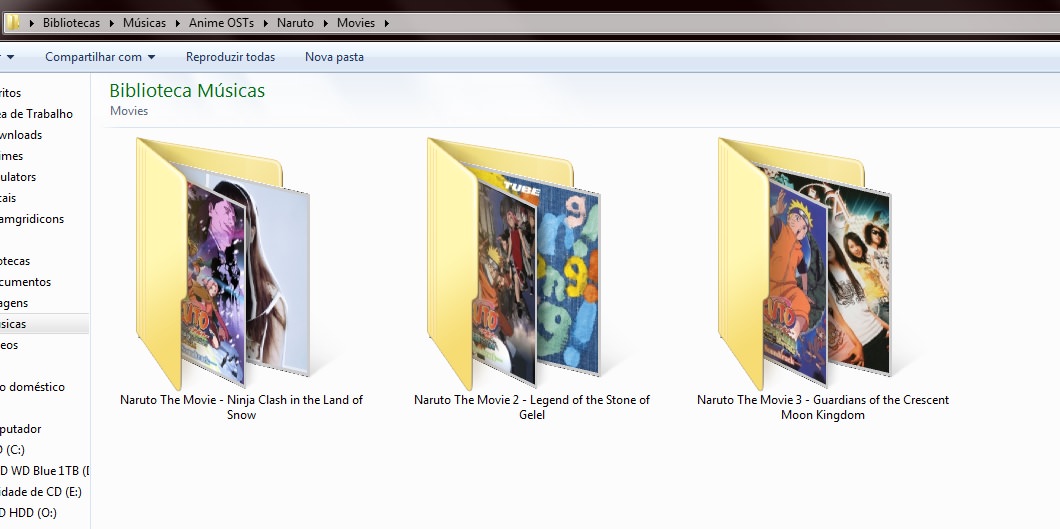
So I have this problem on Windows 7 that some folders simply refuse to show the thumbnail be them music or video folders:


ZIAP8Qr.jpg


Ilt70zq.jpg


DAsfDSU.jpg


As you can the in the screenshots the Naruto, Naruto Shippuden and Movies folders don't display thumbnail previews like the others even though their subfolders all display their folder images/thumbnails.


If anyone could help me to solve this annoying issue I would be grateful.
 

My Computer My Computer

Computer type
PC/Desktop
OS
Windows 7 Ultimate x64
Hi Zynx,
Welcome to SevenForums
Peruse: this post
 

My Computer My Computer

Computer type
PC/Desktop
Computer Manufacturer/Model Number
HP Desktop & Compaq Laptop
OS
Win 10 x64, Linux Lite, Win 7 x64, BlackArch, & Kali
Hard Drives
Samsung 850 Pro 256Gb,
Hitachi HDD 1Tb,
Crucial MX SSD 250Gb
Segate 3Tb USB 3.0 Ext. Backup HDD
Internet Speed
150Mbps dn, 20Mbps up
Antivirus
Avast Free, Malwarebytes Anti-Exploit & Anti-Ransomware
Browser
Firefox, Chrome, Opera, & VPN
Hi Zynx,
Welcome to SevenForums
Peruse: this post
I'm not sure if I explained properly so sorry for that. What I want is for the folders that aren't showing the thumbnail previews to actually show them like the others instead of this icon like if the folder was filled with documents. This also happen on some video folders I have.

There aren't any images in the subfolders, just the song/video files.
 

My Computer My Computer

Computer type
PC/Desktop
OS
Windows 7 Ultimate x64
Back
Top