
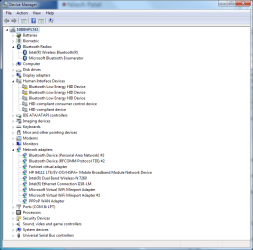
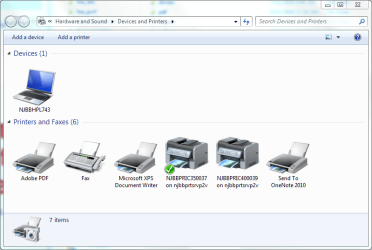
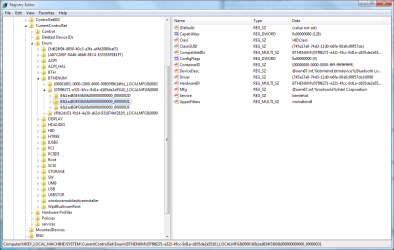
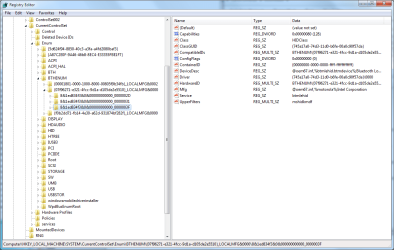
I paired Microsoft Designer Bluetooth Keyboard and Mouse to my Windows 7 Professional x64 HP ZBook 14 which is connected to my company's corporate domain. Everything worked beautifully until they had to re-image my PC to resolve a disk encryption issue. That issue is resolved, but I have had bad luck getting my keyboard and mouse to pair and remain connected ever since. However, that's not even the problem now. After troubleshooting my Bluetooth issues by installing different driver versions, pairing and un-pairing my keyboard and mouse, changing settings in Bluetooth Support Service and more, I now have two Bluetooth Peripheral devices that always appear in Device Manager. I believe these are remnants of previously paired devices, but I can not get rid of them no matter what I try. These devices do not show up in Devices and Printers, they become Bluetooth Low Energy HID Devices when I install the computer manufacturer's drivers... As I typed this I thought of installing the Intel Bluetooth drivers I had previously installed to see what would happen... Ok that made things worse. Now there are three random Bluetooth Low Energy HID Devices and none of them are actual devices that are paired to the PC. And pairing the devices does not help. If I could, I would just delete the registry keys but I can't (remember, corporate domain PC). Any help from you brilliant people would be great. Thank you!
TL;DR -
Bluetooth Peripheral Devices appear due to previously paired devices which have been removed through Printers and Devices
Uninstall from Device Manager only removes until system scans for hardware changes
Computer belongs to corporate domain, I have Administrator privileges on my PC but some registry keys are locked down
I believe these "devices" are interfering with operation of my actual Bluetooth devices
TL;DR -
Bluetooth Peripheral Devices appear due to previously paired devices which have been removed through Printers and Devices
Uninstall from Device Manager only removes until system scans for hardware changes
Computer belongs to corporate domain, I have Administrator privileges on my PC but some registry keys are locked down
I believe these "devices" are interfering with operation of my actual Bluetooth devices
Attachments


My Computer
At a glance
Windows 7 Professional x64Intel Core i7-4600U8 GBAMD Firepro M4100 FireGL V, Intel HD Graphics
- Computer type
- PC/Desktop
- Computer Manufacturer/Model Number
- HP ZBook 14
- OS
- Windows 7 Professional x64
- CPU
- Intel Core i7-4600U
- Motherboard
- Intel 8 Series
- Memory
- 8 GB
- Graphics Card(s)
- AMD Firepro M4100 FireGL V, Intel HD Graphics
- Hard Drives
- Intel SSD Pro 1500 Series - 240 GB
- Antivirus
- Malwarebytes Managed Client, McAfee Agent
- Browser
- Internet Explorer 11, Google Chrome (current)


