Outlook refused to open, and you are scanning with McAfee?
McAfee causes many a problems with your network. Any of the network resources may malfunction due to McAfee's existence.
First try uninstall McAfee Using
McAfee Removal Tool. Use
Microsoft Security Essentials as your antivirus with windows inbuilt firewall, and
free MBAM as the on demand scanner.
Download, install and update those, and then run full system scans with both of them, one by one.
If still the problem remains, reinstall MS office. That may fix the Outlook issue.
If you want to have a
clean reinstall , the best policy is to do a
http://www.sevenforums.com/tutorials/219487-clean-reinstall-factory-oem-windows-7-a.html, which works similarly good for retail.
While doing a clean reinstall, better you detouch (remove the sata and power) the other HDD which you want to be untouched at all.
In the step #8 0f
http://www.sevenforums.com/tutorials/1649-clean-install-windows-7-a.html, all your partitions will be listed. On the top, there will be a 100 MB partition, without any drive letter (system reserved). Select it, and delete it. It will show an unallocated space then. Next, below it, there will be your C partition. Delete it, too. There will be a total unallocated space.
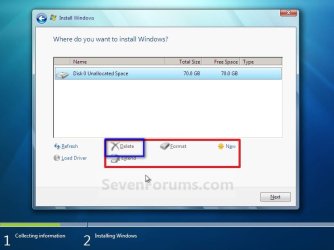
Dont touch the other partitions at all, as you dont want to do anything with them.
Now, select the unallocated space. Click the "new" button and continue.

It will be prompted that windows will make another partition. Accept it. Follow the other steps to complete the installation.



