- Local time
- 1:40 AM
- Messages
- 555
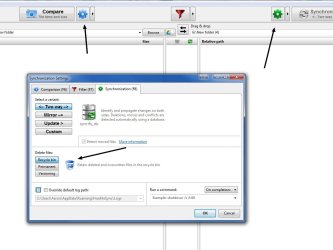
I'm running the free version of FFS and I cannot get RealTimeSync to work. Of course I don't know what the hell I'm doing haha, but I gave it a go with the limited directions on their site.
RealTimeSync
As a test I'm trying to sync a two folders on my desktop.
Source: FFS TEST-2
Destination: FFS TEST-3
I tried all the directions on their page and then some of my own insanity to get things to work. It is beyond me why they don't leave some good examples as how to use the tool?
Please don't leave directions for someone who already understands advanced command prompt uses. I am all but a beginner with all that command stuff.
I am using the tool to sync my other external drives but just wanted to try this function out and put it to use.
Thanks, Nasty
RealTimeSync
As a test I'm trying to sync a two folders on my desktop.
Source: FFS TEST-2
Destination: FFS TEST-3
I tried all the directions on their page and then some of my own insanity to get things to work. It is beyond me why they don't leave some good examples as how to use the tool?
Please don't leave directions for someone who already understands advanced command prompt uses. I am all but a beginner with all that command stuff.
I am using the tool to sync my other external drives but just wanted to try this function out and put it to use.
Thanks, Nasty
My Computer
At a glance
Windows 7 Home Premium 64bitAMD A8-3520M6.00GB DDR3 @ 674MHz (9-9-9-24)512MB ATI AMD Radeon HD 6620G
- Computer type
- Laptop
- Computer Manufacturer/Model Number
- HP Pavilion dv7-6c23cl
- OS
- Windows 7 Home Premium 64bit
- CPU
- AMD A8-3520M
- Motherboard
- Hewlett-Packard 180B (Socket FS1)
- Memory
- 6.00GB DDR3 @ 674MHz (9-9-9-24)
- Graphics Card(s)
- 512MB ATI AMD Radeon HD 6620G
- Sound Card
- IDT High Definition Audio CODEC
- Monitor(s) Displays
- Generic PnP Monitor
- Screen Resolution
- (1600x900@60Hz)
- Hard Drives
- Samsung 850 EVO 250GB SSD
- Mouse
- Logitec M525
- Internet Speed
- 30-75Mbps
- Antivirus
- Avast Free, Unfortunately
- Browser
- Google Chrome, Firefox, IE