Information
"Back in Vista there was an option to customize right-click options for our games in GEF and now has been removed in Seven."
Rod Lopez from Windows Blog said:As for removing features, we carefully study how our customers use our software, and try to act based on that input. The large majority of our customers don't customize game shortcuts, and for those that do, it's a one time only thing. In order to simplify Games Explorer, we left that option out, and instead left it as something that can be done manually...
Here is how you can add them manually for your non GFWL games:
For this example I'm going to use: COD4MW
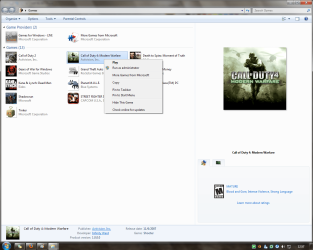
Without multiplayer option.
Step 1: Navigate to this location
C:\Users\%username%\AppData\Local\Microsoft\Windows\GameExplorer\
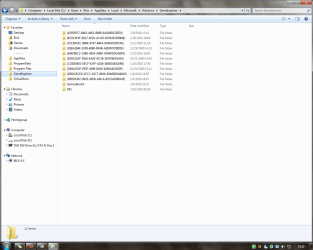
The AppData folder is hidden by default you can learn how to unhide it in this tutorial.
Each of your games should be within GameExplorer folder, just find the one you are looking in the sub-folder "...\PlayTasks\0"
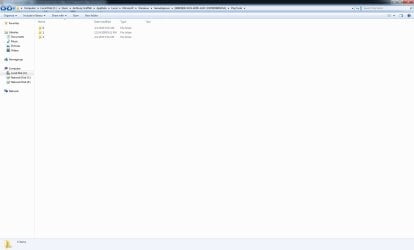
Step 2: Create a new folder in "...\PlayTasks" and name it 1
Step 3: Copy the item you wanna add as an option.
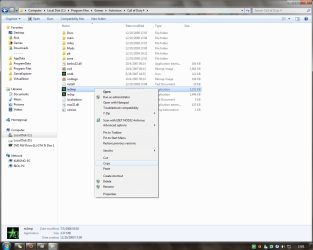
This is the multiplayer executable.
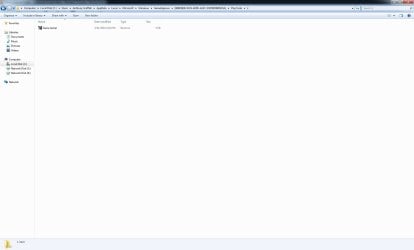
Step 4: Now paste a shortcut in "...\PlayTasks\1"
Step 5: Rename the new item.
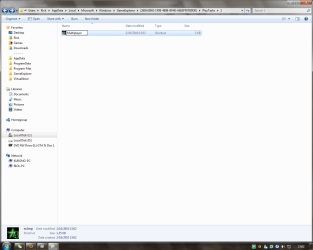
This name will be displayed in the option menu.
The new option should now be displayed in GEF right-click option menu.
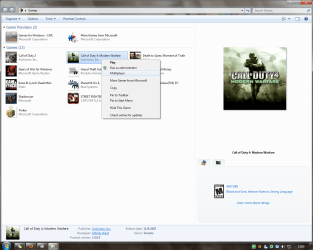
With multiplayer option.
Note
If you want to add more options just keep adding folders in "...\PlayTasks" and name it with the next number available...
That's all for now...
Rjck.
Related Tutorials
- How to Add Games to Games Explorer Folder
- How to Delete a Game in the Windows 7 Games Explorer Folder
- How to Create a Games Explorer Shortcut
- How to Hide or Unhide Games in the Windows 7 Games Explorer Folder
- How to Restore the Default Games in Windows 7 Games Explorer Folder
- Games Explorer - Edit with Game Explorer Builder
- How to Enable or Disable Game Updates in Windows 7 and Vista "Games Explorer"
- How to Enable or Disable Last Play Time of Games in Windows 7 and Vista "Games Explorer"
- How to Enable or Disable Game Updates in Windows 7 and Vista "Games Explorer"
Last edited by a moderator: