Getting a new computer. Should I install Windows 7?

spx

New member
Local time
2:36 PM
Messages
1
My parts should be arriving early next week. System specs are in my profile.

So, this begs the question: Should I install Windows 7? If so, which build, and does it have any bootable ISOs?

I would preferably like to install something that I won't have to replace with a newer build later, but I see that probably won't be possible unless we get an official update on the RTM soon.
 

My Computer

OS
Windows XP SP3
CPU
Intel Core i7 920
Motherboard
EVGA X58
Memory
OCZ Gold 6B DDR3 1600
Graphics Card(s)
EVGA GTX 280
Sound Card
Creative Sound Blaster X-Fi XtremeGamer
Monitor(s) Displays
Samsung 22"
Screen Resolution
1680x1050
Hard Drives
SAMSUNG Spinpoint F1 1TB
PSU
Corsair 850W
Case
Antec 1200
Cooling
Cooler Master V8
Keyboard
Saitek Eclipse
Mouse
Logitech G9
definitely the RTM so far the newest is 7600 so install that for time being
 

My Computer

OS
Win7
new computer

My parts should be arriving early next week. System specs are in my profile.

So, this begs the question: Should I install Windows 7? If so, which build, and does it have any bootable ISOs?

I would preferably like to install something that I won't have to replace with a newer build later, but I see that probably won't be possible unless we get an official update on the RTM soon.

First welcome to sevenforums

Yes install win 7. use the newest release build for your chosen Os (32 or 64) and you can re-arm 3 more times for a total of 120 days

You will like it

Ken
 

My Computer

Computer Manufacturer/Model Number
HP Pavillion dv-7 1005 Tx
OS
Win 8 Release candidate 8400
CPU
[email protected]
Memory
4 gigs
Graphics Card(s)
Nvidia 9600M
Sound Card
HD built-in
Monitor(s) Displays
17" Wxga
Screen Resolution
1440x900
Cooling
none
Internet Speed
45Mb down 5Mb up
I wouldn't bother installing anything until the RTM build is released. You would just be setting yourself up with a lot of extra work installing an interim build so close to the release of the RTM build. I'm not one of those people that dies inside if he doesn't install each and every build so that's my sensible take on what you should do.
 

My Computer

Computer Manufacturer/Model Number
Apple
OS
Mac OS X
CPU
Core 2 Duo 2.66GHz
Memory
4GB DDR3
Graphics Card(s)
Nvidia GeForce 9600M GT
Monitor(s) Displays
15" LED-backlit LCD
Screen Resolution
1440x900
Hard Drives
320GB 5400RPM Hitachi
I'd download the current RC1 release and just install it to get all of your hardware verified, find out which drivers you are going to need and troubleshoot any issues that you might have. I just did a new PC a few weeks ago and it took me about 2 weeks to work out a problem with my sound stuttering (some dumb green power software my gigabyte board came with), and an access time problem with a hard drive (ended up just replacing the hard drive). Now I know what to do, what needs to be loaded and can more or less just wait for the official release of Win7.
 

My Computer

Computer Manufacturer/Model Number
Self-Built in July 2009
OS
Windows 7 Ultimate x64
CPU
Intel Q9550 2.83Ghz OC'd to 3.40Ghz
Motherboard
Gigabyte GA-EP45-UD3R rev. 1.1, F12 BIOS
Memory
8GB G.Skill PI DDR2-800, 4-4-4-12 timings
Graphics Card(s)
EVGA 1280MB Nvidia GeForce GTX570
Sound Card
Realtek ALC899A 8 channel onboard audio
Monitor(s) Displays
23" Acer x233H
Screen Resolution
1920x1080
Hard Drives
Intel X25-M 80GB Gen 2 SSD
Western Digital 1TB Caviar Black, 32MB cache. WD1001FALS
PSU
Corsair 620HX modular
Case
Antec P182
Cooling
stock
Keyboard
ABS M1 Mechanical
Mouse
Logitech G9 Laser Mouse
Internet Speed
15/2 cable modem
Other Info
Windows and Linux enthusiast. Logitech G35 Headset.
yes! do exactly what pparks1 suggested.
 

My Computer

OS
win7
That's good advice, by the time you get your stuff, RTM might be available, if not, you can install a beta build and get used to how you want things set up. I have a folder on an external drive with the latest versions of all the programs I use so a fresh installation is pretty smooth. A new rig with Windows 7 will be awesome, the way to go for sure. Good advice and help right here if you need it.
 

My Computer

OS
Windows 7 x64
What's the point in installing a RC build? Why not install the latest RTM build that's available when you are ready to install? That's what I would do. Unless you want to be able to run it legally without buying a key until next March, I see no advantage to installing an earlier RC build. The odds of having a driver issue are somewhat reduced with the later versions also.

Anyway, whichever way you go, 7 is a great OS and really a joy to work with compared to what came before, imo, of course.
 

My Computer

Computer Manufacturer/Model Number
HP DV8t quad
OS
Windows 7 Ultimate x64 (Retail)
CPU
i7-Q 720
Motherboard
Motherboard Chipset Intel Ibex Peak-M PM55, Intel Lynnfield
Memory
6 GB
Graphics Card(s)
nVidia GeForce GT 230M (1GB)
Sound Card
IDT High Definition Audio CODEC
Monitor(s) Displays
18.4 inch HP Infinity FHD (Samsung 184HT03-001)
Screen Resolution
1920 x 1080
Hard Drives
Hitachi 500GB 7200 rpm (x2)
Seagate FreeAgent 1.5 TB External USB (x2)
Thermaltake BlacX eSATA/USB 2.0 3.5/2.5 HD dock
Cooling
Zalman NC-2000 notebook cooling pad
Keyboard
laptop
Mouse
Logitech VX Revolution
Other Info
Backup Unit: Lenovo T61p
I would install Win 7 7600 16385 to test the performance and to see if everything is compatible with win 7...just to be on the safe side.....even if its new cause suppose u get something defected or that is not compatible....

also its a good idea to have a external harddrive to backup your files just in case anything happens.....

enjoy your new pc ....
 

My Computer

Computer Manufacturer/Model Number
INtel
OS
Windows 7 ultimate x32 7600.16385
CPU
2.8ghz duo core
Motherboard
intel
Memory
4 GB DDR3
Graphics Card(s)
256 MB
Sound Card
5 channel surround
Monitor(s) Displays
19" widescreen Dell
Hard Drives
300GB Seagate sata
PSU
600 w
Case
HP custom glow case
Cooling
AC cooling water
Keyboard
Hp multi purpose
Mouse
logitech optical
Internet Speed
512 kbps
Other Info
500GB transcend 2.5 extrenal Harddrive,
Hp Multi printer
What's the point in installing a RC build? Why not install the latest RTM build that's available when you are ready to install?

Well for me, I use the RC1 release because that is what Microsoft officially provided. I simply don't trust these leaked releases to be free and clear of malware and or other unwanted bits. Even with publishes hashes...I don't trust 'em. How do I know that these hashes aren't for compromised versions and people just haven't discovered the small backdoor that might be there.
 

My Computer

Computer Manufacturer/Model Number
Self-Built in July 2009
OS
Windows 7 Ultimate x64
CPU
Intel Q9550 2.83Ghz OC'd to 3.40Ghz
Motherboard
Gigabyte GA-EP45-UD3R rev. 1.1, F12 BIOS
Memory
8GB G.Skill PI DDR2-800, 4-4-4-12 timings
Graphics Card(s)
EVGA 1280MB Nvidia GeForce GTX570
Sound Card
Realtek ALC899A 8 channel onboard audio
Monitor(s) Displays
23" Acer x233H
Screen Resolution
1920x1080
Hard Drives
Intel X25-M 80GB Gen 2 SSD
Western Digital 1TB Caviar Black, 32MB cache. WD1001FALS
PSU
Corsair 620HX modular
Case
Antec P182
Cooling
stock
Keyboard
ABS M1 Mechanical
Mouse
Logitech G9 Laser Mouse
Internet Speed
15/2 cable modem
Other Info
Windows and Linux enthusiast. Logitech G35 Headset.
What sense does it make to install a primary OS that'll only last 120 days?
. . .
Cause before then the real final RTM will be available with ability to purchase legal key. Activating one of these RTM builds that are currently available with a legal key will cause it to never expire. Also, it's a simple matter to upgrade install from current RTM build to the real thing. Upgrade installs with W7 work better than with previous OS's, ime, (at least going from W7 to another build of W7), so conventional wisdom about clean installs may not be so applicable. However, each to their own on that.

Regarding the other post re security issues & possible malware in leaked builds etc., thank you for pointing that out. Didn't really occur to me cause I feel pretty confident in my ability to detect the presence of malware, so that is not a big concern to me. But obviously, each person should do whatever they are comfortable with wrt security concerns.
 

My Computer

Computer Manufacturer/Model Number
HP DV8t quad
OS
Windows 7 Ultimate x64 (Retail)
CPU
i7-Q 720
Motherboard
Motherboard Chipset Intel Ibex Peak-M PM55, Intel Lynnfield
Memory
6 GB
Graphics Card(s)
nVidia GeForce GT 230M (1GB)
Sound Card
IDT High Definition Audio CODEC
Monitor(s) Displays
18.4 inch HP Infinity FHD (Samsung 184HT03-001)
Screen Resolution
1920 x 1080
Hard Drives
Hitachi 500GB 7200 rpm (x2)
Seagate FreeAgent 1.5 TB External USB (x2)
Thermaltake BlacX eSATA/USB 2.0 3.5/2.5 HD dock
Cooling
Zalman NC-2000 notebook cooling pad
Keyboard
laptop
Mouse
Logitech VX Revolution
Other Info
Backup Unit: Lenovo T61p
yes! do exactly what pparks1 suggested.

Doing the same thing with Build 7600 is far more sensible. Build 7600 is far closer to RTM than 7100 was.
 

My Computer

Computer Manufacturer/Model Number
ASUS G73JH
OS
Windows 7 Ultimate x64
CPU
1.6 GHZ i7-720QM
Memory
12 GB @ 1333 mhz
Graphics Card(s)
AMD Radeon HD 5870M
Screen Resolution
1600x900
Hard Drives
120 GB SATA II SSD
500 GB HDD @ 7200 RPM
Mouse
Razer Death Adder
Internet Speed
15 mb down, 1 mb up
If you want to use your computer, you'll need to install an OS.
This all depends upon your plans for the future.

If you don't want to reinstall/upgrade, then you're stuck with what you install now.
If you install the RC (or other builds), you'll be forced into a reinstall/upgrade when the RC expires.

FWIW - I don't recommend upgrades to anyone. They not only import any existing problems, but may also expose the OS to other compatibility issues that didn't arise with the previous OS.

If it were me, I'd install the RC and save all my data to an external drive (you can make these adjustments occur automatically - and can even just add your external drive to your library). Then, when Win7 goes GA, you'll be able to wipe the system, perform a clean install, and then connect your external drive to your library in the new OS.
 

My Computer

Computer Manufacturer/Model Number
Home built (x64), Lenovo x61s Tablet, Samsung Netbook
OS
Win7 x64 + x86
CPU
Intel i7 920, other Intel chips, and the Atom in the netbook
Motherboard
Asus P6T Deluxe
Memory
12 gB; 4 gB Lenovo; 1 gB Samsung netbook
Graphics Card(s)
ATI 4870
Sound Card
Yes, I have one of these
Monitor(s) Displays
32" Sharp Aquos TV
Screen Resolution
800x600 - I have vision issues
Hard Drives
4 - 150 gB Velociraptors in RAID 5
Promise controller
PSU
1000 watt (can't recall the brand)
Case
Antec 300
Cooling
Big honking cooler that was rated highly at Toms Hardware
Keyboard
Microsoft Natural
Mouse
Logitech Trackman
Internet Speed
Cable
Other Info
GeekSquad UPS
CyberPower UPS
DLink DNS-323 NAS (2 tB)
Netgear wireless router as an access point
Netgear wired router FSV-318
Home network consists of
4 desktop computers (2 Vista, 2 Win7)
1 netbook (Win7)
4 laptop computers (XP, 2-Vista, Win7)
Wii and XBox 360
Yes install windows 7 :P
 

My Computer

Computer Manufacturer/Model Number
Dell Dimension 9200
OS
Windows 7 Ultimate
Memory
512mb ram runs GREAT
Graphics Card(s)
NVIDIA GeForce 7300le
Well for me, I use the RC1 release because that is what Microsoft officially provided. I simply don't trust these leaked releases to be free and clear of malware and or other unwanted bits. Even with publishes hashes...I don't trust 'em. How do I know that these hashes aren't for compromised versions and people just haven't discovered the small backdoor that might be there.

Wow. The MS FUD campaign has REALLY gotten to you, hasn't it?

I'm spectacularly impressed. You, sir, are the target audience for marketing.
 

My Computer

OS
Windows 7
Wow. The MS FUD campaign has REALLY gotten to you, hasn't it?

I'm spectacularly impressed. You, sir, are the target audience for marketing.

No, I'm a systems admin and have been for about 10 years. I've personally seen leaked OS's like this wreak havoc on a box. Sure, it's probably rare and most people probably get through just fine....however I don't want to be in the small minority that do not. I'm very experienced with both Windows and Linux systems and support both for a career.


I just don't have a warm fuzzy feeling by comparing hashes against an ISO without getting those ISO hashes directly from Microsoft. And I don't trust viruses and spyware checkers from finding these things...since at first release these things aren't well known...so why would the malware checkers find it? I honestly just don't think that the average joe thinks through the various reasons why things are freely provided....or potentially leaked in the first place. Can you guarantee that something on your computer is not spying on you or collecting information? If you feel that you can and you can rest at night, I've got no issues with it.

Personally, I just choose to not use leaked releases because I don't trust that they might not be tampered with. I'm not sure why that makes me a fool
 

My Computer

Computer Manufacturer/Model Number
Self-Built in July 2009
OS
Windows 7 Ultimate x64
CPU
Intel Q9550 2.83Ghz OC'd to 3.40Ghz
Motherboard
Gigabyte GA-EP45-UD3R rev. 1.1, F12 BIOS
Memory
8GB G.Skill PI DDR2-800, 4-4-4-12 timings
Graphics Card(s)
EVGA 1280MB Nvidia GeForce GTX570
Sound Card
Realtek ALC899A 8 channel onboard audio
Monitor(s) Displays
23" Acer x233H
Screen Resolution
1920x1080
Hard Drives
Intel X25-M 80GB Gen 2 SSD
Western Digital 1TB Caviar Black, 32MB cache. WD1001FALS
PSU
Corsair 620HX modular
Case
Antec P182
Cooling
stock
Keyboard
ABS M1 Mechanical
Mouse
Logitech G9 Laser Mouse
Internet Speed
15/2 cable modem
Other Info
Windows and Linux enthusiast. Logitech G35 Headset.
I think whatever you do will require new install in October. They say the 7600 don't need new install... well, you also don't need a new install when coming from vista. You sure should do a new install regardless imo. Especially whne you experiment from now till October you may mess up something and will install anyway.

I'm using RC 7100 and it works fine. If I had to install now, I'd probably try out a newer leak. but either way, it doesn't matter, really. October I will install new anyway.

If you just want to be conservative, take the RC 7100, if you are more adventurous, take a 7600. Since your question was if you should install W7, definitely yes. My W7 RC 71000 works better than my vista with SP1 on the same PC. Once you worked with the pin-able taskbar you never want to go back.

Some of the software you are using probably needs some updatingg, drivers etc. So now would be agood time to experiment and get all updates. I took the chance to renew my software and found much can be done with free tools. Don't overload the system with unneeded software. here is a little summary of what you should do and install (obvioulsy you can do whatever you want :-)

My mainboard had some W7 drivers already on the Gigabyte website. I didn't install any of the other drivers and it still works. You don't always needs the board drivers, W7 is smart enough. Better no driver than one that is not W7 compatible. Obviously over time that problem will go away.
 

My Computer

Computer Manufacturer/Model Number
homemade
OS
W7 Pro 64
CPU
Intel i3 3220 @ 3.3 GHz
Motherboard
ASRock H77M
Memory
2x8GB DDR 3 1600 Kingston
Graphics Card(s)
onboard
Sound Card
onboard
Monitor(s) Displays
two 21" LCD
Hard Drives
128 GB Samsung 830
PSU
OCZ400MXSP
Cooling
Stock
Internet Speed
DSL
Yes. Since your hardware is new, you probably won't face any compatibility issues at all
 

My Computer

OS
windows 7
No, I'm a systems admin and have been for about 10 years. I've personally seen leaked OS's like this wreak havoc on a box. Sure, it's probably rare and most people probably get through just fine....however I don't want to be in the small minority that do not. I'm very experienced with both Windows and Linux systems and support both for a career.

...

Personally, I just choose to not use leaked releases because I don't trust that they might not be tampered with. I'm not sure why that makes me a fool

I simply haven't seen one that has been "tampered with" in this fashion. I think it would take an EXTREMELY skilled individual to:

1. Unpack an ISO.
2. Screw up the binaries in such a way as to hurt your machine.
3. Make it undetectable to the MYRIAD of individuals who ARE comparing hashes to prior versions, checking versions of setup.exe, and test-installing.
4. Repack the ISO.
5. Deploy into the wild.

And for what purpose? We all install this on fresh machines (well, most of us). I put it on a fresh machine, and then verify that everything is kosher once it's up and running. What danger does such a hacker present to me? And what's in it for them?

Nothing. That's what.

Add to that the fact that we've seen ZERO "tampered-with" leaks of Windows 7. We've seen every leak since it went beta here, and none of them were "tampered with" or were "malware-riddled".

It's FUD.

Do I put these OS"es on production machines at work? Hell no. But on my personal workstation? Sure, after I test it in a clean environment. VMWare FTW!
 

My Computer

OS
Windows 7
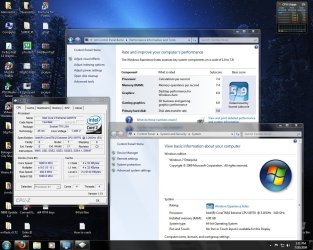
go for it, you will not regret it. Build 7600 that is out now is so far the best windows OS i've ever used.
 

Attachments

  • fresh 7 install.jpg
    fresh 7 install.jpg
    183.8 KB · Views: 24

My Computer

Computer Manufacturer/Model Number
Custom Built By Me
OS
Windows 7 Ultimate x64
CPU
Core 2 Extreme QX9770 @ 4.3ghz
Motherboard
EVGA 780i A2
Memory
4GB DDR2 1000
Graphics Card(s)
EVGA 8800GT SSC SLI
Sound Card
Creative Xifi Xtreme Gamer
Monitor(s) Displays
Westinghouse L2210NW
Screen Resolution
1680x1050
Hard Drives
2 x 150gb WD Raptors Raid 0 For OS/
750gb Hitachi for Storage
PSU
Enermax Galaxy kilowatt Modular
Case
Custom Lian Li Extended ATX
Cooling
Ultra 120 Lapped with twin 120mm fans
Keyboard
Razor Reclusa
Mouse
Logitech Optical
Internet Speed
Verizon Fios 30mb down / 20mb up
Back
Top