guest account and other accounts won't access

memorythief

New member
Local time
6:06 AM
Messages
10
when ever i attempt to enable and access the guest account, or create a new user account, when i click the account icon from the sign in screen it, the account immediately says 'logging off' which is bizarre because they weren't logged in!!

my account owner administrator works fine, has never been altered

any ideas on a remedy? thank you very much
 

Attachments

My Computer My Computer

At a glance

windows 7intel core i7 cpu 930 @2.8GHz a.8 GHz8gb DDR3-SDRAM (1333 MHz)ATI Radeon HD 5770
Computer Manufacturer/Model Number
HP/HP-270f
OS
windows 7
CPU
intel core i7 cpu 930 @2.8GHz a.8 GHz
Motherboard
intel x58
Memory
8gb DDR3-SDRAM (1333 MHz)
Graphics Card(s)
ATI Radeon HD 5770
Sound Card
Realtek High Definition Audio
Monitor(s) Displays
HP 2509 (HP 2509 Series Wide LCD Monitor)
Hard Drives
Hitachi HDS721010CLA332 1tb
It is a user account problem.

Control Panel --> Administrative Tools --> Local Security Policy;


A default guest account already exists as does a "hidden" admin account which has universal control. ( The default/admin account which most people use is not a "Universal Administrator Account").

You have to activate that admin account;


Click on "enable". Set it up as required with or without password etc.

Enable the guest account and assign whatever rights you want to give it, using "User Rights Assignment", and that's basically that!

Make sure you have a good backup ( image ), and that you don't forget your password, because if you do there is no way to get in to the system.

Regards....Mike Connor
 

My Computer My Computer

At a glance

Several, including Windows 7 x64 Ultimate
OS
Several, including Windows 7 x64 Ultimate
missing????

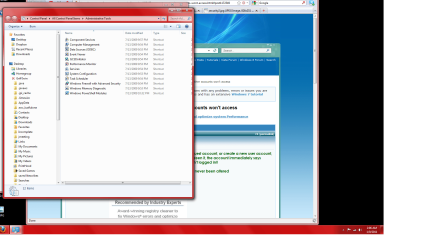
now what? local security policy not an option
 

Attachments

  • Untitled.png
    Untitled.png
    116.1 KB · Views: 66
  • Untitled1.png
    Untitled1.png
    122 KB · Views: 31

My Computer My Computer

At a glance

windows 7intel core i7 cpu 930 @2.8GHz a.8 GHz8gb DDR3-SDRAM (1333 MHz)ATI Radeon HD 5770
Computer Manufacturer/Model Number
HP/HP-270f
OS
windows 7
CPU
intel core i7 cpu 930 @2.8GHz a.8 GHz
Motherboard
intel x58
Memory
8gb DDR3-SDRAM (1333 MHz)
Graphics Card(s)
ATI Radeon HD 5770
Sound Card
Realtek High Definition Audio
Monitor(s) Displays
HP 2509 (HP 2509 Series Wide LCD Monitor)
Hard Drives
Hitachi HDS721010CLA332 1tb

My Computer My Computer

At a glance

Several, including Windows 7 x64 Ultimate
OS
Several, including Windows 7 x64 Ultimate
good morning mike

first i appreciate your help, let me tell you where i am regarding this...

i did supply system info as an attachment and i will again here.

i have created the admin account through cmd..now what? lol
 

Attachments

My Computer My Computer

At a glance

windows 7intel core i7 cpu 930 @2.8GHz a.8 GHz8gb DDR3-SDRAM (1333 MHz)ATI Radeon HD 5770
Computer Manufacturer/Model Number
HP/HP-270f
OS
windows 7
CPU
intel core i7 cpu 930 @2.8GHz a.8 GHz
Motherboard
intel x58
Memory
8gb DDR3-SDRAM (1333 MHz)
Graphics Card(s)
ATI Radeon HD 5770
Sound Card
Realtek High Definition Audio
Monitor(s) Displays
HP 2509 (HP 2509 Series Wide LCD Monitor)
Hard Drives
Hitachi HDS721010CLA332 1tb

My Computer My Computer

At a glance

Several, including Windows 7 x64 Ultimate
OS
Several, including Windows 7 x64 Ultimate
ok

i've enabled the built in administrator account but i still can't access the local security policy? what system info should i post? sorry for being a noob!
 

My Computer My Computer

At a glance

windows 7intel core i7 cpu 930 @2.8GHz a.8 GHz8gb DDR3-SDRAM (1333 MHz)ATI Radeon HD 5770
Computer Manufacturer/Model Number
HP/HP-270f
OS
windows 7
CPU
intel core i7 cpu 930 @2.8GHz a.8 GHz
Motherboard
intel x58
Memory
8gb DDR3-SDRAM (1333 MHz)
Graphics Card(s)
ATI Radeon HD 5770
Sound Card
Realtek High Definition Audio
Monitor(s) Displays
HP 2509 (HP 2509 Series Wide LCD Monitor)
Hard Drives
Hitachi HDS721010CLA332 1tb
oman

i tried all that. i still cant access 'local users and groups' perhaps because i have 7 home premium? regardless. i just want to get the guest account to work

:cry:
 

My Computer My Computer

At a glance

windows 7intel core i7 cpu 930 @2.8GHz a.8 GHz8gb DDR3-SDRAM (1333 MHz)ATI Radeon HD 5770
Computer Manufacturer/Model Number
HP/HP-270f
OS
windows 7
CPU
intel core i7 cpu 930 @2.8GHz a.8 GHz
Motherboard
intel x58
Memory
8gb DDR3-SDRAM (1333 MHz)
Graphics Card(s)
ATI Radeon HD 5770
Sound Card
Realtek High Definition Audio
Monitor(s) Displays
HP 2509 (HP 2509 Series Wide LCD Monitor)
Hard Drives
Hitachi HDS721010CLA332 1tb
Well, I'm sorry, but I don't know what else to tell you. If you can not access accounts as an administrator, then you have some of problem with your system, or are doing something wrong, but I don't know what. There are a number of options which are not available in Windows 7 Home Premium.

You can try this ;


  1. Click Start.
  2. Click Computer (this icon is also on the desktop).
  3. Right click on the Hard Disk icon where your OS is installed and click Properties.
  4. Click the Security tab.
  5. Click the Advanced tab.
  6. Click the Change Permissions button located after the Permission Entries list.
  7. A new window will appear on your screen. Such a window contains a list of all the user accounts available on your computer.
  8. Select the user account you want to give total control over your Windows 7 and click the Edit button.
  9. Now, tick the checkbox labeled “Total Control” and press OK.


Or this ;

At the Command Prompt.
  1. Click Start.
  2. In the Search field, type CMD.
  3. On the list of available programs, right click the Command Prompt icon and click Run as Administrator.
  4. In the black window, type: net user administrator /active:yes
  5. Press Enter.
  6. The system should return you the following message: The command completed successfully.
  7. Now, exit the Command Prompt and click the Start icon.
  8. Log off from the current account and in the Account window you should now see the Administrator account.
  9. If you want to turn off the Admin account, type: net users administrator /active:no
There is also a Microsoft Fix;

http://support.microsoft.com/kb/947215

To fix a corrupted profile;

http://windows.microsoft.com/en-us/windows7/Fix-a-corrupted-user-profile


I don't know whether they work in Home premium versions.


Regards....Mike Connor
 
Last edited:

My Computer My Computer

At a glance

Several, including Windows 7 x64 Ultimate
OS
Several, including Windows 7 x64 Ultimate
Back
Top