- Local time
- 5:30 PM
- Messages
- 2,039
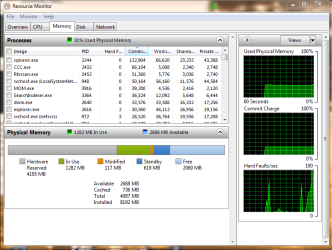
Go right above that colored bar you are looking at to processes and it will show you what and how much ram is being used for what. I don't use Ubuntu. You can use Windows 7 all by it's self to see a lot of things.
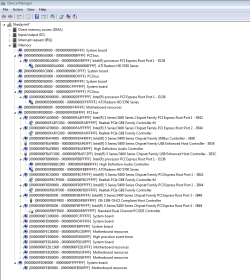
In Windows, it says 2GB hardware reserved. I cannot trace where that is in resource monitor or performance monitor. In Ubuntu, it ONLY registers that I have 2GB of RAM.
This is usually due to a faulty RAM configuration. Windows can see the RAM, but it can't use it.
Make absolutely sure the RAM you are using is actually compatible with your board.
If you are certain the RAM is compatible, and properly seated. Then you need to test with another RAM stick.
The fact that Ubuntu can not see the RAM at all tends to confirm the faulty configuration hypothesis.
There are quite a few things that can cause odd memory problems, but in view of the posts to date, this is almost certainly a faulty RAM configuration, or a defective RAM stick.
Regards....Mike Connor
My Computer
At a glance
Several, including Windows 7 x64 Ultimate
- OS
- Several, including Windows 7 x64 Ultimate